How to make phone calls from the OpenAI Agents SDK with MCP
The OpenAI Agents SDK connects to remote MCP servers two ways. Point either one at call4me and an agent can call a business, wait on hold, and report what actually happened. Here is the script we ran, the two settings that break long calls if you leave them at their defaults, and the real call it made.
 Nick Khami / / 14 min read
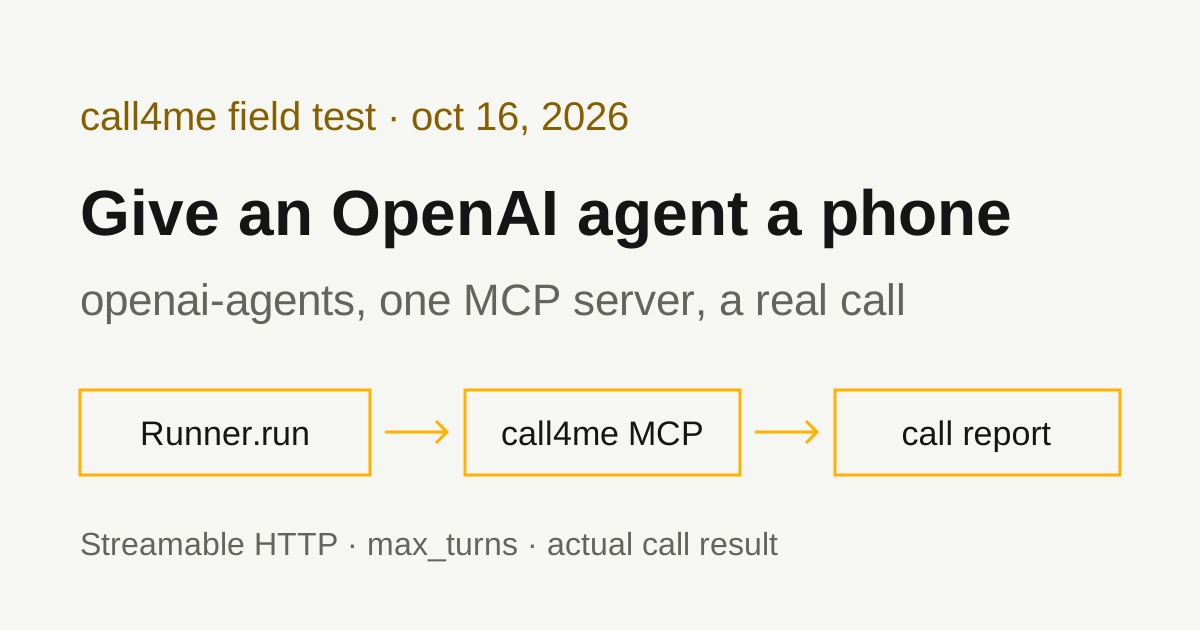
The short answer: install openai-agents, open an MCPServerStreamableHttp for https://call4.me/mcp with your call4me key in an Authorization header, pass it to Agent(mcp_servers=[...]), and run it with Runner.run. The agent gets call4me's calling tools: it can place a call to a business, follow it until it ends, answer questions the business asks mid-call, and hand back the outcome and transcript.
We verified this with openai-agents 0.24.0 on October 16, 2026, on Python 3.13 and Linux, with gpt-5.1 as the model. An Agents SDK agent placed one real call to USPS customer service from a written brief, reached a live representative 5 minutes 28 seconds after USPS answered, and got answers to all four questions. It took 12 model turns, so it would not have finished on the SDK's default turn limit.
pip install "openai-agents>=0.24.0"
export CALL4ME_API_KEY=...   # from your call4me account page
export OPENAI_API_KEY=...
import asyncio
import os
import sys

from agents import Agent, Runner
from agents.mcp import MCPServerStreamableHttp


async def main(prompt: str) -> None:
    async with MCPServerStreamableHttp(
        name="call4me",
        params={
            "url": "https://call4.me/mcp",
            "headers": {"Authorization": f"Bearer {os.environ['CALL4ME_API_KEY']}"},
            "timeout": 30,
        },
        # call4me_get_call can wait up to 50 seconds for a change; the default is 5.
        client_session_timeout_seconds=90,
    ) as call4me:
        tools = await call4me.list_tools()
        print("tools:", ", ".join(t.name for t in tools))
        agent = Agent(
            name="Phone agent",
            instructions="You make phone calls with call4me tools and report only what happened on the call.",
            model="gpt-5.1",
            mcp_servers=[call4me],
        )
        # Each call4me_get_call poll is a turn; the default limit is 10.
        result = await Runner.run(agent, prompt, max_turns=200)
        print(result.final_output)


asyncio.run(main(sys.argv[1]))
python agent.py "How much call4me credit do I have left? Do not place a call."
The agent called call4me_get_balance once and answered with the balance and per-minute rates. No call was placed.
Streamable HTTP or the hosted MCP tool
The SDK's MCP guide lists two ways to reach a remote MCP server, and does not rank them:
HostedMCPTool: "Let OpenAI's Responses API call a publicly reachable MCP server on the model's behalf." OpenAI's servers connect to call4me; your process never does.MCPServerStreamableHttp: "Connect to Streamable HTTP servers that you run locally or remotely." Your process connects to call4me and runs every tool call itself.
Both worked against call4me. We placed the real call with Streamable HTTP, and checked the hosted tool with a balance check and one 50 second status poll on that live call. For a calling agent we prefer Streamable HTTP, for three reasons:
- Your code sees every tool call. The SDK's run hooks fire on each one (the full script below logs them), so you know the call ID the moment
call4me_place_callreturns, even if the run fails later. - It works with any model. The hosted tool is a Responses API feature. The SDK supports other providers, and those need a server your process connects to.
- Approval runs in your process. More on that below.
The hosted version, which we ran:
from agents import Agent, HostedMCPTool, Runner

agent = Agent(
    name="Phone agent",
    instructions="You make phone calls with call4me tools and report only what happened on the call.",
    model="gpt-5.1",
    tools=[
        HostedMCPTool(
            tool_config={
                "type": "mcp",
                "server_label": "call4me",
                "server_url": "https://call4.me/mcp",
                "authorization": os.environ["CALL4ME_API_KEY"],
                "require_approval": "never",
            }
        )
    ],
)
result = await Runner.run(agent, prompt, max_turns=200)
There is no connection to open: the hosted tool goes in tools, not mcp_servers. authorization is documented in the openai package as "an OAuth access token"; a call4me API key works there as a bearer token, and the tool_config type also has a headers field if you would rather send the header yourself. On our 50 second poll, the hosted run took about 61 seconds and the tool returned no error, so wait_seconds 50 fits inside whatever timeout OpenAI's side uses. We did not run a full call through the hosted tool.
Authenticate without putting the key in code
call4me takes an API key as a bearer token. Both scripts read it from CALL4ME_API_KEY, so the key never appears in your source or in the prompt. To get a key, sign in at call4.me, add credits, and copy the key (it starts with cb_live_) from your account page. Read it into the shell without echoing it:
read -rsp 'call4me API key: ' CALL4ME_API_KEY
printf '\n'
export CALL4ME_API_KEY
Keep it in the environment of the process that runs the agent. It can place calls billed to your balance.
call4me's MCP server also supports OAuth sign in, which is how Claude Code and Codex connect (see the MCP setup page). MCPServerStreamableHttpParams has an auth field that takes an httpx.Auth handler, so an OAuth flow is possible, but we used the API key for every run on this page and did not test OAuth from the Agents SDK.
Two defaults that break long calls
call4me_place_call returns as soon as the call is placed. The agent then follows it by calling call4me_get_call with wait_seconds again and again until the call ends. Two SDK defaults are too small for that loop.
client_session_timeout_seconds defaults to 5. That is the MCP read timeout for each tool call, set on MCPServerStreamableHttp. call4me_get_call with wait_seconds 50 holds the request open until something changes or 50 seconds pass. We called it with the default on our live call, and after 5 seconds the SDK raised:
mcp.shared.exceptions.MCPError: Request 'tools/call' timed out
Inside an agent run, the SDK turns a failed tool call into an error message the model reads, so the agent sees a timeout rather than a status. Set the timeout above the longest wait you ask for. We used 90.
max_turns defaults to 10. The running agents docs define a turn as one model call, including any tool calls it makes, and raise MaxTurnsExceeded when a run goes past the limit. In 0.24.0 the default is DEFAULT_MAX_TURNS = 10 (in agents/run_config.py). With wait_seconds 50, each poll covers under a minute, so 10 turns ends the run around 8 minutes into a call. The call itself keeps going; only your agent stops watching it.
We passed max_turns=200, about 2.5 hours of polling. Other choices:
max_turns=Nonedisables the limit. Fine for a script you watch, risky for a server.error_handlers={"max_turns": handler}returns a fallback answer instead of raising. The running agents page has the example.- Let the agent place the call and return the call ID, then follow it from your own code with
call4me_get_call. A job queue handles an hour on hold better than one agent run.
Leave max_retry_attempts at 0. The SDK can retry failed list_tools and call_tool calls, and the MCP guide's example sets it to 3. A retried call4me_place_call after a timeout can dial the business twice. If a call times out, check the call ID with call4me_get_call before placing it again.
Set max_minutes on the call too. It caps billed time, including hold, and only holds credits for that cap.
Tool approval
With Streamable HTTP, the SDK calls MCP tools as the model asks, with no approval step. That is why our run placed the call without stopping. To gate the call, MCPServerStreamableHttp takes require_approval. The MCP guide says it accepts "always" or "never", True or False, a per-tool map, a grouped object like {"always": {"tool_names": [...]}}, or a callable. For a calling agent:
MCPServerStreamableHttp(
    ...,
    require_approval={"always": {"tool_names": ["call4me_place_call", "call4me_schedule_call"]}},
)
Per the SDK's human in the loop guide, the run then pauses before those tools and lists the pending calls in result.interruptions. You turn the result into state with result.to_state(), call state.approve(...) or state.reject(...) on each item, and resume with Runner.run(agent, state). We read this; we did not run it.
The hosted tool has its own require_approval ("always", "never", or per tool) and an on_approval_request callback that returns {"approve": True} or {"approve": False, "reason": ...}. We ran it with "never".
To keep the agent away from tools it does not need, such as buying numbers or adding funds, pass a filter: tool_filter=create_static_tool_filter(allowed_tool_names=[...]) (import it from agents.mcp). The hosted tool's tool_config takes allowed_tools for the same job.
Before it dials, call4me checks that it has what the call needs. A general question needs the questions; a restaurant booking needs a party size, a date and a time window. If something is missing, call4me_place_call does not dial and its result says exactly what to ask the user.
Give the agent a bounded calling task
The brief should say who to call, why, what to ask, what the caller may share, and when to stop. This is the prompt we used for USPS, with our callback number removed:
Use call4me to make one informational phone call to USPS customer service at 1-800-275-8777 (1-800-ASK-USPS, the number on usps.com/help/contact-us.htm).
This is research for a consumer guide on reaching USPS customer service. It is a general inquiry, not about any package, order or account.
Questions for the representative:
- What hours do live representatives answer this line, and in what time zone?
- What is the fastest way through the phone menu to reach a live person?
- If tracking says a package was delivered but it never arrived, what should someone do first, and how long should they wait before submitting a missing mail search?
- What should a caller have ready before calling about a package?
Limits: category "general" with these questions in details.questions, max_minutes 240, timezone America/Los_Angeles. The caller must say it is a general inquiry for a consumer guide, never claim to be a customer, never give a tracking number, address, name, phone number, email or any personal details, and never agree to any change or purchase. If the automated system asks for a tracking number, say it does not have one and ask for a representative. Decline any offer to send a text message. Decline any callback and stay on hold. The only callback number it may give is [your callback number] (put that in facts).
After placing it, follow the call with call4me_get_call (wait_seconds 50) until it ends. If an open question appears, answer only from this brief; otherwise say it is unknown. Then report the call ID, whether a live person was reached, how long it took to reach them, and the answers to each question. Do not place any other call.
The full script we ran
This is the script that placed the USPS call. It is the first script with the prompt read from a file and a run hook that prints each tool call with a timestamp:
import asyncio
import os
import sys
from datetime import datetime

from agents import Agent, RunHooks, Runner
from agents.mcp import MCPServerStreamableHttp


class LogTools(RunHooks):
    async def on_tool_start(self, context, agent, tool):
        print(f"{datetime.now():%H:%M:%S} -> {tool.name} {getattr(context, 'tool_arguments', '')}", flush=True)

    async def on_tool_end(self, context, agent, tool, result):
        print(f"{datetime.now():%H:%M:%S} <- {tool.name} ({len(str(result))} chars)", flush=True)


async def main(prompt: str) -> None:
    async with MCPServerStreamableHttp(
        name="call4me",
        params={
            "url": "https://call4.me/mcp",
            "headers": {"Authorization": f"Bearer {os.environ['CALL4ME_API_KEY']}"},
            "timeout": 30,
        },
        # call4me_get_call can wait up to 50 seconds for a change; the default is 5.
        client_session_timeout_seconds=90,
    ) as call4me:
        agent = Agent(
            name="Phone agent",
            instructions="You make phone calls with call4me tools and report only what happened on the call.",
            model="gpt-5.1",
            mcp_servers=[call4me],
        )
        # Each call4me_get_call poll is a turn; the default limit is 10.
        result = await Runner.run(agent, prompt, max_turns=200, hooks=LogTools())
        print(result.final_output)


asyncio.run(main(open(sys.argv[1]).read()))
python call_agent.py usps-prompt.txt
The hook's context is a ToolContext for MCP tools, which carries tool_arguments. The first lines of our log:
12:41:11 -> call4me_place_call {"to":"1-800-275-8777","business":"USPS customer service",...}
12:41:13 <- call4me_place_call (379 chars)
12:41:15 -> call4me_get_call {"call_id":"call_zv2jdruzuf97wlgx","wait_seconds":50}
The agent called call4me_place_call once, then call4me_get_call 10 times, each with wait_seconds 50, until the call completed at 12:49:30. It placed no other call. That is 11 tool calls, one per model turn, plus the turn that wrote the report: 12 turns for an 8 minute call with almost no hold. On the default max_turns of 10, this run would have raised MaxTurnsExceeded before the call ended. It skipped call4me_get_requirements, which worked because the brief already had everything a general call needs.
The tools your agent gets
list_tools() returned 19 tools on our account. The ones a calling agent uses:
| Tool | What it does |
|---|---|
call4me_get_requirements |
Lists what a kind of call needs before it can dial |
call4me_place_call |
Places a call and returns its ID right away |
call4me_get_call |
Status, open questions, transcript and (once finished) the outcome. wait_seconds (up to 50) waits for something to change |
call4me_answer_question |
Answers a question the business is waiting on mid-call |
call4me_hang_up |
Ends a call in progress |
call4me_schedule_call |
Dials later, for when the business is closed now |
call4me_get_balance |
Prepaid balance, per-minute price and the account's numbers |
call4me_get_recordings |
Recording links after the call |
The rest cover profiles, phone numbers and funds. The MCP page has the full list.
If call4me_place_call answers "Not calling yet", the call didn't dial and the result lists what's missing. A call ID means the call was submitted. completed means the call ended, not that the business answered anything.
What the test established
| Call | What happened |
|---|---|
| USPS, 1-800-275-8777 | Reached a live representative 5:28 after USPS answered. All four questions answered. Billed 9 minutes, $2.25. |
Here's the route from the recording:
- USPS answered with a Spanish option, a privacy policy option and a service alert about a tropical depression in the Mariana Islands, then asked "In a few words, please tell me how I can help you."
- The caller asked for a representative, twice. The system didn't take "representative" and read the main menu: package, mail, tools, stamps, alerts, or "other". The caller said "Other."
- A second menu played. The caller paused, the system said it didn't get that and repeated the menu, and the caller's "Right, okay" was heard as "technical support". The caller chose "How-to information."
- A third menu (Click-N-Ship, claims, PO Box, refunds). The caller asked how to reach a live person, which didn't match, then paused again.
- The system offered to text a Click-N-Ship link. The caller said "Hang on. Okay." That isn't the clear "no" the brief asked for, but the system didn't confirm a text and moved on: "Please stay on the line while I check the availability of our agents."
- About 20 seconds of survey notice, then a live representative answered 5 minutes 28 seconds after USPS picked up.
So the route to a person was the menu giving up on unmatched answers, not a menu choice. The brief didn't tell the caller which options to pick, and USPS's system didn't accept "representative".
The representative's answers, from the transcript and recording:
- Hours: "8 a.m. to 8:30 p.m., Monday through Friday" and "on Saturdays, 8 a.m. to 6:30 p.m." She said the line covers "all zones". The USPS contact page lists Monday to Friday 8 AM to 8:30 PM ET and Saturday 8 AM to 6 PM ET, so the Saturday closing time she gave is 30 minutes later than the website's.
- Fastest way to a person: "There is no fastest way I can mention," because it depends on what the caller needs and "how many calls are in a queue."
- Delivered but not received: she first said "They should wait seven days," then corrected herself: if it scanned delivered, "they can go ahead and report missing mail search at that point." If the package was insured, file a claim on USPS.com. She said they rarely open a service request now and send people to a claim and a missing mail search, or to the post office.
- What to have ready: "Their tracking number."
Where the agent's report matched the call. It reported the call ID, that a live person was reached, and all four answers accurately. On the missing mail question it kept both versions, the seven day wait and the correction, instead of picking one. It placed no second call and invented nothing about the menu.
Where it didn't.
- Time to a person. The agent said "approximately several minutes" and then quoted the 9 billed minutes. The transcript
call4me_get_callreturns has no timestamps. The recording shows 5:28. Your own polling log is better evidence than the summary: our hook printed a timestamp on every poll. - The weekday opening time. The agent wrote "until 8:30 p.m." for weekdays with no opening time. The live transcript caught "we work a.m. to 8:30 p.m." and dropped the "8". The recording has it. The agent reported what it was given.
- Texts. The agent's report didn't mention the text offer, or that the caller answered it with "Okay" rather than no.
The caller used a name. When the representative asked for a name, the voice caller said it was an assistant for the name saved in our call4me profile. The brief said never to give a name, but it didn't say what to answer when asked. If you don't want a name used on a call, say so in the brief, and say what the caller should answer instead.
None of these changed an answer. If a number or a timing matters, check it against the call record or the recording.
Pricing and limits
- $0.25 per minute of talk time in the US and Canada, including hold; some destinations cost more (see the FAQ). Unanswered calls are free.
max_minutesdefaults to 30 and goes up to 240 for a long hold.
Troubleshooting
MCPError: Request 'tools/call' timed out. client_session_timeout_seconds is below the wait_seconds the agent asked for. The default is 5. Set it above 50.
MaxTurnsExceeded: Max turns (10) exceeded. The run used up its turn limit while the call was still going. The call is not affected. Raise max_turns, add a max_turns error handler, or follow the call ID from your own code.
The model says it has no call4me tools. With Streamable HTTP, the server must be connected (the async with block) and passed in mcp_servers. With the hosted tool, it goes in tools, and putting it in mcp_servers is a mistake the MCP guide warns about.
Authentication errors. Check that the header reads Bearer followed by the key, and that CALL4ME_API_KEY holds a current key from the account page. Don't paste a key into the prompt as a fix.
A status check times out. Check the same call ID again with call4me_get_call before dialing again. A timeout doesn't mean the call ended, and a second placement can make a duplicate call.
Related guides
The same calls work from Python with LangChain and from TypeScript with the Vercel AI SDK. For how the voice caller itself sounds, see our OpenAI Realtime voices test. To compare calling services and setups for other AI apps, read our phone calling MCP comparison. Connection details for every client are on the call4me MCP page.