How to make phone calls from a Mastra agent with MCP
We connected a Mastra agent to call4me with MCPClient, made it ask before dialing, and had it call Fabletics customer service. Here is the script, the one schema setting OpenAI models need, and what the call actually got.
 Nick Khami / / 15 min read
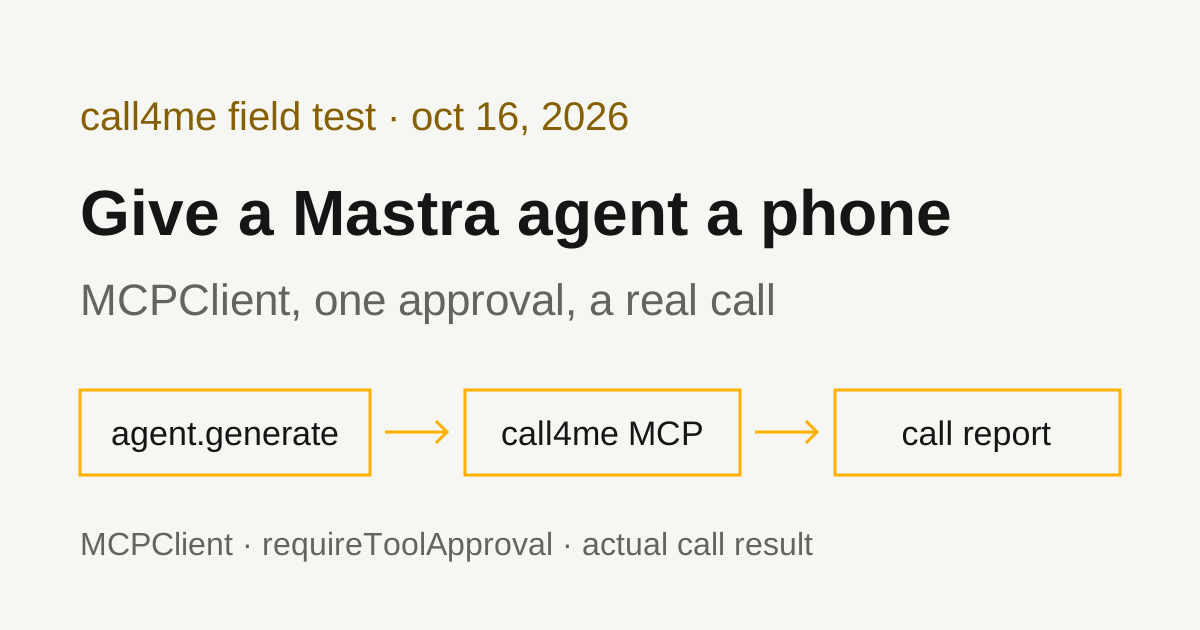
A Mastra agent can make phone calls through MCP. Mastra's MCPClient connects to remote MCP servers over Streamable HTTP, so you point it at call4me, hand the tools to an Agent, and give agent.generate() a brief with a goal and clear limits. The agent places the call, follows it to the end and reports what happened. A voice caller handles the conversation. The agent reads the status and transcript through tools.
We verified this with @mastra/core 1.78.0 and @mastra/mcp 2.4.1 on October 16, 2026, on Node 24 and Linux, with OpenAI's gpt-5.1 as the model. The agent placed a real call to Fabletics customer service from a written brief, after we approved it. It reached a live consultant 1 minute 24 seconds in and got answers to all four questions. The call was billed 5 minutes, $1.25.
An earlier call from the same script, to Verizon, shows the other case: an AI assistant that answers everything itself and won't hand off. That's further down.
One setting matters with OpenAI models. Our first attempt never dialed: Mastra rewrites tool schemas for OpenAI's strict mode, and that rewrite left the model no way to fill in the call's details. Setting strict = false on the call4me tools fixed it. That's below, with the source lines that explain it.
Install Mastra
You need an OpenAI API key (or a key for another provider Mastra's model router supports), a call4me account, and calling credits for the phone part.
We used a plain npm project rather than the create mastra starter, since one script is all this needs:
mkdir mastra-calls && cd mastra-calls
npm init -y && npm pkg set type=module
npm install @mastra/core @mastra/mcp zod tsx
That installed @mastra/core 1.78.0, @mastra/mcp 2.4.1 and zod 4.6.7. zod is a peer dependency of @mastra/core. tsx runs the TypeScript file directly. The MCP overview gives npm install @mastra/mcp@latest for the client on its own.
Mastra picks a model from a provider/model string, such as openai/gpt-5.1, and reads the key from the provider's usual variable. For OpenAI that's OPENAI_API_KEY, per the agents overview. We exported it in the shell and passed nothing in code.
Connect call4me with MCPClient
import { MCPClient } from '@mastra/mcp';

const mcp = new MCPClient({
  id: 'call4me',
  timeout: 120_000,
  servers: {
    phone: {
      url: new URL('https://call4.me/mcp'),
      requestInit: {
        headers: { Authorization: `Bearer ${process.env.CALL4ME_API_KEY}` },
      },
    },
  },
});

const tools = await mcp.listTools();
The MCPClient reference says a url selects Streamable HTTP, and requestInit is the fetch configuration, so the bearer header goes there. The key comes from the environment, never from the file. Copy it from the account page and read it in without echoing it:
read -rsp 'call4me API key: ' CALL4ME_API_KEY
printf '\n'
export CALL4ME_API_KEY
The server key becomes a prefix. listTools() names each tool serverName_toolName. We first called the server call4me and got call4me_call4me_place_call. With the key phone, the names read phone_call4me_place_call, phone_call4me_get_call and so on. Our connection check listed 19 tools.
Hand the agent only the calling tools. call4me's server also has tools that buy phone numbers and add funds. The script below picks six tools out of listTools() so the agent can't reach the others.
The timeout. timeout is in milliseconds, with a default of 60,000. A status check waits up to 50 seconds on the server, which fits, but we set 120,000 to leave room for a slow network.
Sign in with OAuth instead (documented, not tested by us)
call4me's MCP server also supports browser OAuth. The MCPClient reference lists an authProvider option for HTTP servers and a ready-made MCPOAuthClientProvider. We used the bearer header for every run on this page and did not test OAuth in Mastra.
OpenAI models need strict off
On our first run, the agent called call4me_place_call with "details": null and the questions written into goal. call4me answered "Not calling yet" and asked for questions in details, and the agent stopped to ask us for them. No call went out.
The cause is in Mastra's schema handling, not the model. call4me's details field is a free-form map: any key, string values. Mastra's OpenAISchemaCompatLayer (source) prepares every tool schema for OpenAI's strict mode. In the 1.3.15 build we installed, it sets additionalProperties: false on every object and makes every optional field required but nullable. On a map with no named properties, that leaves an object that can only be empty, so null was the only thing the model could send.
Mastra's tool builder skips that rewrite when a tool has strict set to false (optsOutOfStrictSchemas in builder.ts). strict is a documented property on Mastra tools, so we set it on each call4me tool:
tool.strict = false;
On the next run the agent sent "details": { "questions": "..." }, left the optional fields out instead of sending null, and the call dialed. The rewrite only applies to models Mastra treats as OpenAI. We didn't test other providers.
Approve calls before they dial
The MCPClient reference documents requireToolApproval per server: true for every tool, or a function that decides per call. We wanted status checks to run freely and a pause only before anything dials:
requireToolApproval: ({ toolName }) => toolName === 'call4me_place_call',
The function gets the server's own tool name, without the phone_ prefix.
With generate(), a tool that needs approval doesn't run. The call returns with finishReason: 'suspended', a suspendPayload holding toolName, args and toolCallId, and a runId. You then call agent.approveToolCallGenerate({ runId, toolCallId }) or agent.declineToolCallGenerate(...), per the agent approval page. That page also says approval "uses snapshots to capture request state", and without storage you get a "snapshot not found" error. So the script registers the agent on a Mastra instance with InMemoryStore from @mastra/core/storage.
Our script prints the arguments and asks on the terminal. We tested both answers:
- Declined. The agent replied that it couldn't place the call because tool access wasn't approved, and offered to try again if we confirmed. Afterward, the account's call list had no new call.
- Approved. Both real calls dialed and the agent followed each to the end with no further prompts.
Give the run enough steps
maxSteps defaults to 5. The generate reference says so, and the installed source stops at llmStepCountIs(5) when you pass neither maxSteps nor stopWhen. Each status check is one step, and each waits up to 50 seconds, so the default ends the run after about 4 checks, or a little over 3 minutes of call. The call itself keeps going on call4me, but your agent stops following it and never reports the result.
We set maxSteps: 300. Placing the call takes a step, so that's room for about 299 status checks, roughly 4 hours at 50 seconds each, to match max_minutes: 240. The Fabletics call used 8 steps. Pass the same options to approveToolCallGenerate, because it takes the same execution options and the resumed run is where the status checks happen.
Give the agent a bounded calling task
The brief should say who to call, why, what to ask, what the caller may share, and when to stop. This is the brief we used for Fabletics, with our callback number removed:
Use call4me to make one informational phone call to Fabletics customer service at 1-844-322-5384 (the number on Fabletics' help article help.fabletics.com/hc/en-us/articles/360058964132, open 24 hours, 7 days a week).
This is research for a consumer guide on reaching Fabletics customer service. It is a general inquiry, not about any account or order.
Questions for the representative:
- If someone calls this number, what's the fastest way to reach a live person?
- How does someone cancel a VIP membership, and can it be done by phone?
- How are refunds for returns issued: to the original payment method, as store credit, or something else, and how long do they take?
- What should a member have ready before calling?
Limits: category "general" with these four questions in details.questions, max_minutes 240, timezone America/Los_Angeles. The caller must say it is a general inquiry for a consumer guide, never claim to be a customer or member, never give a name, email, phone number on an account, order number, card, address or any personal details, and never agree to any change, purchase, offer or membership. Fabletics' automated assistant looks up the calling number and asks for the phone number connected to the account: say there is no account and it is a general question, and ask for a consultant. Decline any text or callback and stay on hold. The only callback number it may give is [your callback number] (put that in facts). Leave voice, caller_name and the other optional fields unset.
After placing it, follow the call with call4me_get_call (wait_seconds 50) until it ends. If an open question appears, answer only from this brief; otherwise say it is unknown. Then report the call ID, whether a live person was reached, how long it took to reach them, and the answers to each question. Do not place any other call.
We added the last sentence of the limits after a test run where the model filled in a caller name and a voice on its own. max_minutes 240 lets the call wait on a long hold. It caps billed time and only holds credits for that cap.
The complete script
Save it as call.ts and the brief as brief.txt. This is the exact script that placed the Fabletics call. The Verizon call ran it before we added the runId check:
import { readFile, writeFile } from 'node:fs/promises';
import { createInterface } from 'node:readline/promises';
import { Agent } from '@mastra/core/agent';
import { Mastra } from '@mastra/core/mastra';
import { InMemoryStore } from '@mastra/core/storage';
import { MCPClient } from '@mastra/mcp';

if (!process.env.CALL4ME_API_KEY) throw new Error('Set CALL4ME_API_KEY');

const mcp = new MCPClient({
  id: 'call4me',
  timeout: 120_000,
  servers: {
    phone: {
      url: new URL('https://call4.me/mcp'),
      requestInit: {
        headers: { Authorization: `Bearer ${process.env.CALL4ME_API_KEY}` },
      },
      // Pause before anything that dials. Status checks run without asking.
      requireToolApproval: ({ toolName }) => toolName === 'call4me_place_call',
    },
  },
});

// Give the agent only the calling tools, not buy_number, add_funds and so on.
const allowed = [
  'call4me_get_balance',
  'call4me_get_requirements',
  'call4me_place_call',
  'call4me_get_call',
  'call4me_answer_question',
  'call4me_hang_up',
];
const all = await mcp.listTools();
const tools = Object.fromEntries(
  allowed.map((name) => {
    const tool = all[`phone_${name}`];
    // Skip Mastra's OpenAI strict-schema rewrite, which turns free-form
    // objects like place_call's `details` into an object that must be empty.
    tool.strict = false;
    return [`phone_${name}`, tool];
  }),
);

const caller = new Agent({
  id: 'caller',
  name: 'Phone caller',
  instructions:
    'You make phone calls with the call4me tools. Place exactly one call per brief. ' +
    'After placing it, keep calling the get_call tool with wait_seconds 50 until the call is finished. ' +
    'A slow or timed out status check does not mean the call ended: check the same call ID again, never place it again. ' +
    'Answer open questions only from the brief. Report only what the call record shows.',
  model: 'openai/gpt-5.1',
  tools,
});

// Tool approval suspends the run, and resuming needs a storage snapshot.
const mastra = new Mastra({ agents: { caller }, storage: new InMemoryStore() });
const agent = mastra.getAgent('caller');

const brief = await readFile(process.argv[2] ?? 'brief.txt', 'utf8');
const options = {
  maxSteps: 300, // one step per status check: 300 x 50 s covers a 4 hour call
  onStepFinish: (step: any) => {
    for (const call of step.toolCalls ?? []) {
      const p = call.payload ?? call;
      console.error(new Date().toISOString(), p.toolName, JSON.stringify(p.args ?? p.input));
    }
  },
};

let result = await agent.generate(brief, options);
const rl = createInterface({ input: process.stdin, output: process.stderr });
while (result.finishReason === 'suspended') {
  const pending = result.suspendPayload as any;
  if (!result.runId) throw new Error('Suspended run has no runId');
  console.error(`\n${pending.toolName} wants to run with:\n${JSON.stringify(pending.args, null, 2)}`);
  const answer = await rl.question('Approve this call? [y/N] ');
  const resume = { runId: result.runId, toolCallId: pending.toolCallId, ...options };
  result = answer.trim().toLowerCase() === 'y'
    ? await agent.approveToolCallGenerate(resume)
    : await agent.declineToolCallGenerate(resume);
}
rl.close();

console.log(result.text);
console.error(`finishReason: ${result.finishReason}, steps: ${result.steps.length}`);
if (process.env.RUN_LOG) await writeFile(process.env.RUN_LOG, JSON.stringify(result.steps, null, 2));
await mcp.disconnect();
Run it with:
npx tsx call.ts brief.txt
It prints a timestamped line for each tool call to stderr, the agent's report to stdout, and, if you set RUN_LOG to a file path, every step as JSON. That file is how we checked what the agent actually sent and received. The script also passes tsc --strict with @types/node installed.
The tools the agent used
| Tool | What the agent did with it |
|---|---|
call4me_get_balance |
Read the balance and call4me numbers in our connection check |
call4me_place_call |
Started the call with the category, questions, facts and limits from the brief, after our approval, and got back a call ID |
call4me_get_call |
Followed status and transcript, with wait_seconds: 50, until the call finished |
call4me_get_requirements |
Lists what a kind of call needs. The agent skipped it, which worked because the brief already had everything a general call needs |
call4me_answer_question |
Sends an answer if the caller asks one mid-call. The call raised no question, so this wasn't exercised |
call4me_hang_up |
Ends a call in progress. Not used |
These are call4me's documented calling tools; the MCP page has the full list. On the Fabletics run, the agent called call4me_place_call once, then call4me_get_call six times until the call completed, and placed no other call.
If call4me_place_call answers "Not calling yet", the call didn't dial and the result lists what's missing. Mastra's MCP client treats that as a tool error by default (onToolError: 'throw'), logs it, and passes the message to the model, which is what happened on our first attempt. A call ID means the call was submitted. completed means the call ended, not that the business answered anything.
What the test established
| Call | What happened |
|---|---|
| Fabletics, 1-844-322-5384, Friday 12:43 pm Pacific | A live consultant answered 1:24 into the recording. All four questions answered. Recording 4:24, billed 5 minutes, $1.25. |
| Verizon, 1-800-922-0204, Friday 3:35 pm Eastern | Verizon's AI assistant answered all four questions and never handed off. Recording 2:40, billed 3 minutes, $0.75. |
Here's the Fabletics route from the recording:
- 0:02 "Thank you for calling Fabletics. Calls are recorded," then a Spanish option and, at 0:09, "How can I assist you today?"
- The caller said it had general questions for a consumer guide. At 0:25 the assistant said "Before I transfer you to an agent, please tell me in a few words what you're calling about."
- The caller said it wasn't about an account. The assistant asked "are you asking to speak with an agent?", then at 0:46 "Hmm, I didn't get that."
- At 0:50 the caller said "I'd just like to talk to a representative for a general question." At 0:58: "Just a moment, I will transfer you to a consultant for more help."
- 1:06 "You're the next caller in the queue," a higher-than-usual-volume message and a suggestion to chat instead.
- 1:24 a consultant said "Hello?"
This time the assistant never asked for the phone number on an account, which it asked for twice on our earlier Fabletics call.
The consultant's answers, from the recording:
- Fastest way to a person: "Just call the number. Once [the bot has] taken the request, you will transfer to a live person," and it depends "on the amount of people in the queue." Our call followed that route.
- Cancelling VIP: "It cannot be done by phone." Asked again: "it's not by phone. You have to reach out." The two transcriptions disagree on the next words ("reach out" or "return it"), and the consultant didn't say where to go instead. This conflicts with Fabletics' own help center, which says you can cancel "by phone, chat, or online", and with the consultant on our earlier call, who said they'd cancel by phone once they verified the account holder. Treat it as one consultant's answer.
- Refunds for returns: "usually goes to the store credit." Once a prepaid return's code is scanned, or a FedEx return reaches the warehouse and is scanned, the refund "should reflect within 24 hours" as store credit. Refunds to the original payment method didn't come up.
- What to have ready: it "depends on the inquiry, what they're calling about." No list.
Where the agent's report matched the call. It gave the call ID, said a live person was reached, gave the billed 5 minutes, and got all four answers right, including the "not by phone" answer and the store credit timing. It noted that the consultant listed nothing to have ready. It placed no second call.
Where it didn't.
- Time to a person. It said "within a few minutes". The transcript
call4me_get_callreturns has no timestamps. The recording shows 1:24. - An added guess. It wrote that "context suggests doing it through Fabletics online." The consultant never said online.
- The callback number. It said "the only callback number associated with the call was the allowed one" and listed it. That number is the caller ID the call went out from. No callback number was given on the call.
- Offers that never happened. It said "no text or callback was accepted." Nobody offered either.
None of these changed an answer, but they're the kind of detail a summary fills in. If a number or a timing matters, check it against the call record or the recording.
When an AI assistant won't hand off
Our first real call from this script went to Verizon at 1-800-922-0204, the number on Verizon's bill pay FAQ, with the same kind of brief: four general questions, no account details, and "An agent, please." if the AI assistant got in the way.
The call record shows the caller saying "An agent, please." right after the greeting, and at 1:06 asking for "a live agent just to ask some general questions." Verizon's AI assistant answered: "I can help answer general questions about Verizon products, policies, and services right now." It answered every question itself, never asked for an account, and never transferred. Its answers: support hours of 8 am to 7 pm Eastern Monday to Saturday and 8 am to 5 pm Sunday, a callback "may be offered" during high call volume, and have your phone or account number, account PIN and billing ZIP ready. Our Verizon customer service guide covers what it takes to reach a person there.
The agent's report said correctly that no live person was reached. But it passed along the assistant's answer to "the fastest way to reach a live person" (request a representative when prompted) without noting that the caller had done exactly that, twice, on the same call. When the business's own bot answers, read the answers as the bot's, and check whether the call contradicts them.
Troubleshooting
"Not calling yet" with details missing, on an OpenAI model. The strict-schema rewrite emptied the details object. Set strict = false on the call4me tools before passing them to the agent, as in the script.
Tool names like call4me_call4me_place_call. listTools() prefixes each tool with the server key. Rename the key, or use the prefixed names. requireToolApproval gets the unprefixed name either way.
"snapshot not found" after approving. Approval needs storage. Register the agent on a Mastra instance with a storage provider, such as InMemoryStore for a script, and get the agent back with mastra.getAgent().
The run ends while the call is still going. You're on the default 5 steps. Raise maxSteps, and pass it to approveToolCallGenerate too. To pick the call back up, check the same call ID with call4me_get_call.
Authentication errors. Check that the header reads Bearer ${process.env.CALL4ME_API_KEY} and that the variable holds a current key from the account page. Don't paste a key into the brief as a fix.
A status check times out. Check the same call ID again with call4me_get_call before dialing again. A timeout doesn't mean the call ended, and a second placement can make a duplicate call.
A balance error from call4me_place_call while you still have credits. Every call holds credits for its max_minutes up front and settles when it ends, so several long calls running at once can tie up the whole balance. Wait for one to finish or add credits, and check the call list first so you don't place the same call twice.
Related guides
For the same workflow in other TypeScript and agent frameworks, see Vercel AI SDK phone calls, LangChain phone calls and n8n phone calls. To compare calling services and see the setup for other AI apps, read our phone calling MCP comparison. Connection details for every client are on the call4me MCP page.