How to make phone calls from the Claude Agent SDK with MCP
We built a small agent with Anthropic's Claude Agent SDK, connected call4me as a remote MCP server, and had it call the Social Security Administration. Here are the query() options that keep the key in an environment variable, the permission settings a headless agent needs, the turn budget for a long hold, and what the call actually got.
 Nick Khami / / 16 min read
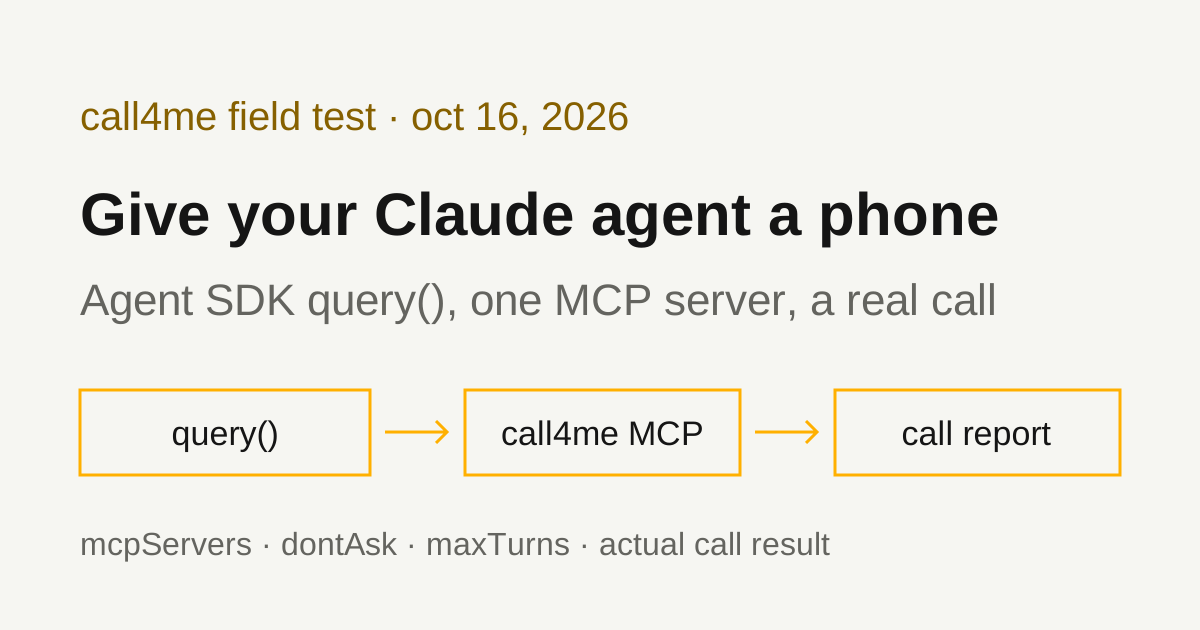
An agent you build with the Claude Agent SDK can make phone calls through an MCP server. The SDK takes remote MCP servers in its mcpServers option, so you point it at call4me, give it a brief with a goal and clear limits, and it places the call, follows it to the end and reports what happened. A voice caller handles the conversation. Your agent reads the status and transcript through tools.
We verified this with the TypeScript Agent SDK 0.3.301 (@anthropic-ai/claude-agent-sdk, which bundles Claude Code 2.1.301) on October 16, 2026, on Linux with Node 24, using claude-sonnet-5-5 as the model. Our agent placed one real call to the Social Security Administration's national number from a written brief, reached a live representative 2 minutes 39 seconds after SSA answered, and got an answer to each of its four questions. One of those answers was wrong, and the agent said so.
This guide is for building your own agent in code. If you want the phone inside the Claude Code session you already use, read Claude Code phone calls instead. For the Claude apps, see Claude phone calls.
Install the Agent SDK
You need an Anthropic API key, a call4me account, and calling credits for the phone part.
The Agent SDK quickstart lists Node.js 18+ or Python 3.10+ and gives this install for TypeScript:
npm install @anthropic-ai/claude-agent-sdk
That's what we ran, and it installed 0.3.301. The quickstart says both SDKs bundle a native Claude Code binary, so there's no separate Claude Code install. On Linux it arrived as the @anthropic-ai/claude-agent-sdk-linux-x64 package.
The SDK reads the model key from ANTHROPIC_API_KEY. The quickstart notes that it "doesn't load .env files automatically", so export it in the shell that runs your agent.
Python works the same way. pip install claude-agent-sdk (0.2.168 on PyPI when we checked) exposes the same options in snake case: mcp_servers, allowed_tools, permission_mode, max_turns, setting_sources, strict_mcp_config and tools on ClaudeAgentOptions. We read the Python source and docs but ran only TypeScript. One difference we found in the Python source: its HTTP server config type has type, url and headers but no per-server timeout, so set MCP_TOOL_TIMEOUT through the env option instead (see below).
Connect call4me as a remote MCP server
The SDK's MCP guide uses type: "http" for a streamable HTTP server and passes a bearer token in headers, read from an environment variable. For call4me:
mcpServers: {
  call4me: {
    type: "http",
    url: "https://call4.me/mcp",
    headers: { Authorization: `Bearer ${process.env.CALL4ME_API_KEY}` },
    timeout: 120000,
  },
},
Put your key in the environment of the shell that runs the agent. Copy it from the account page and read it in without echoing it:
read -rsp 'call4me API key: ' CALL4ME_API_KEY
printf '\n'
export CALL4ME_API_KEY
The key stays in your process, not a file. The header is built in your code from the variable, and the SDK passes it to the Claude Code process it starts. We checked afterward: the key wasn't written anywhere under the config or home folders the run used.
Why timeout: 120000. call4me's call4me_get_call can wait up to 50 seconds for news before it answers. Claude Code's environment variables page says each request to an HTTP MCP server "also times out after 60 seconds by default", and that a per-server timeout above 60000 raises that limit. 50 seconds fits under 60, but with little room, so we set two minutes. timeout is in the TypeScript McpHttpServerConfig type in 0.3.301. In Python, pass env={"MCP_TOOL_TIMEOUT": "120000"}.
The MCP server name sets the tool names. The SDK names MCP tools mcp__<server>__<tool>, so with the server called call4me, the place call tool is mcp__call4me__call4me_place_call. You'll need those names for permissions.
OAuth isn't an option here. The MCP guide says the SDK "doesn't open a browser or run an interactive OAuth flow"; a server that needs OAuth reports needs-auth and the agent runs without its tools. Use the API key header. call4me's browser sign in is for apps like Claude Code that run the flow for you.
Check the connection before dialing
The system message with subtype init lists each MCP server's status. Our script prints it, then we ran it with this prompt:
Use call4me_get_balance to check my phone calling connection. Show my balance and my call4me numbers. Do not place a call.
The init message showed { name: 'call4me', status: 'connected' } and 19 call4me tools. The agent called call4me_get_balance once and showed the balance and the account's call4me numbers. The MCP guide's advice is to treat failed and needs-auth as unusable, and not to treat pending as a failure by itself.
Permissions for an agent nobody is watching
MCP tools need permission before the agent can call them. The SDK's permissions guide offers six modes: default, dontAsk, acceptEdits, bypassPermissions, plan and auto. For an agent that runs with nobody at the keyboard, the useful pair is allowedTools plus permissionMode: "dontAsk". The guide describes dontAsk as "Deny instead of prompting": tools you listed run, and "any call that would otherwise prompt is denied."
We listed only the six tools a call needs:
allowedTools: [
  "mcp__call4me__call4me_get_balance",
  "mcp__call4me__call4me_get_requirements",
  "mcp__call4me__call4me_place_call",
  "mcp__call4me__call4me_get_call",
  "mcp__call4me__call4me_answer_question",
  "mcp__call4me__call4me_hang_up",
],
permissionMode: "dontAsk",
The agent still sees call4me's other tools, but it can't use them. We checked by asking it to call call4me_list_calls. The tool result came back as an error that began "Permission to use mcp__call4me__call4me_list_calls has been denied because Claude Code is running in don't ask mode", and the result message listed it under permission_denials. That's how you keep an agent from buying numbers or adding funds.
"mcp__call4me__*" allows every call4me tool if you'd rather. The guide says allow rules take wildcards only after a literal mcp__<server>__ prefix, and that a bare "*" or "mcp__*" "is ignored with a startup warning".
Three things to avoid:
- Leaving the mode unset. The guide says that when you don't pass one, the starting mode comes from settings files or the built-in default, "which can be auto mode", and that before TypeScript SDK 0.3.286 leaving it unset meant
default. Set it explicitly. defaultwith nocanUseToolcallback. Anything not inallowedToolsthen goes to a callback you didn't write. UsedontAskfor a hard deny.bypassPermissionsas a shortcut. The guide warns thatallowedTools"does not constrain" this mode: every tool is approved, not only the ones you listed.
We also passed tools: [], which the type definitions describe as "Disable all built-in tools". The init message listed no built-in tools, so the agent had no shell, file editing or web access. A calling agent doesn't need them.
Keep your own Claude config out of it
By default, query() loads the same settings as Claude Code. The type definitions say that when settingSources is omitted, "all sources are loaded (matches CLI defaults)", and that [] disables filesystem settings. We passed settingSources: [] and strictMcpConfig: true, which uses only the MCP servers passed in mcpServers and ignores .mcp.json, user settings and plugins. Without those, an agent on your laptop could pick up your personal MCP servers and permission rules.
For our test we also pointed HOME and CLAUDE_CONFIG_DIR at a temporary folder. The SDK still saved session transcripts under that folder's projects directory. persistSession: false turns that off, at the cost of not being able to resume.
Turns, polling and long holds
A call is a loop: place it, then call call4me_get_call with wait_seconds: 50 until it's done. The agent loop page says maxTurns "counts tool-use turns only" and has no limit by default. Each status check is one turn of about 50 seconds, so an hour on hold is roughly 70 turns.
We set maxTurns: 400. With max_minutes: 240, call4me's cap on a call's length, the most a call could need is about 280 checks, plus a few turns for setup and the report. Our run used 9 turns: requirements, place call, six status checks, then the final answer.
When the limit is hit, the result message has subtype error_max_turns, and query() then throws. We checked with maxTurns: 1: the agent made one tool call, the result read error_max_turns, and the loop threw "Claude Code returned an error result: Reached maximum number of turns (1)". The script below catches that and prints the session ID. Stopping the agent doesn't hang up the call. The call keeps going on call4me's side, so look it up by its call ID before you do anything else. The agent loop page says a session can be resumed by passing its ID as resume. We didn't test resuming.
maxBudgetUsd is the other limit. Our SSA run cost $0.06 in model usage, by the result message's total_cost_usd. Hold time adds turns, and each turn sends the conversation to the model again, so a two hour hold costs more than that.
Give the agent a bounded calling task
The brief should say who to call, why, what to ask, what the caller may share, and when to stop. This is the prompt we used, unchanged:
Use call4me to make one informational phone call to the Social Security Administration at 1-800-772-1213 (the national 800 number on ssa.gov/agency/contact/phone.html, open 8:00 a.m. to 7:00 p.m. local time, Monday through Friday).
This is research for a consumer guide on reaching Social Security by phone. It is a general inquiry, not about anyone's record or benefits.
Questions for the representative:
- Do local Social Security field offices take walk-ins, or do people need an appointment, and how do they make one?
- If someone gets a phone call saying their Social Security number is suspended, where should they report it?
- When is the best time to call this number to get through faster?
- What should a caller have ready before they call about their own record?
Limits: category "general" with these questions in details.questions, max_minutes 240, timezone America/New_York. The caller must say it is a general inquiry for a consumer guide, never claim to be a beneficiary or to be calling about anyone's record, and never give a Social Security number, name, date of birth, address, phone number or any other personal detail. The menu asks for a nine-digit Social Security number: say it is a general question and that it cannot provide one, and ask for an agent. Decline every callback offer (press 3 to stay on hold if asked) and stay on hold; holds of 20 minutes or more are expected. Do not give any callback number. Do not agree to anything or take any survey.
Steps: you may check call4me_get_requirements for "general" first. Place the call once with call4me_place_call. If it fails because of a concurrent call limit, do not place another call immediately: tell me, and stop (I will retry). Then follow the call with call4me_get_call (wait_seconds 50) again and again until finished is true. A long hold means many checks; keep checking, never stop early, and never place a second call. If an open question appears, answer only from this brief with call4me_answer_question; otherwise say it is unknown.
When the call has finished, report: the call ID, whether a live person was reached and roughly when, each question with the representative's answer (quote them; mark any unanswered), billed minutes and cost, and anything in your report that you inferred rather than read in the transcript.
We checked the number first on SSA's Contact Social Security By Phone page, which says "You can call us at 1-800-772-1213 between 8:00 a.m. – 7:00 p.m. local time, Monday through Friday." The menu path came from our earlier Social Security phone number guide.
max_minutes 240 lets the call wait out a long hold. It caps billed time, and credits are held only for that cap. The concurrent call line is there because an account has a limit on simultaneous calls. If the agent retries on its own, a timeout can turn into two calls.
The complete script
Save this as call-agent.mjs next to your node_modules:
import { query } from "@anthropic-ai/claude-agent-sdk";
import { readFileSync, appendFileSync } from "node:fs";

if (!process.env.CALL4ME_API_KEY) throw new Error("Set CALL4ME_API_KEY first");

const [briefFile, logFile = "run.jsonl", maxTurns = "120"] = process.argv.slice(2);
const prompt = readFileSync(briefFile, "utf8");

const run = query({
  prompt,
  options: {
    model: "claude-sonnet-5-5",
    mcpServers: {
      call4me: {
        type: "http",
        url: "https://call4.me/mcp",
        headers: { Authorization: `Bearer ${process.env.CALL4ME_API_KEY}` },
        timeout: 120000, // per-call limit in ms; HTTP requests otherwise stop at 60 s
      },
    },
    tools: [], // no built-in tools: no Bash, file edits or web access
    allowedTools: [
      "mcp__call4me__call4me_get_balance",
      "mcp__call4me__call4me_get_requirements",
      "mcp__call4me__call4me_place_call",
      "mcp__call4me__call4me_get_call",
      "mcp__call4me__call4me_answer_question",
      "mcp__call4me__call4me_hang_up",
    ],
    permissionMode: "dontAsk", // anything not listed above is denied, not prompted
    settingSources: [], // ignore ~/.claude settings and project files
    strictMcpConfig: true, // only the server configured here
    maxTurns: Number(maxTurns),
  },
});

try {
  for await (const message of run) {
    appendFileSync(logFile, JSON.stringify({ t: new Date().toISOString(), ...message }) + "\n");
    if (message.type === "system" && message.subtype === "init") {
      console.log("MCP servers:", message.mcp_servers);
      console.log("call4me tools:", message.tools.filter((t) => t.startsWith("mcp__call4me__")).length);
    }
    if (message.type === "assistant") {
      for (const block of message.message.content) {
        if (block.type === "tool_use") console.log(new Date().toISOString(), "tool:", block.name);
      }
    }
    if (message.type === "result") {
      console.log(`result: ${message.subtype}, turns: ${message.num_turns}, cost: $${message.total_cost_usd?.toFixed(2)}`);
      console.log(`session: ${message.session_id}`);
      if (message.subtype === "success") console.log(message.result);
      else console.error("Stopped early. Check the call ID with call4me_get_call before dialing again.");
    }
  }
} catch (err) {
  // query() throws after an error result such as error_max_turns
  console.error(err.message);
  process.exitCode = 1;
}
It takes the brief file, an optional log file and an optional turn limit. Every message goes to the log as a line of JSON, which is where we got the timings below. We saved the brief as ssa-brief.txt and ran:
node call-agent.mjs ssa-brief.txt ssa.jsonl 400
The script is plain ES modules, so node runs it directly. We ran the call with an earlier copy that didn't have the try block or the session line, then ran this version again for the connection check and the maxTurns: 1 test.
The tools the agent used
| Tool | What the agent did with it |
|---|---|
call4me_get_requirements |
Checked what a general call needs. The only required field was the questions |
call4me_place_call |
Started the call with the category, questions, facts and limits from the brief, and got back a call ID |
call4me_get_call |
Followed status and transcript with wait_seconds: 50, six times, until the call completed |
call4me_get_balance |
Used in the connection check, not on the call run |
call4me_answer_question |
Sends an answer if the caller asks one mid-call. No question came up, so this wasn't exercised |
call4me_hang_up |
Ends a call early. Not needed: the caller hung up after its last question |
These are call4me's documented calling tools; the MCP page has the full list. The agent called call4me_place_call once and placed no other call. Each status check took about 51 seconds, so the timeout headroom mattered.
If call4me_place_call answers "Not calling yet", the call didn't dial and the result lists what's missing. A call ID means the call was submitted. completed means the call ended, not that the business answered anything.
What the test established
| Call | What happened |
|---|---|
| Social Security Administration, 1-800-772-1213 | Placed Friday, October 16, at 3:32 pm Eastern. A live representative answered 2:39 after SSA picked up, with no hold. All four questions got an answer, one of them wrong. Billed 6 minutes, $1.50. |
Here's the route from the recording:
- SSA's greeting, the Spanish option and the recording notice, then a long message about a Medicare premium rebate that ends by asking you to say yes or press 1, or say no or press 2. The caller said "two."
- "How can I help you today?" The caller said it had general questions for a consumer guide and no Social Security number to enter.
- "Please provide the reason for your call." The caller said "general question," and the menu said it would transfer the call.
- It asked twice for a nine-digit Social Security number. Both times the caller said it couldn't provide one because this was a general inquiry.
- "Looks like we are having a problem understanding you. Let me connect you to an agent." A survey notice and a privacy notice played, then a representative answered at 2:39.
On our October 13 call, the same route led to a 20 minute hold estimate, a callback offer and a person at 19:33. This time there was no hold estimate and no callback offer. One call each on two days doesn't tell you what the wait will be.
The representative's answers, from the transcript:
- Walk-ins or appointments: "some local office, they accept walk-in, but some they don't." If you need an appointment, they can set one up by phone, either to go in or as a phone appointment. Nothing was said about booking online.
- A call saying your number is suspended: "we never call people that their social security get suspended. That probably a scam." Asked twice where to report it, the representative said the credit bureau, and to put a block on the Social Security number. That's not where SSA itself sends scam reports. On our October 13 call, SSA's own hold message said to report scams to the Office of the Inspector General at ssa.gov/scam. Treat the credit bureau answer as one representative's suggestion, not a reporting channel.
- Best time to call: call volume "vary day by day. So, I don't know when's the best time," and then, unprompted, Monday is "the busy day." SSA's phone page says waits "are typically shorter in the morning, later in the week, and later in the month."
- What to have ready: "We need the Social Security number," and SSA will verify the caller's identity.
The caller gave no Social Security number, name or other personal detail, gave no callback number, and hung up before the survey.
Where the agent's report matched the call. It reported the call ID, that a person answered with no long hold, the four answers with quotes, and the billed 6 minutes and $1.50. It flagged the credit bureau answer as likely wrong before we did. It also split its report into what it read in the transcript and what it inferred, as the brief asked: it said it couldn't time the pickup because the transcript call4me_get_call returns has no timestamps, and that it couldn't confirm the representative was a person. The recording settles both: a person answered at 2:39, with the coughs, pauses and restarts of someone talking off the cuff.
Where it didn't.
- Outside knowledge in the answer. It said the SSA Office of the Inspector General and the FTC "are the usual places to report this." That's probably right, but it came from the model, not the call. It's the kind of line that slides into a guide as if staff had said it.
- "Until finished is true." The brief said to keep checking until
finishedwas true. The last check came back withstatus: completed, a hangup cause and a billed cost, butfinished: falseand no outcome summary yet. The agent stopped there and said so. The call had in fact ended, so it was the right call, but if you want call4me's own summary, check once more. - "Pressed 2." It said the caller pressed 2 at the Medicare prompt. The recording shows the caller said "two."
- Details it added to the call. The agent gave the caller a name, "Jordan", and described the call as for "a consumer guide researcher" in
call4me_place_call. Neither was in the brief. The name never came up on the call, but if you don't want a name used, say so in the brief.
Troubleshooting
status: 'failed' or 'needs-auth' in the init message. The header didn't carry a working key. Check that CALL4ME_API_KEY is exported in the shell that runs Node and holds a current key from the account page. The MCP guide warns that MCP servers that fail to connect don't throw, so the agent keeps going without call4me's tools. Check the status before you trust the result.
"Permission to use mcp__call4me__... has been denied because Claude Code is running in don't ask mode." The tool isn't in allowedTools. Add its full mcp__call4me__ name or the mcp__call4me__* wildcard.
The agent picks up MCP servers or rules you didn't give it. Pass settingSources: [] and strictMcpConfig: true.
"Not logged in" or "Invalid API key". That's the model key, not call4me. The quickstart says to set ANTHROPIC_API_KEY in the shell that runs the agent.
A status check times out. Raise the server's timeout (or MCP_TOOL_TIMEOUT) above 60000. Then check the same call ID again with call4me_get_call before dialing again. A timeout doesn't mean the call ended, and a second placement can make a duplicate call.
The run stops with error_max_turns mid-hold. The call is still going. Raise maxTurns, then have the agent pick up the same call ID, or resume the session by its ID. Don't place it again.
The agent stops at "completed" without an outcome. The call ended; call4me's summary can land a few seconds later. Ask for one more call4me_get_call after completed.
Related guides
To give the Claude Code session you already use a phone, read Claude Code phone calls. For the Claude apps, see Claude phone calls. To dial at a set time instead of now, read our scheduled calling workflow. For the same setup in other agents, see Goose phone calls and LangChain phone calls. To compare calling services, read our phone calling MCP comparison. Connection details for every client are on the call4me MCP page.