Phone calling MCP servers for Claude Code and Codex: which setup fits your agent?
Compare call4me, Vapi Agent Phone, Bland, ClawCall, Cocall, and Patter by account setup, calling workflow, and the evidence your agent gets back.
 Nick Khami · · 17 min read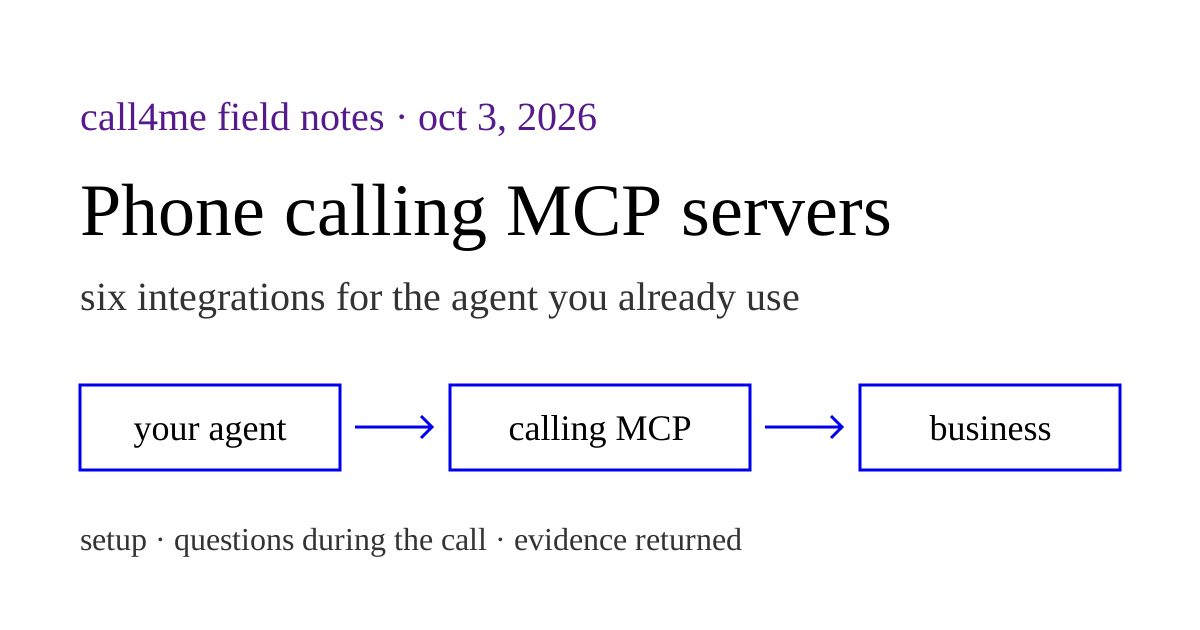
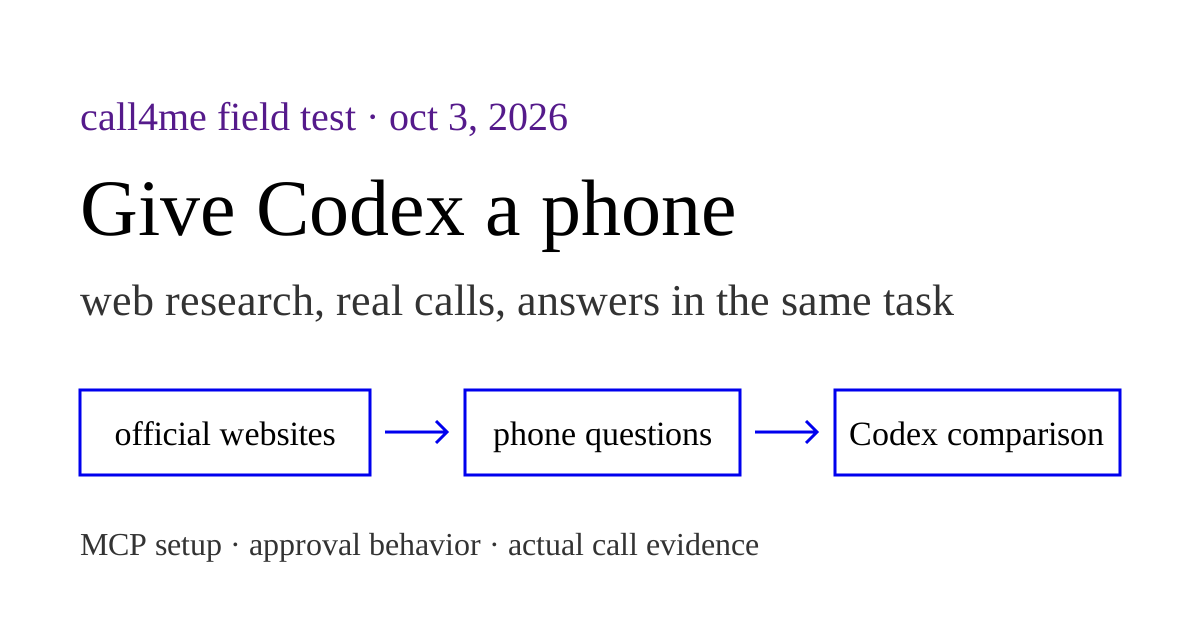
You already have Claude Code or Codex researching a problem. A phone calling MCP server lets that same agent call a business for information it cannot find online, then use the answer in the task it was already doing.
Several services now provide this. Vapi Agent Phone is a ready to use calling service, separate from Vapi's developer dashboard. Bland has an official operational MCP server and skills plugin that can place calls as well as build voice agents. call4me, ClawCall, Cocall, and Patter also support outbound calling from an existing agent. The useful choice is how you connect, what the call can ask you, and what comes back.
We make call4me. This comparison uses official documentation reviewed on October 3, 2026, public MCP connection checks, and the bounded harness examples described below. We did not run the same live call through every service, so this is a setup and workflow comparison, without a call quality ranking.
Choose by the setup you want #
| Service | Connection and account requirements | Useful when |
|---|---|---|
| call4me | Hosted HTTP MCP; browser OAuth or a personal API key; call4me credits | You want calls, questions, and results inside the agent's existing task |
| Vapi Agent Phone | Hosted HTTP MCP with browser OAuth; no Vapi developer API key or phone number setup | You want hosted calling within Agent Phone's account and service limits |
| Bland | Hosted HTTP MCP with a Bland API key; official plugin adds skills and workspace commands | You already use Bland or want calling alongside pathways, call review, and evals |
| ClawCall | Hosted HTTP MCP with OAuth; a skill and REST API are alternative paths | You want a hosted calling workflow for English language calls to US numbers |
| Cocall | Hosted HTTP MCP with OAuth; docs require adding a verified number before the first call | You want a documented question and resume loop during a call |
| Patter Claude Call | Local Claude Code plugin and stdio MCP; Twilio account and owned number, OpenAI key, Node 20 or newer | You want a local plugin with third party calls, completion notifications, and inbound voice access |
For a hosted service with a documented answer loop during a call, compare call4me and Cocall. For an existing Bland account, try its operational MCP before building a new integration. For a local Claude Code plugin that also supports notifications and inbound access, look at Patter. Vapi Agent Phone funds calls within a limited allowance. ClawCall focuses on English language US calls and offers REST and skill alternatives to MCP.
The linked pages are the sources for this matrix. These choices follow the documented workflows; a shared live benchmark remains pending.
What comes back to the agent? #
An outbound call tool is only the start. The original task needs an answer it can use: a quote, availability, a confirmation, or an explicit failure.
| Service | Documented result workflow | When the call needs more information |
|---|---|---|
| call4me | call4me_get_call returns status, live transcript, open questions, and the final outcome; call4me_get_recordings retrieves available recordings |
The agent submits an answer through call4me_answer_question; the user can also join or listen |
| Vapi Agent Phone | phone starts the call; phone_status returns its progress and result, including transcript and available recording |
Answer submission during the call: unknown, not documented in the reviewed protocol |
| Bland | create_call, wait_for_call, and get_call_log cover outbound calls and transcript, recording, summary, and metadata |
Answer submission from the coding session: unknown, not documented in the reviewed call tool reference |
| ClawCall | Start a call, inspect its lifecycle, and retrieve captured transcript evidence and a temporary recording when available | Human phone handoff is documented; answer submission from the coding session is unknown |
| Cocall | start_call waits until the call ends or needs an answer; status reads expose summary and recording |
resume_call submits the user's answers to questions during the call |
| Patter Claude Call | A phone subagent pursues the objective and returns a structured outcome; tools include call history and transcript retrieval | Answer submission during a third party call: unknown, not documented in the reviewed README |
These are documented interfaces, not results from a shared live test. A feature missing from the reviewed reference is an uncertainty, rather than proof that the entire platform lacks it. See call4me's instructions, Vapi's protocol, Bland's call tools, ClawCall's handoff documentation, Cocall's tools, and Patter's README.
Connected, answered, and completed are different claims. A tool appearing in your agent proves discovery. A call reaching a person proves connection. The transcript or confirmation must support the actual task result. ClawCall makes this distinction explicit in its documentation: a network outcome of answered does not prove a booking succeeded.
Setup paths for Claude Code and Codex #
Start with one integration. Check the connection with a read operation before asking it to dial.
call4me #
For browser OAuth, add the hosted server:
claude mcp add --scope user --transport http call4me https://call4.me/mcp
Open /mcp in Claude Code and authenticate. In Codex:
codex mcp add call4me --url https://call4.me/mcp
codex mcp login call4me
Ask it to run call4me_get_balance without placing a call. The account page also provides a personal server URL carrying your API key. Treat that URL as a credential.
We verified fresh browser OAuth and a balance read on the canonical endpoint with Codex CLI 0.160.0. Our restaurant calls used an earlier bearer connection; the Codex walkthrough distinguishes these tests and explains the discovery bug we found and fixed during sign in.
call4me exposes the call to the existing agent as a goal, facts, and flexibility. For a restaurant research task, those facts might include the group size, date, and whether the agent may reserve anything. Follow call4me_get_call while the call is active, answer open questions, then return the result to the original task. Available carrier recordings can be retrieved separately; a recording can be pending or absent.
Vapi Agent Phone #
Agent Phone's setup page gives this Claude Code connection:
claude mcp add --transport http agent-phone https://phone.vapi.ai/mcp
Complete browser authentication through your client's MCP controls. For Codex, the standard MCP commands are:
codex mcp add agent-phone --url https://phone.vapi.ai/mcp
codex mcp login agent-phone
Our live example below reused a browser authorized MCP connection in a fresh Codex session. See Codex's MCP documentation for the client commands. Agent Phone also documents an HTTP device connection for agents with HTTP access and secure credential storage. Its device credential is separate from its MCP OAuth credential.
Use the Agent Phone instructions, rather than Vapi developer dashboard instructions. Its discovery document currently lists account and shared attempt limits. This is a limited calling allowance, not unlimited service. Its call schema defaults voicemail to on, which requires a user supplied caller name and callback number. Our task explicitly prohibited voicemail, so we sent voicemail: "off" and omitted both contact fields. Do not invent them to satisfy validation. The live MCP schema did not expose a duration setting; a duration instruction in the goal is not an enforced cap.
Bland's official MCP and plugin #
For an existing Bland account, connect https://api.bland.ai/v1/mcp with an Authorization: Bearer header containing your Bland API key. https://docs.bland.ai/mcp is the documentation search server, a different surface from the account tools that place calls. The MCP overview explains both.
The official Bland plugin is the recommended path for supported coding clients. In Claude Code:
/plugin marketplace add CINTELLILABS/bland-plugins
/plugin install bland@bland
It adds skills, /bland:* commands, and Norm's pathway workflow. You can also connect the remote server alone. Bland's Codex guide documents this configuration:
[mcp_servers.bland]
url = "https://api.bland.ai/v1/mcp"
bearer_token_env_var = "BLAND_API_KEY"
The process launching Codex must receive that environment variable. For a new account, Bland also documents a browser approval flow for connecting an agent. Our account connected on the free option without buying a paid plan. Account allowance and billing still limit actual calling.
Bland's tools can place a call with a task, so an existing agent does not necessarily need to build a pathway first. Its broader platform also supports voice agent development. The compact create_call tool does not expose every call setting. In our discovered schema, setting a duration cap, recording, and voicemail behavior required call_bland_api with the documented POST /v1/calls body. Inspect those fields before dialing rather than assuming the simpler tool applies your limits.
ClawCall #
The Claude setup guide documents:
claude mcp add --transport http clawcall https://api.clawcall.dev/mcp
Authenticate through /mcp, then ask for plan and allowance information without dialing. The Codex guide documents codex mcp add and codex mcp login, but explicitly labels its instructions as based on OpenAI documentation and not yet tested live with ClawCall. That qualification matters if you choose it for Codex.
Its REST and skill paths are alternatives to hosted MCP. The docs distinguish captured transcript evidence from network outcome and explain temporary recording access.
Cocall #
Cocall's Claude Code guide documents:
claude mcp add cocall --transport http https://cocall.ai/mcp
Complete browser OAuth and verify the connection with claude mcp list. Its documented call loop can pause for an answer and resume with that answer. The site also names Codex as supported, but our review did not establish a dedicated Codex setup guide or a live Codex test.
Patter Claude Call #
Follow the repository's plugin installation and setup. It bundles a local MCP server with commands and a phone subagent, and starts a Cloudflare tunnel when needed. Have Twilio credentials, an owned number, and an OpenAI API key ready. Alternative voice engines have their own credentials.
Choose its third party call command for business research. Its completion notifications and inbound voice access are useful additional workflows, with separate commands.
Using a calling MCP from T3 Code #
Keep the underlying provider in mind. T3 Code's Codex provider guide and Claude provider guide describe provider configuration. An MCP added on another machine or to another provider profile may not reach the session you are using.
Check which provider and environment the thread actually uses, configure the calling integration there, then verify that its tools appear in a fresh thread. We have not completed a live T3 Code calling test for these services, so this comparison does not claim verified compatibility across every T3 provider.
An actual Bland call from Codex #
On October 3, 2026, we connected Bland's operational MCP in a fresh Codex CLI 0.160.0 session. The account API key reached the process through an environment variable. Codex read Bland's call documentation through MCP, submitted one call_bland_api request, waited on that call ID, then retrieved get_call_log. We did not build a pathway or install the full plugin for this example.
The task was general Waterbar private dining research. It allowed one informational call, with no decided date or guest count, no booking, payment, callback, message, or personal profile disclosure. We set a three minute cap, enabled recording, selected voicemail hangup without a message, and omitted retries. Bland returned completed and 133 seconds. Early wait_for_call reads returned unknown with no recording, before completion and get_call_log exposed the recording. Codex kept waiting on the same ID and did not dial again. The reviewed final log returned null for cost and summary. This was a completed connection with partially answered research questions.
Waterbar's virtual concierge said Bridge Tower was fully enclosed and private, while Looking Glass was not fully enclosed and could share sound with the main dining area. It described the posted capacities as recommended maxima, with possible flexibility depending on layout. These are concierge assertions, without staff confirmation, rather than a capacity guarantee for an event. The concierge could not provide current minimums or mandatory fees. It offered to pass a message to the events team; the caller declined and ended. The concierge had also announced that it was taking notes to share with the team. Whether it relayed those notes is not established by our call log. The transcript shows a generic AI introduction and no invented date or guest count. It also contains brief conversational overlap and an interrupted fee question that the caller restated. We did not measure latency. Voicemail handling was configured but not exercised, because the concierge answered.
Our Call4me harness sessions used six minute caps; the Codex Waterbar recording lasts 3:12. Those Call4me callers also used a saved profile name despite the brief asking them not to share it. The linked walkthrough discloses that failure, and the public audio mutes the name. The Bland run used a shorter cap and a different instruction payload. These examples show each workflow and its evidence. They do not establish matched timing, relative quality, or reliability rankings.
Listen to the Bland Waterbar call #
Read the Bland Waterbar transcript
Names are shown in brackets. The full recording lasts 2:13, with original timing preserved. This transcript follows the reviewed audio, without completing interrupted phrases from the API log. Overlapping speech remains marked.
0:04 Bland: Hello, I'm an AI assistant doing general private dining research.
0:05 Waterbar virtual concierge: [overlapping] Hello. Thank you for calling Waterbar. This is [name removed], the virtual concierge. I'm taking notes on this call and sharing with the team. How can I help you?
0:15 Bland: Hi [name removed], I have some general policy questions about your private dining spaces. First, which of the Bridge Tower and Looking Glass spaces is fully enclosed and private, and which shares space or sound with the main dining room?
0:31 Waterbar virtual concierge: The Bridge Tower Room is fully enclosed and private, offering wall to wall windows and a private terrace directly under the Bay Bridge. The Looking Glass is a versatile indoor outdoor space that overlooks the main bar and offers beautiful views, but it is not fully enclosed and may share some sound with the main dining area. Is there anything else I can help you with regarding our private dining spaces?
0:53 Bland: Thank you. Regarding capacity, your website lists ideal seated capacities of 60 for Bridge Tower and 24 for Looking Glass. Are these hard limits or flexible depending on layout?
1:07 Waterbar virtual concierge: The seated capacities of 60 for the Bridge Tower Room and 24 for the Looking Glass are the recommended maximums for a comfortable dining experience. These numbers are based on standard layouts, but there may be some flexibility depending on your event's setup and needs.
1:24 Waterbar virtual concierge: [overlapping] If you have a specific layout or guest...
1:24 Bland: [overlapping] Okay, what current...
1:29 Waterbar virtual concierge: It looks like your question got cut off. Could you please repeat or finish your question? I'm here to help.
1:37 Bland: My apologies. I was asking about the current food and beverage minimums and mandatory fees that apply generally, including any service, administrative, or room fees.
1:51 Waterbar virtual concierge: It looks like I don't have enough information to help with the current food and beverage minimums or any mandatory fees, service charges, or room fees for our private dining spaces.
2:01 Waterbar virtual concierge: I can pass your message to the events team who can provide you with all...
2:03 Bland: [overlapping] I understand.
2:07 Bland: Thank you, but that won't be necessary. I just needed the general information. Have a good day.
2:07 Waterbar virtual concierge: [overlapping] It looks like your message got...
At 0:31, the concierge describes room privacy. At 1:07, it suggests possible layout flexibility. That statement still needs staff confirmation. At 1:51, it cannot answer minimums or fees. At 2:07, the caller declines follow up and ends.
An actual Vapi Agent Phone call from Codex #
We also reused browser OAuth for Agent Phone in a fresh Codex CLI 0.160.0 session on October 3. The live connection exposed phone and phone_status. Codex submitted one request with a stable requestKey, the published Waterbar number, the general research goal, and separate context and instructions. It sent voicemail: "off" with no caller name or callback contact. The tool accepted that input.
There was no account allowance read tool. The submission returned remainingCalls: 9; this was an observed remaining allowance after the attempt, rather than a balance checked beforehand. The live schema also had no duration parameter. We instructed the caller to finish within three minutes, so this run had an instructional limit, unlike Bland's enforced three minute cap and the Call4me runs' six minute caps.
Codex kept reading the same call ID at the returned pollAfterSeconds interval. Active reads had no transcript or recording. The final result returned ended, assistant-ended-call, a transcript, and a recording. It also returned cost: 0; we report that field without assigning an undocumented currency or treating it as a general pricing guarantee.
Waterbar's virtual concierge described Bridge Tower as private and Looking Glass as less enclosed, overlooking the bar. It repeated the posted capacities but could not confirm layout flexibility. It could not supply minimums or fees. The caller used a generic AI introduction, did not invent event details, and declined offers to pass a message twice. The concierge independently announced that it was taking notes to share with the team; our artifacts do not establish whether those notes were relayed.
The same Waterbar automation gave different capacity answers across these calls. Bland received possible flexibility language; Agent Phone and Call4me received an explicit limit on what the concierge could confirm. We leave layout flexibility unresolved and seek staff confirmation. The different responses and instructions do not support a provider ranking or a matched benchmark.
Listen to the Vapi Agent Phone Waterbar call #
Read the Vapi Agent Phone Waterbar transcript
Names are shown in brackets. The full recording lasts 1:51, with original timing preserved. This transcript follows the reviewed recording. An isolated opening "Hi" in the API text was not established in the audio and is omitted here.
0:05 Waterbar virtual concierge: Hello. Thank you for calling Waterbar. This is [name removed], the virtual concierge. I'm taking notes on this call and sharing with the team. How can I help you?
0:15 Vapi through Agent Phone: Hi, I'm an AI assistant calling to ask a few general questions about your private dining spaces. I'm not making a booking, just gathering info.
0:27 Waterbar virtual concierge: Hi, of course. We have a few private event options at Waterbar. What would you like to know?
0:33 Vapi through Agent Phone: Thanks. Are the Bridge Tower and Looking Glass spaces fully enclosed, or do they share space or sound with the main dining room?
0:43 Waterbar virtual concierge: The Bridge Tower room is a private dining room with wall to wall windows and its own private terrace. The Looking Glass is a versatile indoor and outdoor venue overlooking the main bar, so it is not as fully enclosed as a traditional private room.
0:59 Vapi through Agent Phone: Okay, that helps. Are your ideal seated capacities, like 60 for Bridge Tower and 24 for Looking Glass, hard limits, or can they shift a bit depending on layout?
1:13 Waterbar virtual concierge: The Bridge Tower room can seat up to 60 guests, and the Looking Glass can seat up to 24 guests. I don't have more detail on layout flexibility, but I can pass your message to the host if you'd like.
1:24 Vapi through Agent Phone: That's okay. No need to pass anything along. Could you share, in general, what the current food and beverage minimums are and any mandatory service, admin, or room fees?
1:37 Waterbar virtual concierge: It looks like I don't have enough information to help with that, but I can pass your message to the host.
1:44 Vapi through Agent Phone: No need, thank you. That's all I needed for now.
1:48 Vapi through Agent Phone: Okay, ending the call.
At 0:43, the concierge describes the rooms. At 1:13, it cannot confirm layout flexibility. At 1:37, it cannot answer minimums or fees. At 1:44, the caller declines message forwarding, then announces it is ending the call at 1:48.
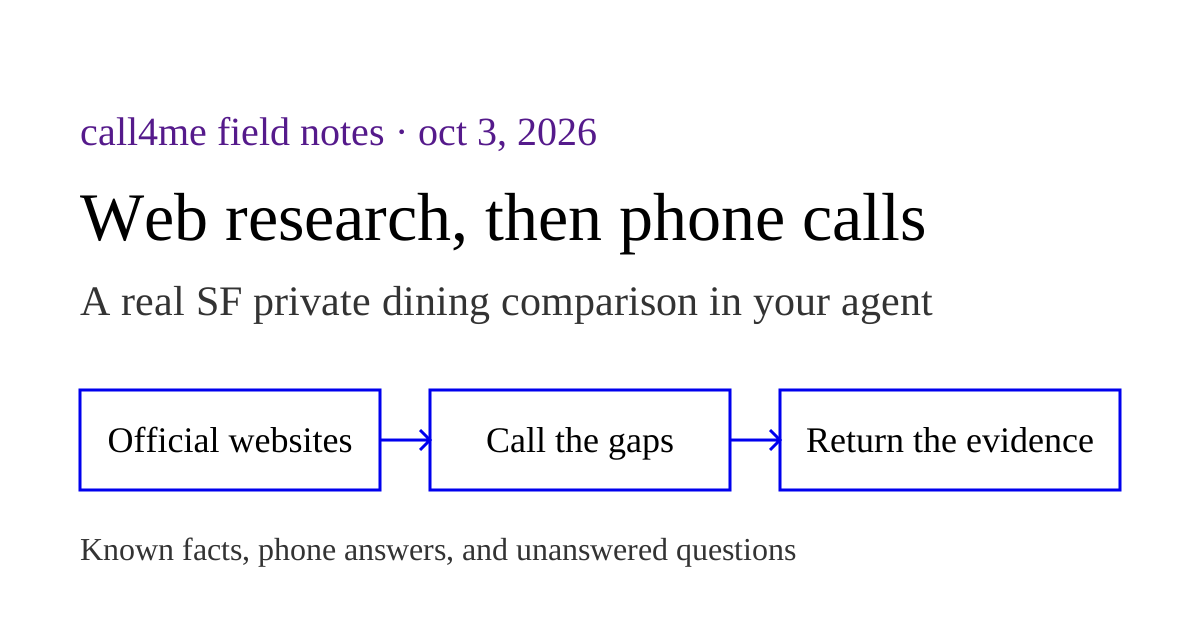
A useful first task: web research, then phone confirmation #
The payoff is filling a specific gap in research. Keep the agent's browser and search tools in the same task as its phone tools.
Our fresh Claude Code and Codex private dining research sessions start with official websites, identify missing information, and return telephone findings to the same task. The call recordings also show limits: automated restaurant concierges could not supply every requested detail, and one call ended before a follow up answer could be delivered. These are actual harness sessions, with setup and outcome boundaries documented. They are not a controlled comparison against the other services here. Our earlier five restaurant calls provide additional recordings and transcripts.
For example, use this prompt after connecting a service:
Find three restaurants near [area] that might host [group size] on [date]. Read their official websites first and show the sources. Identify which questions are still unanswered online. Ask me to approve the businesses and phone numbers before dialing. Then call only to confirm room availability, fees, minimum spend, and accessibility. Do not book anything or agree to a charge. Ask me if a call requires a decision outside these instructions. Return one comparison with web findings and phone confirmations labeled separately, including unanswered questions and call evidence where available.
Judge the result against the task you gave it:
| Check | Evidence to look for |
|---|---|
| Correct business | Official website source and the number actually dialed |
| Clear authority | Research only, with no reservation or charge agreed |
| Missing information handled | The question, your answer if needed, and the caller's response |
| Usable result | Specific answers tied to the business and call date |
| Honest failure | Voicemail, no answer, missing recording, or unresolved question reported clearly |
| Return to the task | A final comparison that distinguishes online information from what was confirmed by phone |
A service can support the right tools and still fail this task. A fair live comparison would preserve the same instructions, record the integration and version used, show the actual transcripts, and account for changing availability between calls. Until those sessions exist, setup documentation supports a choice of workflow. It does not support a claim that one caller is faster, more reliable, or better sounding than another.