How to make phone calls from GitHub Copilot CLI with MCP
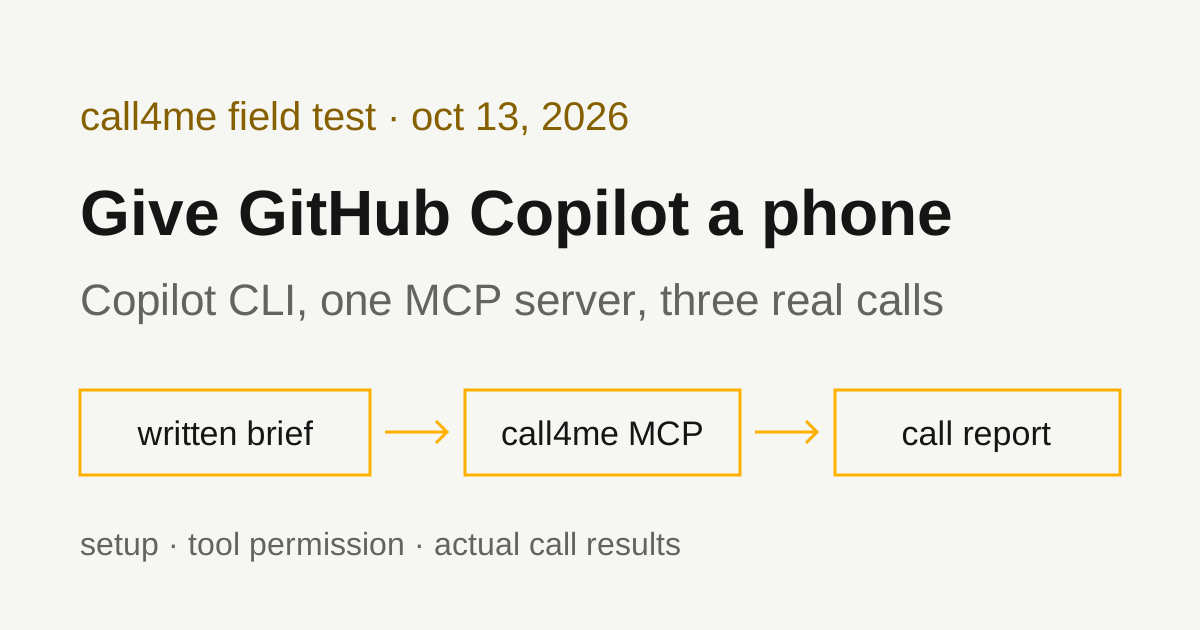
We connected GitHub Copilot CLI to a phone calling MCP server, gave it written briefs, and let it place three real calls. Here is the setup, the permission flag non-interactive runs need, the tool sequence, and what each call actually got.
 Nick Khami / / 9 min read
GitHub Copilot can make phone calls through an MCP server. Copilot CLI supports remote MCP servers, so you add call4me once, give Copilot a brief with a goal and clear limits, and it places the call, follows it to the end and reports what happened. A voice caller handles the conversation. Copilot reads the status and transcript through tools.
We verified this with GitHub Copilot CLI 1.0.97 on October 13, 2026, on Linux. Copilot placed three real calls from written briefs: two to Walmart, which played a recording and hung up, and one to T-Mobile, which reached a live representative.
Looking for Microsoft Copilot instead? The consumer Copilot app at copilot.com is a different product. Its connectors are a fixed list: Microsoft's support page names OneDrive, Outlook.com (email, calendar and contacts), Google Drive, and Gmail, Google Calendar and Google Contacts. It doesn't describe custom connectors or MCP servers, so you can't add a calling tool there. For assistants that can, see our phone calling MCP comparison.
Install Copilot CLI and sign in
You need an active GitHub Copilot subscription, a call4me account, and calling credits for the phone part. Your GitHub sign in and your call4me connection are separate.
We installed the npm package:
npm i @github/copilot@1.0.97
GitHub's install guide documents npm install -g @github/copilot and lists Node.js 22 or later as the prerequisite. You can sign in with /login inside the CLI, or set a token in your environment. The guide checks COPILOT_GITHUB_TOKEN, then GH_TOKEN, then GITHUB_TOKEN, and says a fine-grained token needs the "Copilot Requests" permission. In our test we set GH_TOKEN from a GitHub account with Copilot.
Add the call4me MCP server to Copilot CLI
Copy your personal call4me API key from the account page. Read it into your shell without echoing it, rather than pasting it into a command or a prompt:
read -rsp 'call4me API key: ' CALL4ME_API_KEY
printf '\n'
copilot mcp add --transport http call4me https://call4.me/mcp \
  --header "Authorization: Bearer $CALL4ME_API_KEY"
unset CALL4ME_API_KEY
Your shell expands the variable before Copilot sees it, so the key stays out of your shell history and out of Copilot's conversation. It does not stay out of Copilot's configuration. copilot mcp add writes the header value you pass into ~/.copilot/mcp-config.json, in plain text. We checked: the saved file had the full bearer value, and when we passed a literal ${NAME} string instead, the file kept that string unexpanded. We didn't test whether Copilot expands such a placeholder when it connects, so the pattern above passes the real key once and treats the config file as a secret. In our test, the file was created readable only by its owner.
The command's output masks the header as ***. GitHub's MCP setup page shows the same --header "Authorization: Bearer ..." form for remote servers and documents the user config at ~/.copilot/mcp-config.json.
Then check it:
copilot mcp list
Ours listed call4me (http). GitHub's page also documents copilot mcp get call4me, and /mcp show call4me inside an interactive session, to see a server's status and tools.
Check the connection before dialing
A live tool result is the check that matters. We ran:
copilot --allow-tool='call4me' -p "Use the call4me_get_balance tool to check my phone calling connection. Show my balance and call4me numbers. Do not place a call."
It returned the account balance and the account's call4me numbers. The --allow-tool flag matters here; see the next section.
Sign in with OAuth instead (documented, not tested by us)
call4me's MCP server also supports browser OAuth sign in, so you can add the server without a header and authenticate inside Copilot. The Copilot CLI changelog records OAuth support for remote MCP servers and a /mcp auth command for signing in and re-authenticating. We used a bearer header for every run on this page and did not test the OAuth path in Copilot CLI.
Tool permission and workspace config in non-interactive runs
Two things tripped us up when running copilot -p in a fresh folder.
Tool approval. Copilot asks before it uses a tool. In -p mode nobody is there to answer, so the call never happens. We passed --allow-tool='call4me', which let Copilot use call4me's tools without prompting. GitHub's configuration guide says that "using the server name without specifying a tool allows or denies all tools from that server," and that 'server(tool_name)' targets a single tool. For tighter runs, you can allow only the tools a task needs.
Allowing the server means Copilot can place calls without asking you each time. Keep the destination, questions and limits in the brief, and use interactive mode when you want to approve each call yourself.
Workspace .mcp.json. Our first attempt put the server in a workspace .mcp.json inside a new, untrusted folder. In -p mode, Copilot reported no call4me tools. It then tried a shell command, which was denied with "no interactive user response was available." The user config from copilot mcp add worked.
That matches what GitHub documents. Its MCP page says project-level servers in .mcp.json or .github/mcp.json load only after you confirm folder trust, and that in prompt mode untrusted directories skip them unless GITHUB_COPILOT_PROMPT_MODE_WORKSPACE_MCP is set to true. The same page says Copilot CLI doesn't read .vscode/mcp.json. We didn't test the environment variable.
Give Copilot a bounded calling task
The brief should say who to call, why, what to ask, what the caller may share, and when to stop. This is the prompt we used for T-Mobile, with our callback number removed:
Use call4me to make one informational phone call to T-Mobile customer service at 1-800-937-8997 (the number on t-mobile.com/contact-us).
This is research for a consumer guide on reaching T-Mobile customer service. It is a general inquiry, not about any account.
Questions for the representative:
- Is it faster to reach a person by phone or through T-Life app chat?
- Are care reps available every day from 4 a.m. to 9 p.m. Pacific?
- How does the phone menu route people who are not customers yet versus existing customers?
- How long does a billing credit or dispute typically take?
Limits: category "general" with these questions in details.questions, max_minutes 30, timezone America/Los_Angeles. The caller must say it is a general inquiry for a guide, never claim to be a customer, never give a phone number on an account, a PIN, card, address or personal details, and never agree to any change or purchase. If the menu asks for a T-Mobile number or PIN, say there isn't one and ask for a representative. Decline any callback and stay on hold. The only callback number it may give is [your callback number] (put that in facts).
After placing it, follow the call with call4me_get_call (wait_seconds 30) until it ends. If an open question appears, answer only from this brief; otherwise say it is unknown. Then report the call ID, whether a live person was reached, how long it took to reach them, and the answers to each question. Do not place any other call.
We saved it to a file and ran:
copilot --allow-tool='call4me' -p "$(cat tmobile-prompt.txt)"
"Do not place any other call" is doing real work in a non-interactive run. With the server allowed, nothing else stops a second dial.
For your own errands, swap in the business, the questions and what the caller may agree to. A reservation needs the date, party size, name and acceptable alternatives. Research needs none of those, so say so and tell Copilot not to invent them.
The tools Copilot used
| Tool | What Copilot did with it |
|---|---|
call4me_get_balance |
Read the balance and call4me numbers in our connection check |
call4me_get_requirements |
Checked what a general call needs before dialing |
call4me_place_call |
Started the call and got back a call ID |
call4me_get_call |
Followed status and transcript, with wait_seconds: 30, until the call finished |
call4me_answer_question |
Sends an answer if the caller asks one mid-call. None of our calls raised a question, so this wasn't exercised |
These are call4me's documented calling tools; the MCP page has the full list. In every run, Copilot called call4me_get_requirements, then call4me_place_call, then call4me_get_call until the call completed. On T-Mobile it polled six times over about three and a half minutes, each one waiting up to 30 seconds for a change.
A call ID means the call was submitted. completed means the call ended, not that the business answered anything. The report has to come from the transcript and outcome.
What the test established
| Call | What happened |
|---|---|
| Walmart, 1-800-925-6278 | A recording said "I'm sorry. We cannot take your call at this time" and pointed to walmart.com or the Walmart app, then the line hung up. About 1 minute, billed $0.25. |
| Walmart, 1-800-966-6546 | The same recording and hang up. About 1 minute, billed $0.25. |
| T-Mobile, 1-800-937-8997 | Reached a live representative. Billed 4 minutes, $1.00. |
Copilot reported the Walmart failures accurately. It said no person was reached, quoted the recording, marked all four questions unknown, and placed no second call, as the brief instructed. The second Walmart number was a separate run with its own brief, not Copilot retrying on its own.
On T-Mobile, Copilot reported the route that worked. The caller said "I don't have one" at the mobile number prompts, then "Representative," then chose "Something else." When asked whether reps are available every day from 4 a.m. to 9 p.m. Pacific, the rep agreed; that confirms our question rather than stating the hours unprompted. The rep said a billing credit or dispute takes about 7 to 10 business days. The caller never asked whether phone or T-Life chat is faster, and Copilot said so instead of filling in an answer. The menu routing question got only a vague reply, which Copilot also flagged.
Copilot couldn't say exactly how long it took to reach a person, because the transcript it read had no timestamps. The recording does: the rep answered 1 minute 49 seconds in. The full recording, transcript and menu route are in our T-Mobile customer service number guide.
Copilot in VS Code (documented, not tested by us)
Copilot Chat in VS Code reads MCP servers from .vscode/mcp.json in your project, or from a user configuration you open with MCP: Open User Configuration. VS Code's MCP servers guide says to avoid hardcoding API keys and use input variables instead. Its configuration reference documents headers with an ${input:...} value and a promptString input with "password": true to hide the typed key. Combined, that gives:
{
  "inputs": [
    {
      "type": "promptString",
      "id": "call4me-key",
      "description": "call4me API key",
      "password": true
    }
  ],
  "servers": {
    "call4me": {
      "type": "http",
      "url": "https://call4.me/mcp",
      "headers": { "Authorization": "Bearer ${input:call4me-key}" }
    }
  }
}
The guide says VS Code asks you to confirm that you trust a server before starting it, and that you might be asked to confirm each tool invocation. We assembled this file from those two pages and did not run it. Note the top-level servers key. Copilot CLI's own config uses mcpServers, and GitHub's MCP page says that's why the CLI doesn't read .vscode/mcp.json.
Troubleshooting
No call4me tools in a -p run. Check copilot mcp list. If the server is only in a workspace .mcp.json, the folder may be untrusted; add it to your user config with copilot mcp add, or trust the folder interactively first.
Copilot says it can't run a tool, or stops at a permission step. In -p mode, add --allow-tool='call4me' or a narrower call4me(tool_name) rule. If your Copilot Business or Enterprise admin blocks these options, GitHub notes they may not be available.
Authentication errors. Re-run copilot mcp add with a fresh key from the account page, or remove the server and add it again. Don't paste a key into the chat as a fix.
A status check times out. Check the same call ID again with call4me_get_call before dialing again. A timeout doesn't mean the call ended, and a second placement can make a duplicate call.
The business plays a recording and hangs up. That's the outcome, not a setup problem. Walmart did this on both numbers we tried. Have Copilot report it and stop, as our brief did.
Related guides
For the same workflow in other agents, see Codex phone calls and Claude Code phone calls. To compare calling services and see the setup for other AI apps, read our phone calling MCP comparison. Connection details for every client are on the call4me MCP page.