How to make phone calls from Cursor with MCP
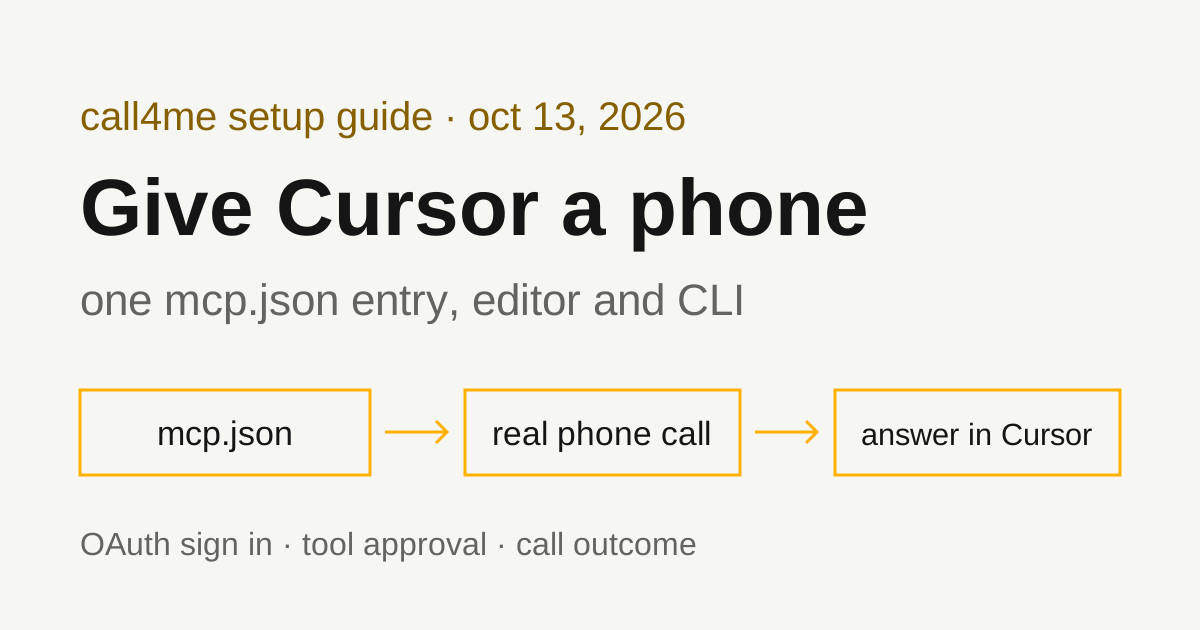
Add one remote MCP server to Cursor's mcp.json, sign in once, and the agent in the editor or the Cursor CLI can place a real call, follow it to the end and bring back the answer.
 Nick Khami / / 8 min read
Yes. Add call4me to mcp.json, sign in when Cursor asks, and Cursor's agent can make phone calls. Cursor supports remote MCP servers in both the editor and the Cursor CLI, and they share the same configuration. Once call4me is connected, give the agent a brief with a goal and clear limits. It places the call, follows it until it ends and reports the outcome. A voice caller handles the conversation; Cursor reads the status and transcript through tools.
The short version:
Put this in
~/.cursor/mcp.json(all projects) or.cursor/mcp.json(one project):{ "mcpServers": { "call4me": { "url": "https://call4.me/mcp" } } }Save the file, restart Cursor, and complete the call4me sign in in your browser when Cursor asks. In the CLI, run
agent mcp login call4me.Ask the agent to run
call4me_get_balanceand not to place a call. If that works, you're connected.
How we checked this
The Cursor steps on this page come from Cursor's official documentation, loaded on October 13, 2026. None of the pages showed a last-updated date:
- Model Context Protocol (MCP) (the old
cursor.com/docs/context/mcpaddress redirects here) - MCP integrations help page
- Cursor CLI: MCP
- Cursor CLI: Installation
- Cursor CLI: Authentication
- Run Modes
The call4me side is tested. The same endpoint, OAuth sign in and tools are used in our tested guides for Codex, Claude Code, GitHub Copilot CLI and LangChain.
Add call4me to Cursor's mcp.json
You need Cursor, a call4me account, and calling credits for the phone part. Your Cursor sign in and your call4me connection are separate accounts.
Cursor's MCP page lists three transports: stdio, SSE and Streamable HTTP. call4me is a remote Streamable HTTP server at https://call4.me/mcp, so the entry needs only a url. Cursor reads two locations:
| File | Scope |
|---|---|
~/.cursor/mcp.json |
Global: available in every project |
.cursor/mcp.json in your project folder |
Project only. Cursor's help page suggests committing it so teammates get the same tools |
The help page says both files are merged, and if the same server name appears in both, the project file wins. For a personal calling tool, the global file is the natural home: each teammate would still sign in to their own call4me account, and calls bill to whoever signed in.
Add the server:
{
  "mcpServers": {
    "call4me": { "url": "https://call4.me/mcp" }
  }
}
If the file already has other servers, add the call4me entry inside the existing mcpServers object. The help page says to save the file and restart Cursor.
You can also manage servers from Customize in the sidebar, where Cursor's docs say you can toggle a server on or off without removing it.
Sign in with OAuth
call4me signs you in through your browser with Google or X. It supports OAuth dynamic client registration with PKCE, so Cursor can register itself and you don't need a client ID.
Cursor's MCP page lists OAuth as the auth method for SSE and Streamable HTTP servers. It also documents an auth object with a fixed CLIENT_ID and CLIENT_SECRET, but only for providers that hand out fixed credentials, require a whitelisted redirect URL, or don't support dynamic client registration. None of those apply to call4me, so leave auth out.
Alternative: an API key header
If the browser sign in doesn't work for you, create a personal API key at call4.me/account and send it as a bearer header. Cursor's MCP page documents a headers field for remote servers and resolves ${env:NAME} inside it, so the key can stay in your environment instead of the file:
{
  "mcpServers": {
    "call4me": {
      "url": "https://call4.me/mcp",
      "headers": {
        "Authorization": "Bearer ${env:CALL4ME_API_KEY}"
      }
    }
  }
}
The variable has to be set in the environment Cursor starts from. Cursor's help page notes that variables from your shell profile must be available to Cursor, and that you should restart Cursor after updating the profile. Keep the key out of the chat and out of any mcp.json you commit.
Use call4me from the Cursor CLI
The Cursor CLI's MCP page says it "uses the same configuration as the editor," so the mcp.json above works in both. Install the CLI on macOS, Linux or WSL with the command from Cursor's installation page:
curl https://cursor.com/install -fsS | bash
agent --version
The binary is agent. The installation page also says to add ~/.local/bin to your PATH. Sign in to Cursor itself with agent login. For scripts and CI, Cursor's authentication page documents a CURSOR_API_KEY environment variable or an --api-key flag. That is your Cursor key, not your call4me key.
Then connect call4me:
agent mcp list
agent mcp login call4me
agent mcp list-tools call4me
Cursor's docs describe these as:
| Command | What it does |
|---|---|
agent mcp list |
Shows configured servers, connection status, whether the config is project or global, and the transport |
agent mcp login call4me |
Signs in to a server configured in your mcp.json, with automatic callback handling |
agent mcp list-tools call4me |
Lists the server's tools and their parameters |
agent mcp enable call4me |
Adds the server to the local approved list |
agent mcp disable call4me |
Stops the server from loading or prompting for approval |
/mcp list does the same as agent mcp list inside an interactive session. For non-interactive runs, the CLI page documents --approve-mcps as auto-approving all MCP servers and skipping approval prompts. That covers every configured server, not just call4me, so keep the destination and limits in the brief.
Give Cursor a bounded calling task
Start with a check that can't dial:
Use call4me_get_balance to check the phone calling connection. Show my balance and call4me numbers. Do not place a call.
If your account has no number yet, that's expected: a free US number is assigned on your first call.
Then give it one bounded call. The brief should say who to call, why, what to ask, what the caller may share, and when to stop:
Use call4me to make one informational call to [business] at [number from their official website].
Ask:
- [first question]
- [second question]
Limits: this is a general question, not about any account. Don't give a card, PIN or account number, don't buy anything, book anything or agree to any change, and keep the call under 15 minutes. If the business asks something this brief doesn't answer, say it's unknown.
After placing it, follow the call with call4me_get_call until it ends. Then report whether a person answered, the answer to each question, and anything still unresolved. Do not place any other call.
For a booking, add the date, party size, name and acceptable alternatives. Research needs none of those, so say so and tell the agent not to invent them.
What happens when the call runs
| Tool | What the agent does with it |
|---|---|
call4me_get_requirements |
Checks which facts this type of call needs before dialing |
call4me_place_call |
Starts the call and returns a call ID |
call4me_get_call |
Reads status, transcript, open questions and the outcome; wait_seconds waits for a change |
call4me_answer_question |
Answers a question the caller raises mid-call |
call4me_get_recordings |
Retrieves the recording after the call |
call4me_hang_up |
Ends a call early |
call4me_connect_me |
Rings your phone so you can join the call |
The full list, including call4me_get_balance, call4me_schedule_call and call4me_list_calls, is on the MCP page.
The sequence is: place the call, then keep calling call4me_get_call until it ends, then report the outcome, transcript and recording. A call ID only means the call was submitted. "Completed" means the call ended, not that the business answered anything, so the report has to come from the transcript.
Calls cost $0.25 per minute from pickup, including phone menus and hold time, from prepaid credits starting at $10. Unanswered calls are free.
Approvals: what decides whether a call goes out
Cursor's MCP page says Cursor asks for approval before using MCP tools by default, and you can expand the tool name to see its arguments. For call4me, that's where you check the number and the brief before a call is placed.
The help page adds that in Cursor 3.6 and above, the default Auto-review mode in Cursor Settings > Agents > Approvals & Execution runs allowlisted MCP tools immediately and sends the rest to a safety classifier. The Run Modes page lists three modes:
| Mode | What it means for call4me |
|---|---|
| Auto-review | Allowlisted tools run at once; anything else goes to a classifier, which Cursor says "is not a security boundary" |
| Allowlist | Only the tools you allowlisted run without asking |
| Run Everything | Every tool call runs automatically, including placing a call |
A reasonable setup is to let read-only tools like call4me_get_balance and call4me_get_call run freely and keep call4me_place_call behind a prompt. Cursor's docs say tool allowlists can be preset in permissions.json.
Troubleshooting
These come from Cursor's docs. We haven't hit them ourselves in Cursor.
The call4me tools don't show up. Check that the entry is inside mcpServers and that you restarted Cursor after saving. In the CLI, agent mcp list shows whether the server loaded and from which file. If the same name is in both files, the project file wins. A server toggled off in Customize, or disabled with agent mcp disable, won't load.
The connection or sign in fails. Open the Output panel (Cmd+Shift+U on Mac, Ctrl+Shift+U on Windows and Linux) and select MCP Logs. Cursor's docs say it shows connection errors, authentication issues and crashes. In the CLI, rerun agent mcp login call4me. If you use the header, check that CALL4ME_API_KEY is set in the environment Cursor started from. Don't paste a key into the chat as a fix.
Your company blocks it. Cursor's MCP page says enterprise admins can run an MCP allowlist that approves remote servers by URL pattern and can restrict which tools run automatically. If call4me is blocked, ask your admin to allow https://call4.me/mcp.
The agent stops before dialing. That's usually the approval step doing its job. Approve the call in the prompt, or in Auto-review, check whether the classifier blocked it. In a non-interactive CLI run, nobody is there to approve; see --approve-mcps above.
A status check times out. Ask for the same call ID with call4me_get_call before dialing again. A timeout doesn't mean the call ended, and a second placement can make a duplicate call.
Related guides
For the same workflow in agents we've tested end to end, see Codex phone calls, Claude Code phone calls and GitHub Copilot phone calls. To compare calling services and setups for other AI apps, read our phone calling MCP comparison. Connection details for every client are on the call4me MCP page.