How to make phone calls from OpenClaw with MCP
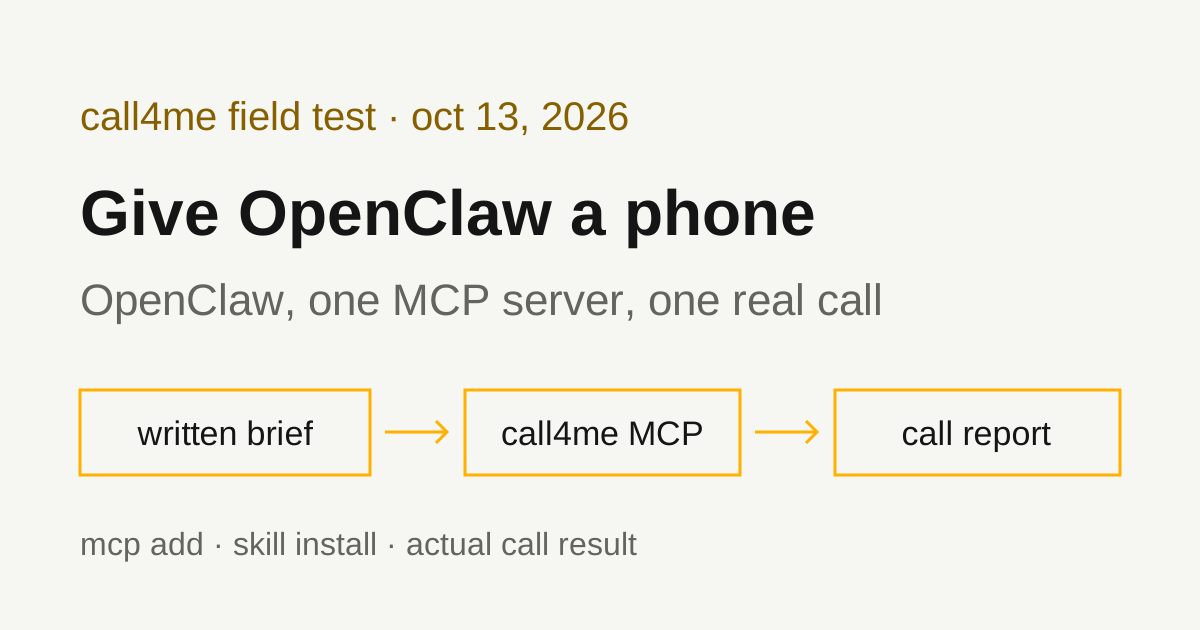
OpenClaw connects to remote MCP servers natively, so one command gives your personal agent a phone. We installed OpenClaw on Linux, added call4me, installed the call4me skill from ClawHub, and had OpenClaw place a real call to T-Mobile. Here is every command that worked, the two that didn't, and what the call actually got.
 Nick Khami / / 11 min read
OpenClaw can make phone calls through an MCP server. OpenClaw has a built-in MCP client that supports remote Streamable HTTP servers, so you add call4me once with openclaw mcp add, give your agent a brief with a goal and clear limits, and it places the call, follows it to the end and reports what happened. A voice caller handles the conversation. OpenClaw reads the status and transcript through tools.
We verified this with OpenClaw 2026.10.3 on October 13, 2026, on Linux with Node 24.20, running headless with an OpenAI API key and openai/gpt-5.5. OpenClaw placed one real call from a written brief, to T-Mobile customer service, and reached a live representative 52 seconds into the recording.
The short version:
npm install -g openclaw@latest --allow-scripts=openclaw
mkdir -p ~/.openclaw
read -rsp 'call4me API key: ' K; printf 'CALL4ME_API_KEY=%s\n' "$K" >> ~/.openclaw/.env; unset K
chmod 600 ~/.openclaw/.env
openclaw mcp add call4me --url https://call4.me/mcp --transport streamable-http \
  --header 'Authorization=Bearer ${CALL4ME_API_KEY}' --no-probe
openclaw mcp doctor call4me --probe
openclaw skills install @skeptrunedev/call4me
Each step is explained below, including why --no-probe is there.
Install OpenClaw
OpenClaw is the open-source personal AI assistant at github.com/openclaw/openclaw, published on npm as openclaw. It runs a local Gateway and talks to you through a dashboard, a terminal UI, or chat apps like WhatsApp, Telegram, Slack and Discord. Older articles call it Clawdbot.
The project README gives two install paths. The installer script provisions Node for you and starts onboarding:
curl -fsSL https://openclaw.ai/install.sh | bash
If you already manage Node (24.16+ or 26.1+, per the install guide), install the package:
npm install -g openclaw@latest --allow-scripts=openclaw
The README says the --allow-scripts flag is for npm 12 or npm 11.16+, and to leave it out on npm 11.15 and earlier. We used the npm command with npm 11.19, installed into a separate prefix so it didn't touch our real setup. openclaw --version printed OpenClaw 2026.10.3 (59cb447).
For everyday use, the README's next step is openclaw onboard --install-daemon, which checks model access, creates the workspace and configures the Gateway. We skipped onboarding: our test ran OpenClaw's headless one-shot command, openclaw agent exec, with OPENAI_API_KEY set in the environment, which the agent CLI docs say runs on OpenClaw's built-in runtime without a Gateway.
Add call4me as an OpenClaw MCP server
You need a call4me account with calling credits. Copy your API key from the account page.
1. Put the key in OpenClaw's env file, not in the config. OpenClaw reads ~/.openclaw/.env as a global fallback and substitutes ${VAR_NAME} in any config string, per its environment variables page. Add one line to that file:
CALL4ME_API_KEY=your-key-here
The short version above writes it without the key landing in your shell history. Keep that file readable only by you. The key can place calls billed to your balance.
2. Save the server with a placeholder header. The single quotes keep your shell from expanding the variable, so openclaw.json stores the literal ${CALL4ME_API_KEY} instead of the key:
openclaw mcp add call4me \
  --url https://call4.me/mcp \
  --transport streamable-http \
  --header 'Authorization=Bearer ${CALL4ME_API_KEY}' \
  --no-probe
OpenClaw's saved MCP servers page says add probes a server before saving unless --no-probe is set. Without --no-probe, our add failed with Streamable HTTP error: Error POSTing to endpoint, and nothing was saved. The same command with the real key pasted into the header passed, and the placeholder version passed every later check. In our test, the pre-save probe didn't substitute ${CALL4ME_API_KEY}, while the saved config did. So save first, then check.
3. Check it live:
openclaw mcp doctor call4me --probe
Ours printed call4me: ok. openclaw mcp probe call4me printed call4me: 19 tools, even with the variable removed from the shell, which shows the value came from ~/.openclaw/.env.
Doctor also printed a warning: headers.Authorization contains a literal sensitive value; prefer an environment-backed value outside committed config. It appeared even though the saved value was the placeholder. You can ignore it if openclaw.json shows Bearer ${CALL4ME_API_KEY}.
The transports page says to use transport: "streamable-http" for Streamable HTTP servers and that, when omitted, OpenClaw uses SSE. call4me is Streamable HTTP, so keep that flag. Written straight into config, the entry is:
{
  "mcp": {
    "servers": {
      "call4me": {
        "url": "https://call4.me/mcp",
        "transport": "streamable-http",
        "headers": { "Authorization": "Bearer ${CALL4ME_API_KEY}" }
      }
    }
  }
}
The registry page also says add, probe and other changes to saved servers require the local Gateway to be stopped. If one refuses, run openclaw gateway stop, make the change, then start it again. You can also add servers from the Control UI under Settings → MCP, per the MCP guide.
Sign in with OAuth instead (documented, not tested by us)
call4me's MCP server also supports browser OAuth sign-in. OpenClaw's transports page documents saving an HTTP server with auth: "oauth", then running openclaw mcp login <name>. It prints an authorization URL, listens on a loopback callback, and offers a --code fallback when the browser can't reach it. For call4me, that would be:
openclaw mcp add call4me --url https://call4.me/mcp --transport streamable-http --auth oauth
openclaw mcp login call4me
We used the API key for every run on this page and did not test the OAuth path in OpenClaw.
Install the call4me skill from ClawHub
MCP gives OpenClaw the tools. A skill tells it how to use them. ClawHub is OpenClaw's public skills registry, and a skill is a folder with a SKILL.md file: YAML frontmatter with a name and a one-line description, then plain markdown instructions, per OpenClaw's creating skills guide. OpenClaw follows the AgentSkills format.
The call4me skill is on ClawHub at clawhub.ai/skeptrunedev/skills/call4me. Install it into your workspace:
openclaw skills install @skeptrunedev/call4me
Ours printed a ClawHub security audit (Outcome: Safe), downloaded version 1.0.0 and installed it to ~/.openclaw/workspace/skills/call4me. Two more checks, both from the skills docs:
openclaw skills verify @skeptrunedev/call4me
openclaw skills list
Verify returned "decision": "pass", and the list showed call4me as ready. The skill walks the agent through the call4me flow: check the balance, gather what the call needs, confirm with you, place the call, follow it until it ends, and answer questions the business asks mid-call. It doesn't connect the MCP server for you. If the tools aren't there, it tells the agent to send you to setup rather than pretend to call.
Searching ClawHub for "phone call" shows dozens of calling skills. Read any third-party skill before you install it. OpenClaw's docs say to treat them as untrusted code.
Give OpenClaw a bounded calling task
The brief should say who to call, why, what to ask, what the caller may share, and when to stop. This is the prompt we used for T-Mobile, with our callback number removed:
Use call4me to make one informational phone call to T-Mobile customer service at 1-800-937-8997 (the number on t-mobile.com/contact-us).
This is research for a consumer guide on reaching T-Mobile customer service. It is a general inquiry, not about any account.
Questions for the representative:
- Is it faster to reach a person by phone or through T-Life app chat?
- Are care reps available every day from 4 a.m. to 9 p.m. Pacific?
- How does the phone menu route people who are not customers yet versus existing customers?
- How long does a billing credit typically take?
Limits: category "general" with these questions in details.questions, max_minutes 240, timezone America/Los_Angeles. The caller must say it is a general inquiry for a consumer guide, never claim to be a customer, never give a phone number on an account, a PIN, card, address or personal details, and never agree to any change or purchase. If the menu asks for a T-Mobile number or PIN, say "I don't have one", then say "Representative", and if asked what the call is about choose "Something else". Decline any callback and stay on hold. The only callback number it may give is [your callback number] (put that in facts).
After placing it, follow the call with call4me_get_call (wait_seconds 30) until it ends. If an open question appears, answer only from this brief; otherwise say it is unknown. Then report the call ID, whether a live person was reached, how long it took to reach them, and the answers to each question. Do not place any other call.
We saved it to a file and ran:
openclaw agent exec --model openai/gpt-5.5 --timeout 14400 --json \
  --message-file tmobile-prompt.txt
max_minutes 240 lets the call sit on a long hold. --timeout 14400 gives the OpenClaw run the same room: the agent CLI docs say agent exec defaults to 600 seconds per model attempt, which a long hold could outlast. Ours needed far less. The whole run took 4 minutes 34 seconds.
"Do not place any other call" matters in a headless run. Nobody is there to stop a second dial.
Before that, we ran a balance check with "Do not place a call" in the prompt. OpenClaw called call4me_get_balance and call4me_list_numbers, showed the balance and the account's call4me numbers, and placed no call.
The tools OpenClaw used
OpenClaw names MCP tools by server and tool, so call4me's tools showed up as call4me__call4me_place_call and so on.
| Tool | What OpenClaw did with it |
|---|---|
call4me_get_balance |
Read the balance and call4me numbers in our connection check |
call4me_get_requirements |
Checked what a general call needs before dialing |
call4me_place_call |
Started the call and got back a call ID |
call4me_get_call |
Followed status and transcript, with wait_seconds: 30, until the call finished |
call4me_answer_question |
Sends an answer if the caller asks one mid-call. Our call raised no question, so this wasn't exercised |
openclaw mcp probe counted 19 tools in all; the MCP page has the full list. In our call run, OpenClaw called call4me_get_requirements, then call4me_place_call, then call4me_get_call until the call completed.
Why you may see an exec tool. OpenClaw's run summary listed exec next to the call4me tools. That isn't a shell command. With gpt-5.5, OpenClaw engaged Code Mode, where the model sees exec and wait and writes a small JavaScript program that calls the hidden tool catalog (Code Mode docs). The run reported codeModeEngaged: true and 9 bridged tool calls. The docs say that when tools.codeMode isn't set, OpenClaw turns it on only for models it marks as good at it.
A call ID means the call was submitted. completed means the call ended, not that the business answered anything. The report has to come from the transcript and outcome.
What the test established
| Call | What happened |
|---|---|
| T-Mobile, 1-800-937-8997 | Reached a live representative 52 seconds into the recording. Billed 4 minutes, $1.00. |
The route was shorter than the one in our brief. The menu asked for a mobile number and offered "or say, I don't have one." The caller said "I don't have one." The menu then asked "how can I help you today," and the caller asked its first question outright. The menu said "I'll get you right over to someone who can help," and a representative answered at 52 seconds. It never asked us to pick from a list, so "Something else" wasn't needed this time.
What OpenClaw reported, checked against the call record:
- Phone or T-Life chat? OpenClaw said the rep recommended phone. That matches the recording: he advised calling "to get a personal customer service on the line." He didn't compare the speed of the two.
- 4 a.m. to 9 p.m. Pacific, every day? OpenClaw said the rep "confirmed" it. On the recording he asked us to repeat the question, then said "Yeah." That agrees with our question rather than stating the hours unprompted. T-Mobile's contact page lists the same hours.
- How the menu routes people who aren't customers yet. OpenClaw said routing is "mostly not different," and that without an account on screen, reps check whether a call was misrouted. That matches what the rep said.
- How long a billing credit takes. OpenClaw said it typically shows by the customer's billing cycle and depends on the customer. That matches: "every billing cycle, because it depends actually to the customer."
One miss. OpenClaw said it took "about 2 minutes" to reach a person. The recording shows 52 seconds. The transcript call4me_get_call returns has no timestamps, so the model estimated. If timing matters, measure it from the recording, not the summary. The menu route, hours and other answers are in our T-Mobile customer service number guide.
OpenClaw did report the call accurately in every other way. It placed one call, gave the call ID, and claimed no account access.
Using it from chat apps (documented, not tested by us)
OpenClaw is built to run as a Gateway you message from chat apps. MCP servers saved under mcp.servers are shared config, and the registry page says OpenClaw exposes configured MCP tools in the normal coding and messaging tool profiles, but not in minimal. So once call4me is saved, a WhatsApp or Telegram conversation with your agent should see the same tools. The MCP guide says a running Gateway picks up changed servers on its next turn when hot reload is enabled.
We only tested headless agent exec runs. We did not pair a chat app or run the Gateway, so we haven't verified a call placed from a chat conversation.
Troubleshooting
mcp add fails with "Error POSTing to endpoint". If your header uses ${CALL4ME_API_KEY}, add --no-probe, then run openclaw mcp doctor call4me --probe. In our test, only the pre-save probe failed on the placeholder. If the probe still fails after saving, check that ~/.openclaw/.env has the key and that the variable name matches.
Unknown model: openai/gpt-5.1. agent exec rejected openai/gpt-5.1 for us, even after openclaw models list --refresh --provider openai listed it. openai/gpt-5.5 and openai/gpt-5.4 worked with no extra setup. Pick a model from openclaw models list that runs in a quick test first.
npm refuses --allow-scripts. Running it as a project install (no -g) failed with EALLOWSCRIPTS: --allow-scripts is not allowed in project-scoped installs. The README's command is a global install, and that worked.
OpenClaw refuses to change MCP config. Stop the Gateway first, or use Settings → MCP in the Control UI while it runs.
A long call outlasts the run. Raise --timeout on agent exec (0 disables the deadline). If a run still ends early, check the same call ID with call4me_get_call before dialing again. A second placement can make a duplicate call.
Related guides
For the same workflow in other agents, see GitHub Copilot phone calls, Claude Code phone calls, Codex phone calls and the LangChain MCP guide. To compare calling services and see the setup for other AI apps, read our phone calling MCP comparison. Connection details for every client are on the call4me MCP page.