How to make phone calls from Goose with an MCP extension
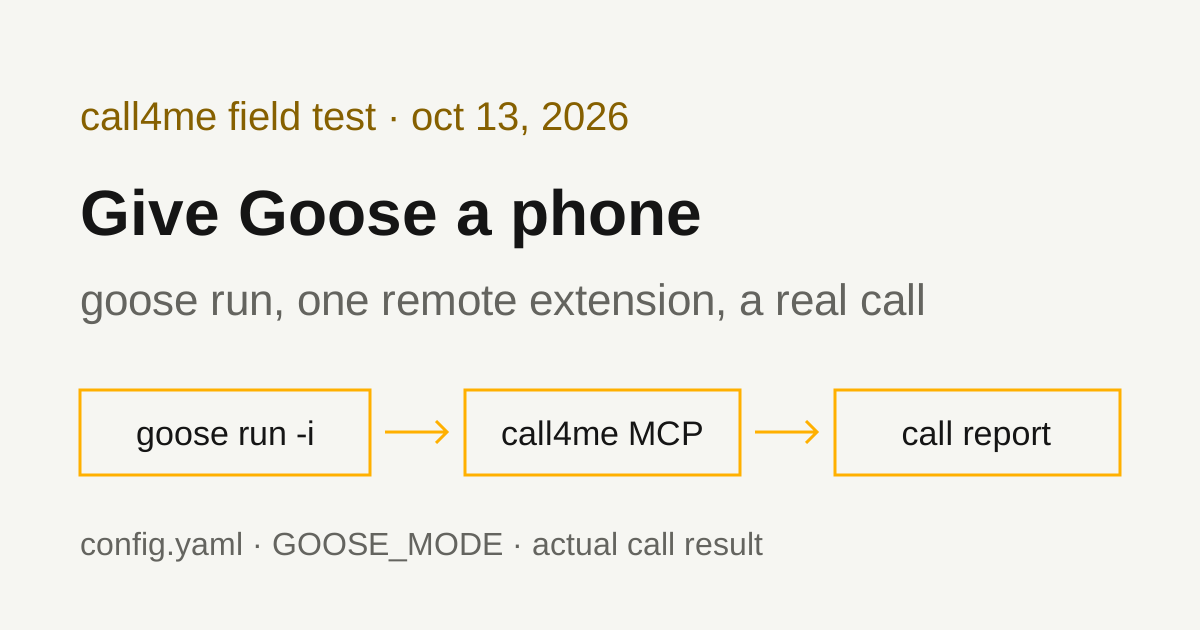
We added call4me to Goose as a remote MCP extension, ran it headless with goose run, and had it call Amazon customer service. Here is the config.yaml that keeps the API key out of the file, the permission mode headless runs need, and what the call actually got.
 Nick Khami / / 10 min read
Goose can make phone calls through an MCP extension. Goose supports remote MCP servers as "Streamable HTTP" extensions, so you add call4me once, give goose run a brief with a goal and clear limits, and it places the call, follows it to the end and reports what happened. A voice caller handles the conversation. Goose reads the status and transcript through tools.
We verified this with Goose CLI 1.54.0 on October 13, 2026, on Linux, with OpenAI's gpt-5.1 as the model. Goose placed one real call to Amazon customer service from a written brief, reached a live representative 2 minutes 10 seconds in, and got answers to all four questions.
Goose has moved. It started at block/goose. The GitHub API now returns aaif-goose/goose for that repository, with goose-docs.ai as its homepage, and the install script below downloads from the new path. Older guides that point at block.github.io/goose may be out of date.
Install the Goose CLI
You need an API key for a model provider Goose supports, a call4me account, and calling credits for the phone part.
Goose's installation guide gives this command for Linux and macOS, with CONFIGURE=false to skip the interactive setup:
curl -fsSL https://github.com/aaif-goose/goose/releases/download/stable/download_cli.sh | CONFIGURE=false bash
That's what we ran. It installed 1.54.0 to ~/.local/bin/goose (the script's header documents GOOSE_BIN_DIR to change that, and GOOSE_VERSION to pin a release). Check it with goose --version.
Pick a model without the setup wizard
goose configure walks you through choosing a provider. For a scripted setup, Goose's headless guide uses environment variables instead:
export GOOSE_PROVIDER=openai
export GOOSE_MODEL=gpt-5.1
export OPENAI_API_KEY=...
The config file guide says GOOSE_PROVIDER and GOOSE_MODEL "are still supported as environment variables" and override the config file. It also warns against putting provider API keys in config.yaml: Goose ignores them there. goose run --provider openai --model gpt-5.1 does the same for a single run.
On a server with no desktop keyring, we also set GOOSE_DISABLE_KEYRING=1. Goose's environment variables page documents it, and Goose's CLI commands page warns, for clients that run Goose with nobody at the keyboard, that keyring access "can block indefinitely".
Add call4me as a remote extension
Goose reads extensions from ~/.config/goose/config.yaml on Linux and macOS. Add this:
extensions:
  call4me:
    enabled: true
    type: streamable_http
    name: call4me
    description: Place and follow phone calls with call4me
    uri: https://call4.me/mcp
    env_keys:
      - CALL4ME_API_KEY
    headers:
      Authorization: Bearer ${CALL4ME_API_KEY}
    timeout: 300
Then put your key in the environment of the shell that runs Goose. Copy it from the account page and read it in without echoing it:
read -rsp 'call4me API key: ' CALL4ME_API_KEY
printf '\n'
export CALL4ME_API_KEY
This keeps the key out of the config file. The config guide's own streamable_http example shows headers, env_keys and envs keys but leaves them empty, so we read the 1.54.0 source to see how they combine. When Goose starts the extension, it looks up each name in env_keys, first as an environment variable and then in Goose's secret store, and substitutes ${NAME} in header values. We checked afterward: the key wasn't written anywhere under Goose's config, data or log folders.
If the variable isn't set, Goose doesn't stop. It printed "Failed to start extension 'call4me' ... Configuration value not found: CALL4ME_API_KEY, continuing without it", and the model answered that it had no call4me tool. The run still finished normally, so check for that line if you script it.
The other ways to add it. goose configure, then Add Extension, then "Remote Extension (Streamable HTTP)", asks for the URL, a timeout, a description and optional custom headers. In the 1.54.0 source, the header value prompt is a plain text input, and the value is saved into config.yaml as typed. If you enter the bearer key there, the file holds your key. goose run --with-streamable-http-extension https://call4.me/mcp adds a remote server for one run, but its documented format takes a URL and a timeout, with no header option, so it can't carry the key.
Check the connection before dialing
We ran:
goose run --no-session -t "Use the call4me_get_balance tool to check my phone calling connection. Show my balance and call4me numbers. Do not place a call."
Goose called call4me_get_balance once and showed the balance and the account's call4me numbers. --no-session skips saving a session file, which the headless guide suggests for one-off runs.
Sign in with OAuth instead (documented, not tested by us)
call4me's MCP server also supports browser OAuth sign in. Goose's extensions guide describes OAuth for remote extensions: the sign in callback runs on 127.0.0.1 with a random port, GOOSE_OAUTH_CALLBACK_PORT fixes the port, and client_id, client_secret_key and scopes are there for servers that need a pre-registered client. We used the header and environment variable for every run on this page and did not test OAuth in Goose.
Tool permissions in headless runs
Goose has four modes, set with GOOSE_MODE or goose configure: auto, approve, smart_approve and chat. The permission modes page says autonomous mode "is applied by default", and in auto mode Goose uses tools without asking. That's why our runs placed the call with no approval step.
We tried GOOSE_MODE=approve with goose run. Goose picked call4me_get_balance, then exited with an error:
Error: Tool approval required in non-interactive mode with GooseMode::approve.
The rest of the message says approve and smart approve "require an interactive terminal" and to "Use GooseMode::Auto for headless sessions."
So a headless run is all or nothing: auto mode, where Goose can place calls without asking, or an interactive session, where you approve each tool. The headless guide says the same thing in general terms. Per-tool settings (Always Allow, Ask Before, Never Allow) live under goose configure, goose settings, Tool Permission, and the tool permissions page says they apply in manual and smart approval modes.
With auto mode, the brief is your guardrail. Say who to call, what may be shared, and "do not place any other call."
Give Goose a bounded calling task
The brief should say who to call, why, what to ask, what the caller may share, and when to stop. This is the prompt we used for Amazon, with our callback number removed:
Use call4me to make one informational phone call to Amazon customer service at 1-888-280-4331 (the number in the description of Amazon's help page amazon.com/gp/help/customer/display.html?nodeId=508510).
This is research for a consumer guide on reaching Amazon customer service. It is a general inquiry, not about any order or account.
Questions for the representative:
- If someone calls this number, what's the fastest way to reach a live person?
- Does Amazon offer a callback instead of holding?
- How long do refunds take after a return is received, by payment type?
- What should a caller have ready?
Limits: category "general" with these questions in details.questions, max_minutes 240, timezone America/Los_Angeles. The caller must say it is a general inquiry for a consumer guide, never claim to be a customer, never give an order number, account email, phone number on an account, card, address or personal details, and never agree to any change or purchase. Amazon's automated assistant offers to text a link and to send a verification text or email: decline every one of those offers, every time it asks (it may ask four times), say it is a general question, and ask for a representative. Decline any callback and stay on hold. The only callback number it may give is [your callback number] (put that in facts).
After placing it, follow the call with call4me_get_call (wait_seconds 50) until it ends. If an open question appears, answer only from this brief; otherwise say it is unknown. Then report the call ID, whether a live person was reached, how long it took to reach them, and the answers to each question. Do not place any other call.
We saved it to a file and ran:
goose run -n amazon-call -i amazon-prompt.txt
-i reads instructions from a file (- reads stdin). -n names the session. Per goose run --help, -n with --resume continues that session, which is the way back in if a run stops before the call ends. We didn't need it.
max_minutes 240 lets the call wait on a long hold; it caps billed time and only holds credits for that cap. We asked for wait_seconds 50, the maximum, so each status check covers more time. Goose's default turn limit is 1000 (--max-turns, or GOOSE_MAX_TURNS), far more than this call used. We didn't test an hours-long hold.
The tools Goose used
| Tool | What Goose did with it |
|---|---|
call4me_get_balance |
Read the balance and call4me numbers in our connection check |
call4me_place_call |
Started the call with the category, questions, facts and limits from the brief, and got back a call ID |
call4me_get_call |
Followed status and transcript, with wait_seconds: 50, until the call finished |
call4me_get_requirements |
Lists what a kind of call needs. Goose skipped it and went straight to placing the call, which worked because the brief already had everything a general call needs |
call4me_answer_question |
Sends an answer if the caller asks one mid-call. The call raised no question, so this wasn't exercised |
These are call4me's documented calling tools; the MCP page has the full list. Goose called call4me_place_call once, then call4me_get_call five times until the call completed, and placed no other call.
If call4me_place_call answers "Not calling yet", the call didn't dial and the result lists what's missing. A call ID means the call was submitted. completed means the call ended, not that the business answered anything.
What the test established
| Call | What happened |
|---|---|
| Amazon, 1-888-280-4331 | Reached a live representative 2:10 after Amazon answered. All four questions answered. Billed 4 minutes, $1.00. |
Here's the route from the recording:
- Amazon's automated assistant offered to text a link to the customer service home page. The caller said it would stay on the line.
- It asked to send a text to verify identity. The caller said no thanks, it was a general question, and asked for a representative.
- It said an agent would need to verify identity too, and asked again. The caller said no and asked for a representative.
- A Spanish option played, then it asked what the call was about. The caller said "Representative."
- A short hold message, then a live representative answered 2 minutes 10 seconds after Amazon picked up.
This time the assistant asked twice about verification, not four times, and never offered email.
The representative's answers, from the transcript:
- Fastest way to a person: "through the Amazon application," using the customer support option.
- Callback: "Definitely." That's a one word answer to a yes or no question, and the caller didn't ask how to request one. On our earlier call to the same number, a different representative said Amazon does not offer a callback. Treat it as unsettled.
- Refund timing: the caller asked about credit versus debit cards. The representative said there is no difference: "five to seven business days" once the item is returned. Gift cards and other payment types weren't covered on this call.
- What to have ready: "The order number of the item. And the issue."
The full route, recording and the earlier call's answers are in our Amazon customer service number guide.
Where Goose's report matched the call. Goose reported the call ID, that a live person was reached, and the four answers accurately, with quotes. It noted that the refund answer covered only credit and debit cards. It placed no second call.
Where it didn't.
- Time to a person. Goose said only that it happened "within that 4-minute window", from the billed time. The transcript
call4me_get_callreturns has no timestamps. The recording shows 2:10. - The callback number. Goose listed our call4me number as the "call4me callback number used." That number is the caller ID the call went out from. No callback number was given on the call.
- Offers that never happened. It said the caller declined every offer to "send a verification text/email" and "declined any callback." Amazon never offered email, and nobody offered a callback.
- One interpretation the rep didn't say. It wrote that Amazon "prefers" people to start in the app. The representative said the app is the fastest way, nothing about preference.
None of these changed an answer, but they're the kind of detail a summary fills in. If a number or a timing matters, check it against the call record or the recording.
Troubleshooting
"Failed to start extension 'call4me' ... continuing without it." The CALL4ME_API_KEY variable wasn't set in the shell that ran Goose, and it wasn't in Goose's secret store either. Export it and run again. Goose keeps going without the extension, so the model just says it has no call4me tool.
"Tool approval required in non-interactive mode." GOOSE_MODE is approve or smart_approve. Headless runs need auto. Use an interactive goose session if you want to approve each call.
Goose hangs at startup on a server. Set GOOSE_DISABLE_KEYRING=1 and pass credentials through environment variables. With the keyring disabled, secrets Goose stores go to a secrets.yaml file in plain text, per the config guide.
Authentication errors. Check that the header reads Bearer ${CALL4ME_API_KEY} and that the variable holds a current key from the account page. Don't paste a key into the prompt as a fix.
A status check times out. Check the same call ID again with call4me_get_call before dialing again. A timeout doesn't mean the call ended, and a second placement can make a duplicate call.
The caller used a name. The voice caller introduced itself as an assistant for the name saved in our call4me profile. The brief didn't say not to, so that's working as designed. If you don't want a name used on a call, say so in the brief.
Related guides
For the same workflow in other agents, see GitHub Copilot CLI phone calls, LangChain phone calls, Codex phone calls and Claude Code phone calls. To compare calling services and see the setup for other AI apps, read our phone calling MCP comparison. Connection details for every client are on the call4me MCP page.