Twilio MCP for phone calls: what works and what you still need to build
We connected to Twilio's public MCP, searched for an outbound call, and retrieved its actual API schema. Here is the difference between documentation tools, an operational MCP, and a voice agent that can finish a conversation.
 Nick Khami · · 7 min read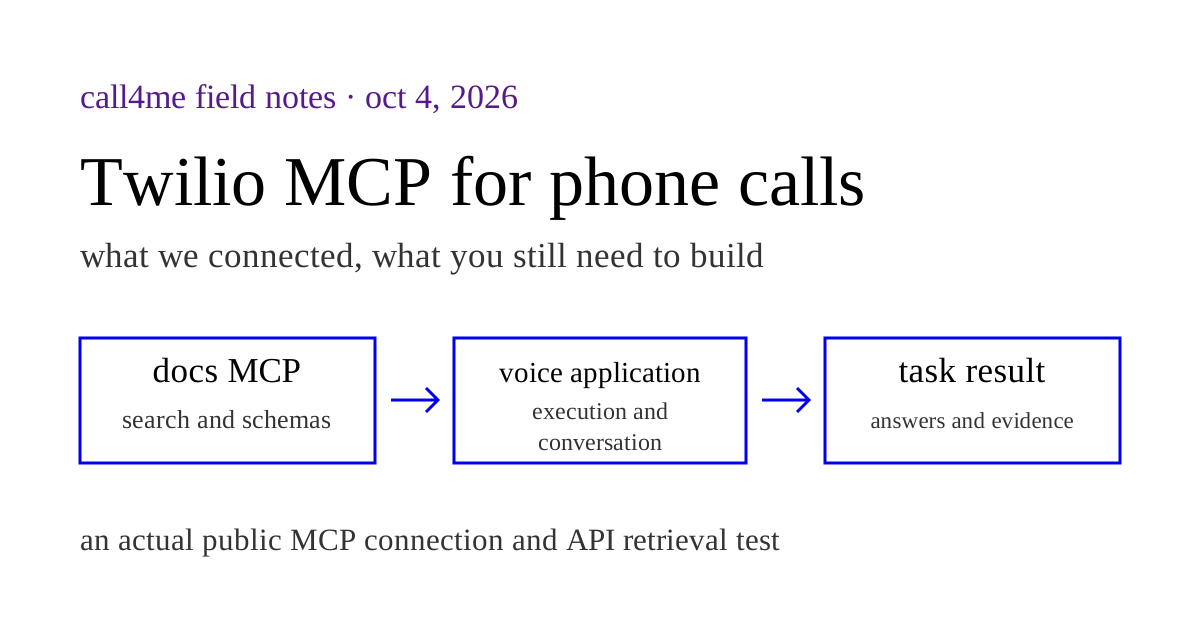
Twilio's public documentation MCP helps Claude Code and Codex build calling applications. It does not place calls itself. An operational Twilio MCP can expose authenticated API actions, but creating a call is still different from giving your coding agent a caller that listens, answers questions, and brings back a usable result.
On October 4, 2026, we connected to https://mcp.twilio.com/docs without a Twilio account or credentials. We discovered its tools, searched for outbound calling, and retrieved the call creation schema. This is an actual MCP test. We did not place a Twilio call or run a conversational Twilio application.
We make call4me, a hosted calling MCP. If you are deciding whether to build with Twilio or connect a calling service to the agent you already use, the useful question is which parts you want to own.
Which Twilio MCP do you mean? #
| Connection | What it gives your agent | What it needs to make a conversational call |
|---|---|---|
| Twilio's public documentation MCP | API and documentation search, followed by schema retrieval | A separate authenticated execution path and voice application |
| Twilio Labs alpha MCP or an operational community implementation | The API tools that implementation exposes, using your Twilio credentials | Call instructions, a conversational runtime, and a result workflow |
| Your own calling MCP built on Twilio | Whatever task and result tools you implement | Your hosted voice application and Twilio account |
| A hosted calling MCP such as call4me | A calling task, call status, questions, and results | A service account and calling credits |
Twilio's public MCP reference documents the hosted service as read only and lists execution tools as a planned addition. That description applies to this endpoint, not to everything called a Twilio MCP.
The Twilio Labs MCP repository is a separate alpha project. Its package README calls it a proof of concept, requires Twilio API credentials, and supports filtering the exposed API services and tags. Community servers are another implementation choice. Inspect the actual tools, credential handling, and maintained source before treating any of them as interchangeable.
Add the public Twilio docs MCP to Claude Code or Codex #
For Claude Code, Twilio documents this command:
claude mcp add --transport http twilio-docs https://mcp.twilio.com/docs
For Codex:
codex mcp add twilio-docs --url https://mcp.twilio.com/docs
These are the commands in Twilio's setup guide. The server does not need an OAuth login or a Twilio API key. Our direct client connection also succeeded without either.
In Codex, codex mcp list checks configuration and /mcp shows the servers available to the active session. Open a fresh session if it predates the configuration change. See OpenAI's MCP documentation for client configuration.
Use a request that verifies tool execution:
Use the Twilio documentation MCP to search for creating an outbound phone call. Retrieve the API operation using the exact ID returned by search. Show the method, endpoint, required fields, and how the call receives its instructions. Do not execute the API, purchase a number, or place a call.
A model explaining Twilio from memory is different from a successful tool invocation. Check that it actually called twilio__search and twilio__retrieve.
Our actual Twilio MCP test #
We used the installed TypeScript MCP client, version 2.1.0, over Streamable HTTP. This test ran directly through the protocol client, rather than through a Claude Code or Codex model session. It establishes the endpoint's tools and responses, not every client's connection behavior.
| Step | Actual result |
|---|---|
| Connect without authentication | Succeeded |
| List available tools | twilio__search and twilio__retrieve, both annotated as read only |
| Search the core API for an outbound phone call | Returned CreateCall as the first result |
| Retrieve that returned operation ID | Returned the request body fields and response fields |
| Search documentation for an outbound Conversation Relay application | Returned the Conversation Relay guide among the results |
| Retrieve the documentation result's returned ID | Returned an error expecting an API operation ID |
The outbound search arguments were:
{
  "query": "Create an outbound phone call",
  "source": "api",
  "product": "api_v2010",
  "limit": 3
}
The first result gave us this operation:
ID: op::twilio_api_v2010::CreateCall
Method: POST
Path: /2010-04-01/Accounts/{AccountSid}/Calls.json
We passed that returned ID to twilio__retrieve. The response required AccountSid in the path and To and From in the request body. It also exposed fields including Url, Twiml, StatusCallback, TimeLimit, Record, SendDigits, and MachineDetection.
This was schema retrieval, not a submitted call. The result did not include a new call SID, a connected destination, or an audio recording. The public endpoint had no tool for creating the call.
The documentation lookup revealed a useful limitation. Search returned a Conversation Relay article with a uri: ID. Passing that exact ID to retrieve returned unknown id prefix and said it expected op::. API retrieval succeeded in the same batch. For this attempt, we used the documentation text and source URL returned by search, then opened the official guide directly. We did not invent an operation ID or treat the documentation retrieval as successful.
Creating a call is one layer of the application #
Twilio's outbound calling guide explains how an authenticated request to the Calls resource starts a call and supplies its instructions. A simple TwiML greeting can speak to a recipient. A conversational assistant also needs a path for hearing a reply, deciding what to say, handling interruptions, and ending with a result your coding agent can use.
Two documented Twilio paths are relevant:
| Voice path | Twilio's role | Your application's role |
|---|---|---|
| Conversation Relay | Handles speech recognition and speech generation, exchanging text and events over WebSocket | Generates responses, keeps the task state, invokes your business tools, and decides when to finish |
| Bidirectional Media Streams | Exchanges call audio with your WebSocket application | Connects the audio to your chosen voice runtime and handles the conversation and task logic |
These are documented architecture choices. We did not deploy either in this test, so we cannot compare their call quality, setup time, or reliability against call4me.
For an agent asking a restaurant about private dining, a custom implementation needs more than a CreateCall wrapper. We would build these behaviors into the task interface:
- Accept the destination, research questions, facts the caller may share, and limits on commitments.
- Start one call and return a stable identifier the coding agent can follow.
- Expose progress separately from the transcript and answered questions.
- Pause for missing information or terminate when the caller lacks authority to proceed.
- Return the outcome, unresolved questions, and available recording to the original research task.
These are our implementation criteria. They are not a claim that the public Twilio docs MCP supplies those behaviors.
Plan keypad handling and voicemail together #
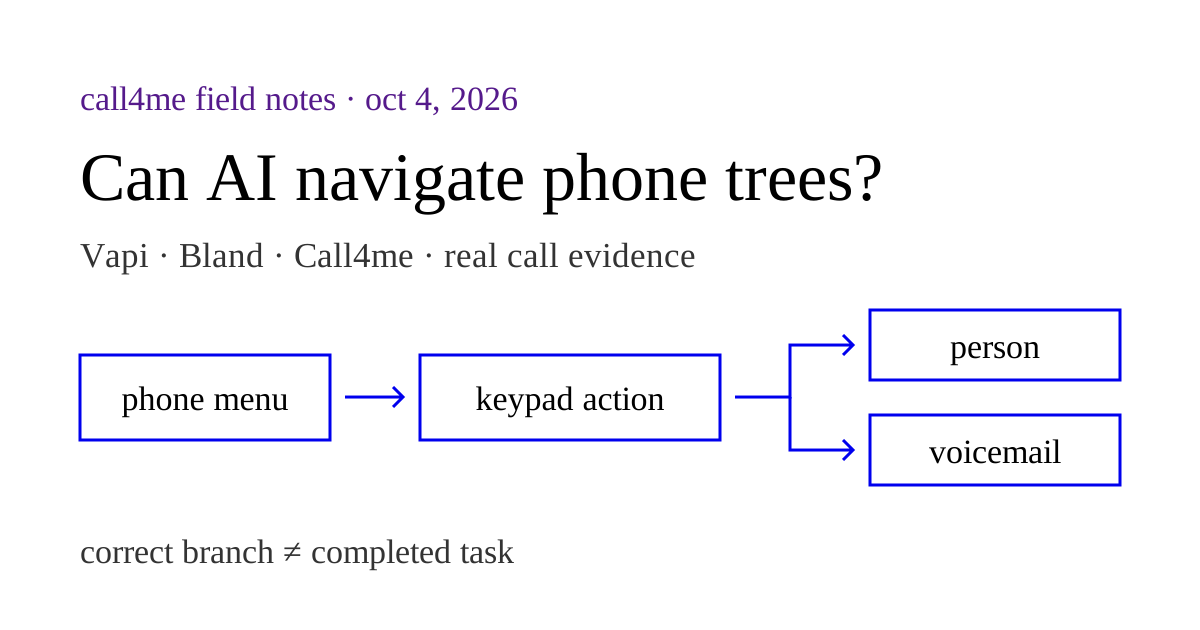
One retrieved schema detail matters if the business has a phone menu. SendDigits sends a preset sequence after connection. The schema states that specifying it causes MachineDetection to be ignored. That is different from a caller listening to an unfamiliar menu and choosing the appropriate option during the conversation.
The media path matters too. Twilio's Media Streams reference says bidirectional streams support DTMF events from Twilio to the media server, but do not support sending outbound DTMF from that server to Twilio. Do not assume your audio WebSocket can send a native keypad action just because it can play speech.
Conversation Relay provides a separate outbound sendDigits message in its WebSocket protocol. After your application decides which key to press, the documented message shape can express that choice:
{
  "type": "sendDigits",
  "digits": "2"
}
This is an illustrative message, not one we submitted to a live Twilio call. The distinction between the two media paths matters when designing menu navigation. Check the chosen path's controls and test the destination reached. A spoken promise to press a button is insufficient evidence.
Our calling MCP comparison includes real Vapi Agent Phone and Bland calls that reached a restaurant's private dining voicemail. It also shows why reaching the branch and ending without leaving a message are separate checks. Those recordings are evidence from those services, not a Twilio benchmark.
When connecting a calling MCP makes more sense #
Building on Twilio is useful when the voice application itself is part of your product, you need account and infrastructure control, or you want to design a specific conversation runtime. The docs MCP can help your coding agent find the current API fields while it builds that application.
If your immediate goal is to give the Claude Code or Codex session you already use a way to call a business, a hosted calling MCP provides that workflow directly. You can still use the Twilio docs MCP alongside it for development research.
For call4me, start with our Claude Code setup and actual call or Codex setup and research example. The Claude Code example includes a Foreign Cinema recording and the exact tool sequence. It reached private dining voicemail, not a person, and did not obtain a quote.
The practical test is the same for a custom Twilio application or a hosted service: can the agent carry out the allowed task, expose what happened, and report what remains unknown? A configured server proves setup. An API schema proves what a request accepts. The completed conversation and its evidence establish what the caller actually accomplished.