Muse Code MCP: connect phone calling tools
Keep a business phone inquiry in your terminal task. Connect the caller, supply the exact question and inspect the returned outcome, transcript and available recording.
 Nick Khami · · 6 min read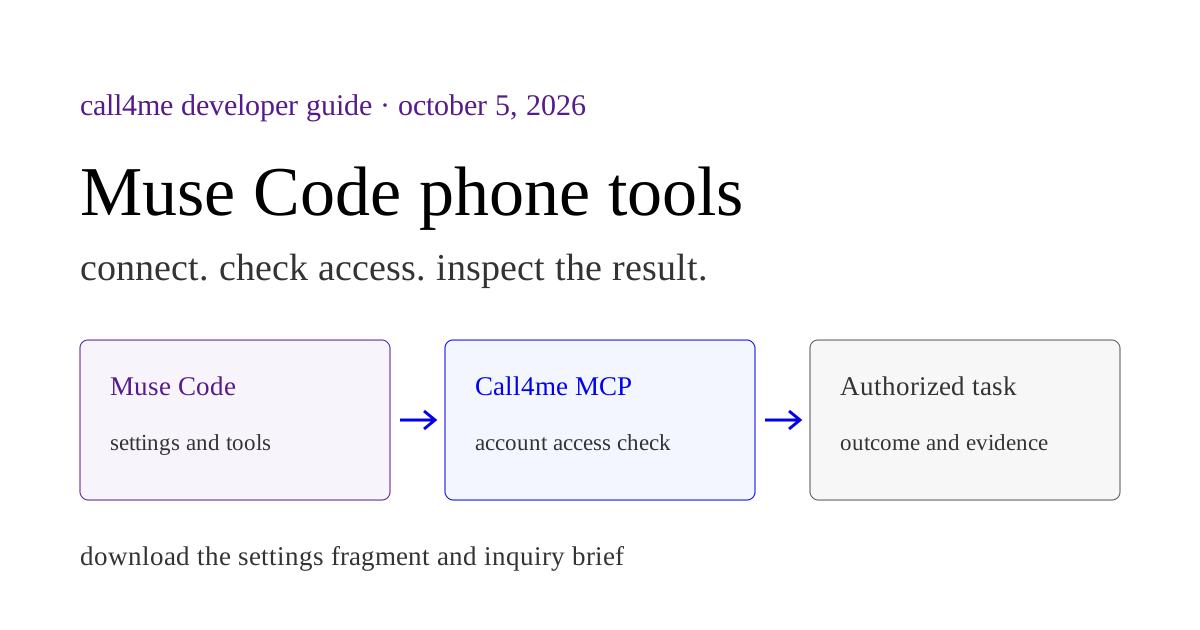
Use Muse Code MCP to connect a phone caller to your terminal task. Call4me supplies the calling tools. Give Muse Code a specific business inquiry, then ask it to follow the approved call and report what the business actually answered.
This is the terminal client, not the consumer Muse app. Our consumer Muse guide describes a different custom connector workflow. Configuring one client does not configure the other.
We installed Muse Code 1.4.3 (1.4.3-R5018.1) on Linux on October 5, 2026 and checked its native commands and configuration behavior. A local MCP fixture successfully initialized and listed its tool through the native client. Production discovery identified Call4me's OAuth requirement. Meta sign in was approved, but the client then required a payment method and signed out. We have not completed a model driven account read or phone call in Muse Code.
Start with the question the phone call must answer #
Suppose your terminal task is planning dinner. The restaurant's website says it accepts walk ins, but you still need to ask about your party, date and arrival time. Give Muse Code those facts and a specific inquiry before connecting tools. A useful result will identify whether a person answered that question, whether a recording supplied only general policy, or whether the question remains open.
Our recorded Grok restaurant call established general walk in policy without confirming availability for the party. That is a concrete example of why the phone brief and evidence matter. It is a Grok result, not a completed Muse Code task.
The setup below leads to a downloadable phone inquiry brief. Fill in the business, exact question, relevant facts and permitted call duration. After the connection check, approve the particular attempt and require its actual outcome before acting on the answer.
Start with the right client and settings #
Check the installed client:
muse --version
muse mcp --help
Meta's configuration reference places user settings at ~/.config/muse/settings.json. When XDG_CONFIG_HOME is set, our test confirmed the selected path is $XDG_CONFIG_HOME/muse/settings.json. If you already have settings, merge the server entry into the existing object. Replacing the whole file could discard other connections and preferences.
The MCP documentation describes remote HTTP servers, environment variable interpolation and the interactive /mcp inventory. Authentication to the model provider and authentication to an MCP service are separate. Completing muse login does not establish access to your Call4me account.
Add the remote calling server #
Sign in to your Call4me account. The calling server URL is https://call4.me/mcp.
Our tested client accepted this settings fragment:
{
  "schema_version": 1,
  "mcpServers": {
    "call4me": {
      "type": "streamable-http",
      "url": "https://call4.me/mcp",
      "enabled": true,
      "mode": "required"
    }
  }
}
Authenticate the calling service with the native command:
muse mcp login call4me
Complete the service's authorization in the browser. Then start Muse Code and use /mcp to inspect the connection. We verified that unauthenticated production startup recognized the OAuth requirement and requested this exact login command. We have not completed the browser authorization or an authenticated account read in Muse Code.
mode: "required" made our isolated run fail when its test server was unreachable. mode: "optional" allowed that run to continue without the server. Whichever you choose, inspect actual tool availability before a phone task.
A configuration mismatch we caught #
The current documentation uses mcp_servers and transport: "streamable_http". That legacy combination worked in our isolated test. The installed client's help and migration instructions use mcpServers and type: "streamable-http", which also worked and is the shape above. Do not mix both top level server blocks: our test then contacted neither server.
There is a more consequential difference. Although the documentation describes environment variable interpolation, our configured HTTP header Bearer ${MUSE_CONFIG_PROBE_TOKEN} was sent literally to the local fixture. Setting that synthetic environment variable did not substitute its value. A literal synthetic header did arrive correctly.
For this tested version, do not assume an HTTP header placeholder carries your API key. The OAuth configuration above avoids putting a key in that header or a shared settings file. If you choose key authentication, establish how your exact client version supplies the credential before relying on it. Do not paste a real key into a downloadable example.
What our isolated test establishes #
The fixture was an HTTP MCP server on localhost, with one harmless tool and no account credentials or dialer. Muse Code used its deterministic echo provider to start the connection without a paid model session. We recorded actual initialize, notifications/initialized and tools/list requests.
That establishes configuration loading and MCP discovery. It does not establish model reasoning, tool selection, access to your account or calling quality. The configuration probe results publish the sanitized test cases and observations. No fixture result is presented as a live Call4me result.
Check access without dialing #
Open a fresh session and inspect /mcp. Then send this access check prompt:
Use the actual call4me_get_balance tool to check my calling connection. Report whether the tool succeeded and whether calling tools are available. Do not place or schedule a call, buy a number, change my account or print private profile details. If the tool is absent or returns an error, report that exact limitation instead of describing a hypothetical success.
Look for a real tool invocation and a returned result. An agent saying “the connection is ready” from memory is insufficient. This check establishes access to the calling account; it does not establish a dialed call or an answered question.
| Check | Evidence to retain |
|---|---|
| Client | Installed Muse Code version |
| Configuration | Server loaded without a settings warning |
| Tool discovery | Calling tools appear in the live inventory |
| Account authentication | call4me_get_balance returns an actual result |
| Phone task | A separate authorized call produces a record and useful evidence |
Give the caller a bounded inquiry #
Use a specific gap in research you already did. Replace every bracketed field in this inquiry brief:
We need to establish [one unresolved fact] about [business].
The business's official contact page is [source URL].
Our relevant task facts are [facts needed to answer the question].

Find the published phone number and show me the proposed question and
call duration. Wait for my permission for this specific attempt.
Check call4me_get_requirements and gather any missing required facts.

Once I approve, place one inquiry with call4me_place_call. Set max_minutes
to the duration I approved. Do not book, purchase, cancel, disclose other
personal details, request a callback or leave a message.
Follow the returned call id using call4me_get_call until it ends or needs
my input. Do not create a duplicate call when a status request is slow.

Return the actual outcome and transcript. Use call4me_get_recordings to
retrieve available recording evidence. Identify whether the answer came
from a person or a recording, and keep unresolved questions visible.
A menu may establish policy without answering our specific question.
Never fill in the missing answer.
Call4me's calling interface separates placing a call from following it. The first response can return while dialing is still underway. Retrieve that same call's result before deciding that the task is complete.
Our recorded private dining research shows this distinction in executed Codex and Claude Code tasks. Automated concierges and unanswered questions are part of those actual results. They are not Muse Code performance evidence.
Troubleshoot the stage that failed #
Settings warning: check the configuration key and transport spelling for your installed version. Inspect the warning before retrying. muse config validate is for managed enterprise documents, not a general validator for your flat user settings file.
Server missing: inspect /mcp in the session doing the work. Confirm that the edited settings belong to this machine and user, and that enabled is true.
Authentication failure: inspect the current OAuth state and complete the named MCP login. If you chose a header with a literal ${VAR} placeholder, exporting the variable again does not fix the behavior we observed in this version. Keep the credential out of the error report.
Account read succeeds but no call happens: check whether the current request supplies the required facts and authorizes that particular call. Account access and permission to act are separate requirements.
Call ended but the question remains unanswered: inspect the outcome and transcript. Return the missing answer as unresolved. The caller reaching a menu is a narrower result than a person confirming availability.
For reusable consumer workflows, use our Grok Bot templates or first Muse task. For the developer client, finish the configuration and access checks here before trying a bounded inquiry.