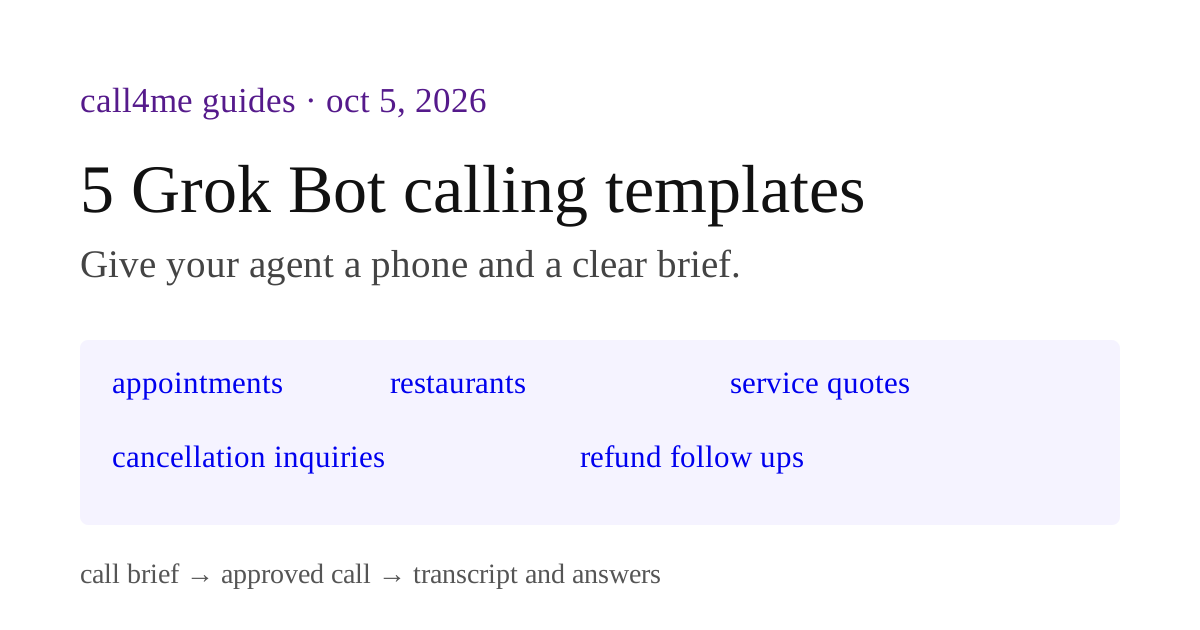
Have Grok Bot phone businesses for you: 5 ready made prompts
Download complete prompts for appointment, restaurant, service quote, cancellation and refund inquiries through call4me.
 Nick Khami / / updated / 7 min read
These five Grok Bot prompts prepare phone inquiries through call4me. Each asks for a call brief, permission for one call and a report of what it answered.
Download all five complete prompts. The excerpts below show each inquiry's questions and limits; use the download for the complete instructions. These are text prompts, not installable Bot templates. We have not run these five complete workflows in Grok Bot.
Our October 4 Grok call documents a working connection and restaurant inquiry. That call returned a general walk in policy from a recorded menu, but did not confirm space for our party. The prompts preserve that distinction: a published policy, a live answer and an unanswered question should look different.
Connect call4me and define the call boundary
Connect call4me using our Grok Bot setup guide, then ask the Bot to run call4me_get_balance. Check that the returned account data belongs to you. This checks access without placing a call. Public websites and your documents supply the background; the call asks the specific questions those sources leave open.
Before a call, tell the Bot which businesses it may contact and your call duration limit. Agree separately on the cost of using the calling service and anything the business might charge. Permission to ask about a quote does not mean permission to accept it.
Each prompt requires the Bot to set max_minutes on call4me_place_call, follow the returned id with call4me_get_call and retrieve recording metadata with call4me_get_recordings. A requested cap is a talk time limit, not a guarantee that the business will answer within it. If the tool response is unclear, check the same call before asking permission for another.
For an account task, give the Bot the relevant receipt or conversation rather than access to your whole inbox when that is enough. Keep credentials out of prompts you plan to share.
1. Call an office about an appointment that fits
Use this when: an appointment search keeps producing offices without a confirmed opening that works for you.
Give the Bot your location, appointment type, date range, time zone, travel limit and any provider preferences. For a medical appointment, decide what personal information it may disclose before contact. Insurance participation and your own coverage are separate questions.
Prepare a phone inquiry to one office about [appointment type] near
[location]. My date range is [dates], available times and time zone are
[windows], travel limit is [limit], and provider or insurance preferences
are [preferences]. My approved information to share is [facts].

Use official provider pages to find a shortlist and published numbers.
Do not infer openings from office hours or participation in my plan from
an insurer's name. Let me choose one office to call.

Ask that office about suitable openings, any required referral, insurance
questions I specify and the steps needed to book. Do not book, agree to
fees, share information outside my approved facts or leave a message.
What a useful result contains: the office's offered openings, whether a slot was held, the actual call id and unanswered coverage questions. A provider being open on Tuesday is not evidence of a Tuesday appointment. Run the same brief separately for another office after reviewing and approving that call.
Check before relying on it: ask which answers came from a person, which came from a website and which are still missing. Time sensitive openings can disappear before you book.
2. Call a restaurant about your actual party
Use this when: you need to know whether a restaurant can accommodate your party, rather than whether its website says walk ins are welcome.
Prepare a phone inquiry to [restaurant] about a party of [size] on [date]
around [time and time zone]. Our flexibility is [alternate times] and
relevant seating or dietary needs are [needs]. Do not invent a need.

Check the restaurant's own website for its published number and policies.
Ask about space for this exact party, a recommended arrival time, expected
wait and any deposit or cancellation conditions. Do not reserve, pay,
request a callback or leave a voicemail without separate permission.

Keep a menu's general walk in policy separate from a live availability
answer. A visible online slot is also a different source from the call.
What a useful result contains: an answer to the specific party and date, or a plain statement that availability is unresolved. The distinction matters even when a call is marked complete.
Check before relying on it: inspect the transcript or recording if the summary turns a general policy into a guaranteed table. Our actual Grok restaurant call is an example of a narrower result.
Here is how that existing October 4 call should read in the prompt's output format:
| Field | Supported result |
|---|---|
| Restaurant and request | Foreign Cinema, dinner for four that evening |
| Confirmed policy | Recorded menu says walk ins are accepted |
| Availability for four | Unconfirmed |
| Recommended arrival time | Unanswered |
| Source | Restaurant recording in the completed call |
| Next step | Obtain a specific availability answer before treating the plan as confirmed |
3. Call service providers with the same quote brief
Use this when: published service prices leave out your job's scope, access or timing. Prepare one brief, then use it for separately approved calls to each provider.
Prepare one phone inquiry for [provider] about [service] at [location].
Use this exact scope: [items, dimensions, condition and access constraints].
My timing is [window], requirements are [requirements], and the approved
facts to share are [facts]. Verify the provider's own published number.

Ask what the quoted scope includes, exclusions, possible extra charges,
earliest availability, whether a visit is required and estimate validity.
Do not accept a quote, schedule work, pay a deposit or supply a budget I
have not given you. Do not send photos or messages.

Use this same brief for separately approved calls to other providers.
Keep an estimate separate from a confirmed quote. Do not rank a provider
as cheapest while material charges remain unknown.
What a useful result contains: one row per provider, the same scope in every row and a call id for each phone answer. For junk removal, for example, access stairs, item volume and disposal restrictions can change what a headline estimate means.
Check before relying on it: choose an unresolved field and ask the Bot to trace it to the provider's answer. A missing charge should remain unknown, not become zero. Download a comparison worksheet.
4. Call support to clarify cancellation before committing
Use this when: the public cancellation policy does not settle your account's deadline, fees or required steps. The call is an inquiry; cancelling the account needs separate authorization.
Prepare a phone inquiry to [service] to clarify cancellation of [plan].
My renewal date is [date if known] and the documents I will provide are
[account terms or receipts]. My approved facts to share are [facts].
Find the service's official support number and public cancellation policy.

Ask about my account's renewal cutoff, required cancellation method,
account holder verification, any stated fee and when access would end.
Separate the representative's answer from the terms in my documents.
Do not cancel, change billing, accept a retention offer or agree to fees.
Do not ask for a callback or leave a message without separate approval.

Return a cancellation plan, not a claim that the account was cancelled.
What a useful result contains: the support representative's answer, its call record and an actionable cancellation plan. Compare the answer with your account terms. A generic policy may not establish the terms you agreed to.
Check before relying on it: make sure the Bot has not treated a cancellation guide as a cancellation receipt. If you later authorize cancellation, require confirmation and a reference from the service.
5. Call a merchant about an overdue refund
Use this when: a promised refund is overdue and you need a clear status rather than another generic support answer.
Prepare a phone inquiry to [merchant] about refund [purchase reference].
The relevant timeline is [dates], and I will provide [receipt and prior
support messages]. My approved facts to share are [facts]. Verify the
merchant's official support number. Keep request, approval and receipt
of money as separate stages in the timeline.

Ask whether the refund was approved, when it was submitted, where it was
sent, the reference available to me and the stated next step if it has
not arrived. Do not accept store credit, close the case, change payment
details, threaten legal action or leave a message.

A merchant saying it issued the refund does not prove money arrived.
Keep any mismatch with my payment record visible.
What a useful result contains: a status and reference you can act on. A merchant saying it issued a refund is a different fact from money arriving in your account.
Check before relying on it: compare the summary with the call transcript and your payment record. Keep an unresolved discrepancy visible.
Check a prompt before calling
Replace the bracketed inputs in the complete prompt and ask for a call brief without dialing. Check the business, number, questions, permitted facts and duration before approving a call.
For a method you plan to reuse, see the draft Grok skill and review checklist. If you share a Bot or instruction file, use the recipient setup checklist. xAI's template guide explains the separate process for publishing an installable Bot template.