Grok Bot skills: save a phone calling workflow you can reuse
Turn a restaurant inquiry into a reusable Call4Me skill that collects a fresh brief, caps the call and checks the transcript before answering.
 Nick Khami · · 7 min read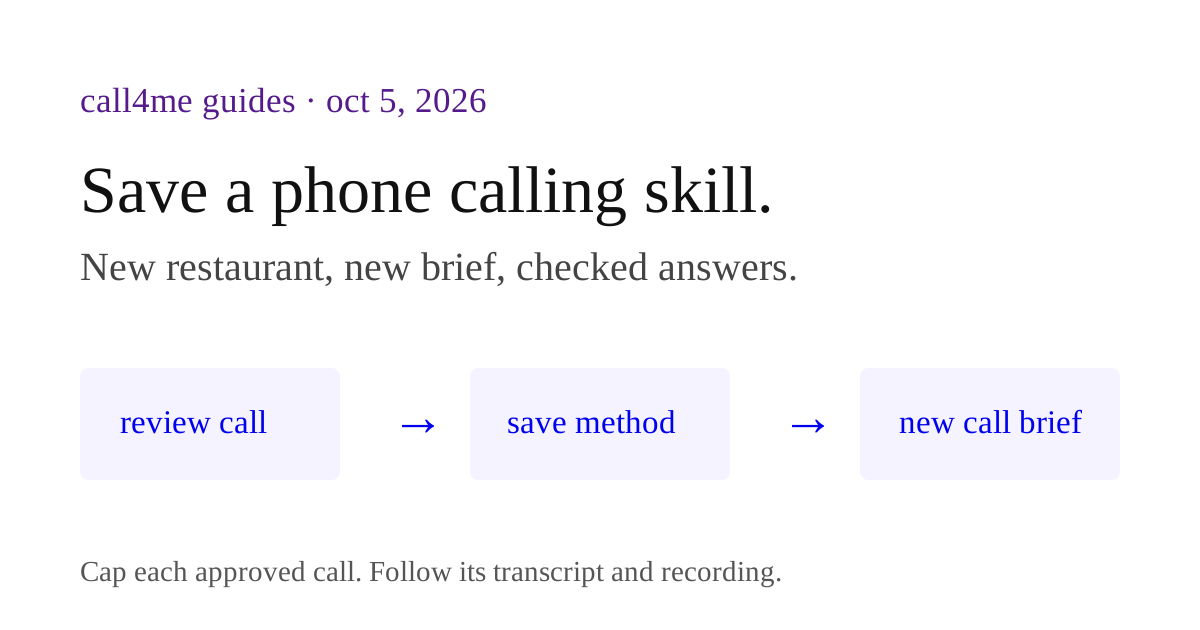
Save your Grok Bot phone calling method as a skill so the next call starts with a good brief and ends with a checked answer. The skill should collect fresh inputs, verify Call4Me access, set a duration cap and preserve unanswered questions. It should not inherit an old restaurant or permission to call.
This guide uses a restaurant availability inquiry as the example. Download the instruction file and the prompt to save it. Attach the file to your Bot and ask it to create a skill from the instructions. The file is readable Markdown, not an automatic Grok installer.
We have verified a real Call4Me connection and phone call in Grok Bot, documented in our Grok setup guide. We have not yet verified this new skill's save and reuse flow in the app. The steps below follow the current documentation and include checks for your own run.
Skill, routine or template? #
Grok's skills and routines documentation describes a skill as reusable task instructions and a routine as the rule for when a Bot should run a workflow. Your private skill library is shared across your own Bots, but each Bot still needs appropriate access.
A Grok Bot template is what you prepare when another person needs their own copy of a Bot. A private skill appearing in your second Bot does not prove it is included in a template for someone else's account.
For the restaurant example, start with a skill you invoke deliberately. A recurring routine is usually unnecessary for a dinner plan whose date, party size and authorization change each time.
Start from the result you actually obtained #
Our existing restaurant call reached a recorded menu. It confirmed a general walk in policy, but did not confirm space for four people or a recommended arrival time. The result was partial.
That is useful material for a skill because it exposes a rule a simple happy path might miss: a completed call can leave the task unresolved. The skill should distinguish recorded policy from a live availability answer and keep unanswered questions in its final output.
Before saving the calling method, inspect the returned call record, outcome and transcript, and the recording when the summary is ambiguous. Correct unsupported conclusions before you teach the Bot to repeat them. Keep the instruction to follow the same call id, so a partial result does not silently become a second call.
Separate the reusable method from private facts #
Write the method as if the next request came from a person you have never met.
| Keep in the method | Ask again for each task |
|---|---|
| Use the restaurant's own contact page | Restaurant and published phone number |
| Distinguish recorded policy from live answers | Date, party size and preferred time |
| Collect missing information before calling | Time zone, flexibility and relevant needs |
| Ask for permission before a call | Permission and duration cap for this particular call |
| Return evidence and unresolved questions | Any account or reservation details |
Keep keys, signed recording links and personal contact details out of a shareable method. A skill needs to describe a connector requirement; it does not need to contain a credential.
A complete instruction file you can adapt #
The downloadable file contains this method. Its approval boundary is intentionally precise: preparation may proceed, but calling, booking and leaving a message require the permission named below.
Name: Restaurant availability inquiry

When to use
Use when someone wants to check restaurant availability or walk in
conditions for a particular party and date. This is an inquiry skill,
not permission to reserve a table.

Inputs
Restaurant, date, party size, preferred time, time zone, flexibility,
relevant seating needs, approved call duration and permission for this call.
Never infer a dietary or accessibility need.

Access
Public restaurant website and booking page. A working Call4Me connector
is required for the phone inquiry. Check access with call4me_get_balance
and confirm that the account belongs to the intended user.

Method
1. Gather missing inputs in one message.
2. Find the restaurant's own contact and booking pages. Record sources.
3. Check public availability. Keep general policy separate from slots.
4. Check call4me_get_requirements and collect any missing required facts.
5. Produce a call brief with the business, published number, questions,
   facts it may share and proposed duration. Wait for permission to call.
6. Place only the authorized call, setting call4me_place_call.max_minutes
   to the approved duration. Do not reserve, pay, request a callback
   or leave a message unless separately authorized.
7. Make only one call. Follow that returned id with call4me_get_call.
   If the call is still active, report that state rather than pretending
   to have a final answer.
8. Review the outcome and transcript. Retrieve recording metadata for
   the same id with call4me_get_recordings. If unavailable, say so.
   Inspect the recording when a summary's claim is ambiguous.
9. Report confirmed facts, source type, unresolved questions and next step.

Failure handling
Missing connector: give setup steps and stop before the call.
Missing facts: ask, do not fill them from an old task.
Menu or voicemail: report recorded policy and unanswered questions.
Tool error: report the actual error without exposing secrets. Do not
launch another call automatically; check the current call state first.
Business asks to book or pay: stop at the approval boundary.

Output
Restaurant and requested party/date/time.
Confirmed facts with source and date checked.
Whether a person answered or only a recording supplied information.
Unanswered questions.
Actual call id if one exists, and final or currently observed call state.
Transcript and recording references when available, without exposed keys.
Next action and any approval needed.
Changing the skill to perform bookings requires more than replacing “inquiry” with “booking.” Define the permitted times, what costs may be accepted, whether a deposit is allowed and what counts as reservation confirmation. Keep those authorizations specific to the current task.
Ask Grok to save the reviewed method #
Attach the file, or paste the instructions, then use this prompt:
Create a skill called Restaurant availability inquiry from the attached method. Preserve its evidence checks, failure handling and approval boundaries. Do not copy the restaurant, dates, keys, recording links or personal details from our previous task. Show me the skill instructions before saving, then tell me how to invoke the saved skill. Do not create a routine or make a call.
Review the resulting instructions. Check for old task facts, vague permission such as “handle it,” and a completion rule that treats any ended call as a successful inquiry. If something is wrong, ask the Bot to edit that rule before saving.
The documentation says the desktop composer uses / to reference saved skills. If yours is missing, check Marketplace, Your plugins, Manage plugins and skills, then Private skills. These are documented controls; the saved skill still needs a test before you rely on it. Official skills instructions.
Check reuse with preparation only #
Open another Bot under your account and invoke the saved skill. Give it a different restaurant and ask for preparation only:
Use Restaurant availability inquiry for [new restaurant], [date], [party size] and [time with time zone]. Check Call4Me access and required inputs, then show the call brief with a proposed [minutes] talk time cap. Do not place any call, book, leave a message or contact anyone.
Check that the output refers to the new request. If the Bot cannot access Call4Me, that is a connector setup issue; the method should explain the missing prerequisite rather than claim it made a call.
This second Bot check establishes reuse in your account when you run it successfully. It does not establish distribution to someone else's account. Use the template recipient checklist for that.
Try the cases that break a weak skill #
Download the validation matrix. The expected behavior below is a requirement for your test, not an observed result from our app.
| Input or situation | Expected behavior |
|---|---|
| A complete request with preparation only | Research and proposed questions, no call |
| No date or time zone | Ask for those facts before contact |
| A different restaurant in a second Bot | Use the new inputs and check that Bot's access |
| Missing Call4Me connector | Explain the dependency and stop before a call |
| A recording says walk ins are welcome | Report policy without asserting party availability |
| A supplied transcript ends without the requested answer | Keep the question unresolved |
| A reservation would require a deposit | Ask for the specific approval before commitment |
| A tool returns an error after a call was created | Check the existing call before proposing another |
For the transcript and error cases, provide a clearly labelled simulated example and keep external tools disabled. You can test the reasoning without calling a business.
If you later create a routine, inspect its owner, schedule, inputs and approval rules separately. Grok's documentation says a routine's Test run can perform real work, so a test is not automatically a simulation. Routine test instructions.
Keep the skill useful as tools change #
Update the method when a connector, website or output format changes. Repeat the relevant validation cases after each edit. Preserve the evidence and approval rules even when the successful path becomes simpler.
You can use the same approach for service quote, cancellation inquiry and refund follow up calls: review a concrete call, correct the result, extract the method and check it with new inputs before automating it.