Why a Grok Bot phone calling template fails after sharing
A recipient needs their own working Call4Me connection, call brief and permission. Find the missing prerequisite before asking the Bot to dial again.
 Nick Khami · · 8 min read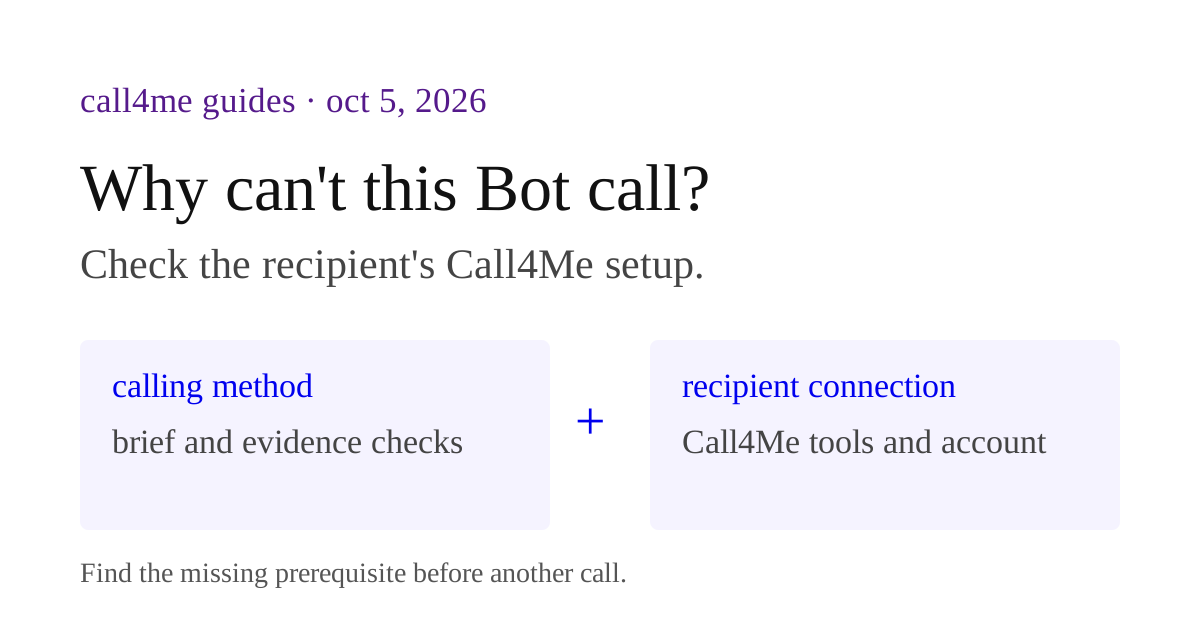
A shared Grok Bot phone calling template can remember how to call while lacking the recipient's Call4Me connection. Check the actual calling tools, account ownership and call brief before another dial. The owner's working phone setup does not establish that the recipient has working access.
xAI's template guide says a copy needs its own setup and explicitly calls out custom MCP servers, scripts and code that are not included. A successful owner run therefore does not establish that a recipient can run the same workflow.
This guide gives you a downloadable setup manifest and recipient acceptance checklist. We have not published and installed a template across two accounts for this article. Treat the checklist as a test to run, not a claim that transfer has already been verified.
First decide what was shared #
Three similar looking situations have different ownership and access rules:
| What you shared | What the other person uses | First question to ask |
|---|---|---|
| A product template link | Their own new copy of a Bot | Did their copy complete its required setup? |
| A Team Bot | A Bot maintained by its owner | Is this their account's access or a Bot credential? |
| A prompt or instruction file | The Bot they paste it into | Have they added the dependencies themselves? |
For a public template, the recipient owns and maintains their copy separately. A Team Bot is maintained centrally by its owner. Do not troubleshoot one as if it were the other. Official Team Bot comparison.
If you shared our five phone calling prompts, those are instruction files. They do not install Call4Me or authorize calls.
Trace the failure from instruction to evidence #
Ask the recipient to describe the last concrete step that worked. “The Bot is broken” is less useful than “it listed the questions, then could not find the calling tool.”
Use this order so you do not repair authentication when the real problem is a missing file:
- Instructions: does the copied Bot have the calling method and result format?
- Dependencies: can it find Call4Me's calling and result tools, plus any required files?
- Authentication: does
call4me_get_balancereach the intended recipient account? - Inputs: has it checked
call4me_get_requirementsand collected the required facts? - Permission: is this specific call approved, with a
max_minutescap? - Evidence: does the same call id's outcome, transcript and recording answer the question?
For each stage, record what was inspected. Stop at the first failure. Fix that prerequisite and rerun only the relevant check.
Symptom: the Bot knows the workflow but cannot find a tool #
Likely cause: the instructions refer to a dependency that was available only in the owner's setup.
Ask the Bot to check for call4me_get_balance, call4me_get_requirements, call4me_place_call, call4me_get_call and call4me_get_recordings in its actual available tools. Compare that with the setup manifest. A remembered statement such as “Call4Me is installed” is weaker than a current tool listing and an actual access check.
For Call4Me, use our Grok connector setup instructions. After the recipient adds their own connection, ask for call4me_get_balance. This is an access check, not a phone call. Review the returned account data before any calling workflow proceeds.
Do not transfer the owner's key or personal MCP URL as a fix. A template should describe where recipients get their own access, not embed the owner's account.
Symptom: the plugin exists but requests a login #
Likely cause: the dependency is present, but the recipient has not authenticated it, or its authorization has expired.
Grok's official troubleshooting instructions direct you to Marketplace, Your plugins, then the installed plugin's authentication action. Complete the browser authorization using the intended account and return to the Bot. Some connectors also need administrator configuration.
After authentication, repeat call4me_get_balance and confirm the result belongs to the recipient. A plugin card being visible does not prove that the right account is connected or that a call can be placed.
If the Bot is waiting rather than failing, inspect its conversation and computer for a login, question or approval prompt. Preserve the exact error text when there is one. Grok troubleshooting.
Symptom: the Bot uses the owner's account #
Likely cause: a shared setup contains a Bot credential or copied secret, rather than recipient authentication.
For a Team Bot, xAI distinguishes account sign in from key based configuration: signed in plugins use the person asking, while configured tokens can belong to the Bot. Custom remote MCP access depends on its authentication method. Official Team Bot setup.
Before publishing any calling workflow, decide explicitly whether you intend a shared account or separate recipient accounts. For a personal template copy, use the recipient's own account. Inspect the connection locally, but record only that ownership was checked. Keep keys, signed URLs and tokens out of screenshots and bug reports.
If the current connection is wrong, fix its authentication before another action. An account mismatch is not a harmless warning when tools can spend credits, disclose documents or change records.
Symptom: it cannot find a file or script #
Likely cause: the method references an artifact that existed on the owner's computer, but the recipient never received it.
Ask for the exact referenced file and where the workflow expects it. Check whether it is actually available to the recipient Bot. Do not assume that an owner path, prior attachment or private document link will work in another account.
Ship a readable instruction file or source repository where appropriate. Document the actual command, required configuration and expected output. Never publish an environment file containing credentials. If the workflow needs custom code, test the recipient's installation instead of treating the owner's terminal output as proof.
For workflows that can be expressed as instructions, prefer a reusable method over undocumented scripts. This removes a dependency only when the method can really perform the same job.
Symptom: it runs, but gives the wrong answer #
Likely cause: old context, incomplete inputs or an overly broad completion rule.
Give it a different business and date. Ask which facts came from the current request and which came from saved context. The Bot should collect missing inputs instead of inheriting the owner's party size, availability or permission to call.
Then check the evidence behind the answer. In our real Grok restaurant call, the recorded menu said walk ins were welcome. It did not establish room for four at our preferred time. A copy that reports guaranteed availability from that recording has a result validation problem, even if every connector works.
Patch the method to keep confirmed facts, recorded policy and unanswered questions separate. Recheck with a supplied transcript before placing another call.
Symptom: an error appears after a call started #
Possible cause: result retrieval failed while the existing phone call continued, or the call itself failed. Those are different conditions.
Ask Grok for the actual id returned by call4me_place_call, then use call4me_get_call for that id. Do not create another call just because the chat showed an error. If the call finished, review its outcome and transcript and retrieve recording metadata with call4me_get_recordings. If no id was returned, report that uncertainty instead of claiming the call never happened.
Here is a diagnostic prompt the recipient can use without authorizing a new call:
Diagnose the Call4Me phone workflow without dialing. Check the actual available tools and run call4me_get_balance. Identify missing access or required inputs without showing credentials. If this task already returned a call id, inspect that same id with call4me_get_call and call4me_get_recordings. Return the observed state, confirmed answers, unanswered questions and the setup step needed next. Do not create a call, booking or callback.
Give recipients a setup manifest #
Put the setup instructions where the Bot and the person can both read them. Download a blank manifest and fill in these fields:
Workflow name: Restaurant phone inquiry
Purpose: Ask about this party and date, then report supported answers
What the recipient receives: Calling method and output instructions
Separate setup: Recipient's Call4Me account and Grok Bot connection
Setup guide: https://call4.me/blog/grok-connectors-mcp-phone-calls
Required files: restaurant-inquiry-method.md from the skill guide
Credential owner: recipient or explicitly shared account
Access check: call4me_get_balance verifies current account access
Intake check: call4me_get_requirements supplies required call fields
Task inputs: Restaurant, published number, party, date, time and needs
Call brief: Questions, facts it may share and duration in whole minutes
Approval: One named call, with call4me_place_call.max_minutes set
Preparation: Read checks and a call brief, with no dialing
Result check: Same call id through call4me_get_call and transcript
Recording check: call4me_get_recordings for that same id
Output: Confirmed facts, source type, unanswered questions and next step
Failure rule: Report missing access or evidence, do not dial again
Date this recipient setup was last checked:
Adapt this example to the calling task you share. The recipient still needs to fill in their current inputs and approve a specific call. The manifest must not contain a real API key or the owner's personal MCP URL.
A recipient test that actually establishes portability #
Run this on a separate recipient account using the template or artifact you intend to share. A second Bot in the owner's account is useful for checking skill reuse, but may already have access the recipient lacks.
- Review the template details before adding it. Compare the included method and integrations with the manifest.
- Follow the manifest without private instructions from the owner. Record any missing dependency or unclear step.
- Authenticate with the intended account and run
call4me_get_balance. - Supply new task inputs and request a call brief only. Verify the required inputs and duration cap, with no dialing.
- Remove a required input. Verify the Bot asks rather than inventing a value.
- Supply a labelled simulated partial result. Verify the unanswered questions remain visible.
- If needed, approve one call with a duration cap. Follow its actual id and compare the final answer with the transcript, recording and unresolved questions.
The acceptance checklist leaves observed results blank so you can record what happened. Keep a failure visible until you fix its cause and rerun that check.
The finished deliverable is a calling method someone else can connect, invoke and verify. A share link alone cannot establish that.