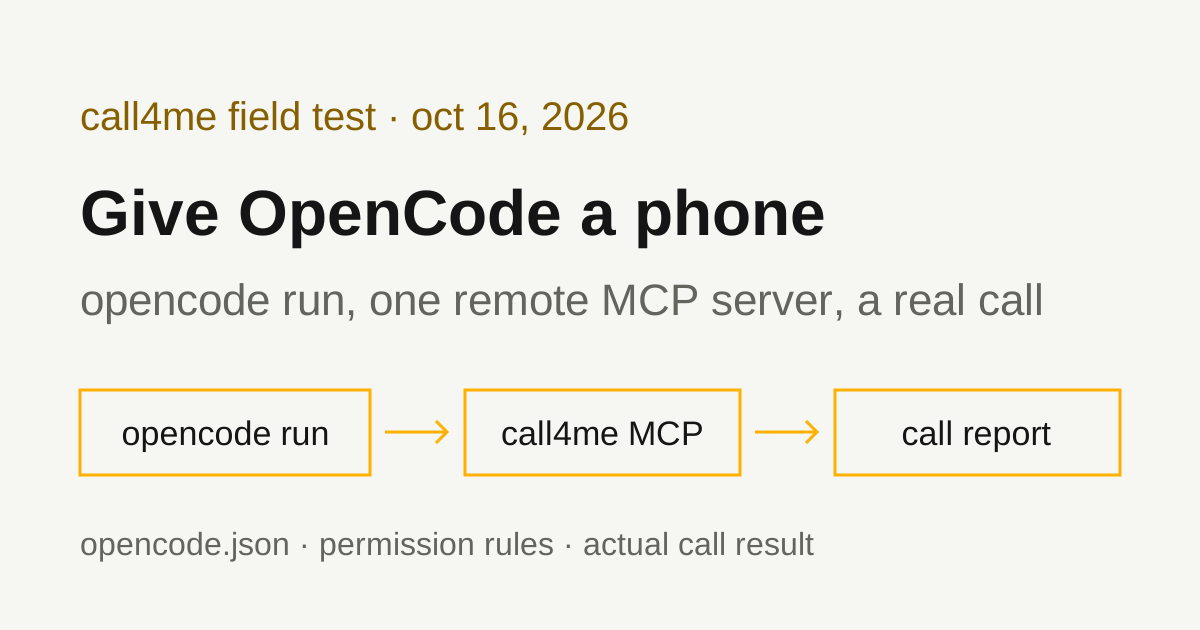
How to make phone calls from OpenCode with a remote MCP server
We added call4me to OpenCode as a remote MCP server, ran it headless with opencode run, and had it call Pottery Barn customer service. Here is the opencode.json that keeps the API key out of the file, how permissions behave in headless runs, the line that kept it following the call, and what the call actually got.
 Nick Khami / / 15 min read
OpenCode can make phone calls through a remote MCP server. OpenCode connects to remote MCP servers from its opencode.json config, so you add call4me once, give opencode run a brief with a goal and clear limits, and it places the call, follows it and reports what happened. A voice caller handles the conversation. OpenCode reads the status and transcript through tools.
We verified this with OpenCode 1.19.3 on October 16, 2026, on Linux, with OpenAI's gpt-5.1 as the model. OpenCode placed a real call to Pottery Barn customer service from a written brief, waited through the menu and hold, and reached a live representative 7 minutes 40 seconds after Pottery Barn picked up. She answered one of our four questions and then ended the conversation. An earlier call, to FedEx, never reached a person, and on that run the model stopped following the call before it ended. Both are below, with the fix.
Which OpenCode this is. The project lives at anomalyco/opencode on GitHub (the old sst/opencode path redirects there). The install script on opencode.ai/docs installs OpenCode 1, and everything on this page is OpenCode 1.19.3. A separate OpenCode 2 has its own installer and docs, and the v1 script refuses to install it. We didn't test OpenCode 2.
Install OpenCode
You need an API key for a model provider OpenCode supports, a call4me account, and calling credits for the phone part.
OpenCode's intro page gives this command for Linux and macOS:
curl -fsSL https://opencode.ai/install | bash
That's what we ran. It installed 1.19.3 to ~/.opencode/bin/opencode. The script's own --help lists --version to pin a release and --no-modify-path to leave your shell config alone. The same page lists npm (npm install -g opencode-ai), Bun, pnpm, Yarn and Homebrew. Check it with opencode --version.
Pick a model
OpenCode reads provider keys from the environment. With OPENAI_API_KEY exported, opencode models openai listed the OpenAI models, and we passed one per run with -m provider/model:
export OPENAI_API_KEY=...
opencode run -m openai/gpt-5.1 "..."
The CLI docs describe --model as "Model to use in the form of provider/model". opencode auth login stores provider keys in ~/.local/share/opencode/auth.json instead, if you'd rather not use the environment. You can also set "model" in the config.
Add call4me as a remote MCP server
OpenCode's global config is ~/.config/opencode/opencode.json. Add this:
{
  "$schema": "https://opencode.ai/config.json",
  "mcp": {
    "call4me": {
      "type": "remote",
      "url": "https://call4.me/mcp",
      "headers": {
        "Authorization": "Bearer {env:CALL4ME_API_KEY}"
      },
      "oauth": false,
      "enabled": true
    }
  }
}
Then put your key in the environment of the shell that runs OpenCode. Copy it from the account page and read it in without echoing it:
read -rsp 'call4me API key: ' CALL4ME_API_KEY
printf '\n'
export CALL4ME_API_KEY
This keeps the key out of the config file. The config docs say "Use {env:VARIABLE_NAME} to substitute environment variables", and that an unset variable becomes an empty string. The MCP servers page uses the same Bearer {env:...} pattern in a header. After our runs, we searched OpenCode's config, data and log folders, including its session database, and the key wasn't written anywhere.
Why "oauth": false. OpenCode treats remote servers as OAuth capable by default: the MCP page says it "detects a 401 response and starts the OAuth flow", and that "oauth": false disables that "for API-key servers". With the header set, both settings connected fine. The difference shows when the key is missing (see Troubleshooting).
From the command line instead. opencode mcp add takes flags in 1.19.3. We ran:
opencode mcp add call4me --url https://call4.me/mcp --header 'Authorization=Bearer {env:CALL4ME_API_KEY}'
With single quotes, the shell doesn't expand anything, and OpenCode wrote the {env:CALL4ME_API_KEY} placeholder into the global config as typed (it chose opencode.jsonc in a fresh config folder and printed the path). It doesn't add "oauth": false, so add that by hand. These flags are in the 1.19.3 source, not on the CLI docs page, which lists add without options. Run with no arguments, opencode mcp add is interactive, asks about OAuth and doesn't ask for headers.
Check the connection before dialing
opencode mcp list shows each server and whether it connected. With the key set, it printed ✓ call4me connected. Then we ran:
opencode run -m openai/gpt-5.1 "Use the call4me get_balance tool to check my phone calling connection. Show my balance and call4me numbers. Do not place a call."
OpenCode called the balance tool once and showed the balance and the account's call4me numbers.
Sign in with OAuth instead (documented, not tested by us)
call4me's MCP server also supports browser OAuth sign in. The MCP page says OpenCode uses Dynamic Client Registration when a server supports it, opencode mcp auth <server-name> starts the flow in your browser, and tokens are stored in ~/.local/share/opencode/mcp-auth.json. For that you'd drop the header and the "oauth": false line. We used the header and environment variable for every run on this page and did not test OAuth in OpenCode.
Tool names and permissions in headless runs
Tool names get the server name in front. In the 1.19.3 source, OpenCode names an MCP tool as the server name, an underscore, then the tool name. With the server named call4me, the tools are call4me_call4me_place_call, call4me_call4me_get_call and so on. That's what the run output shows, and it's the name permission rules match.
MCP tools run without asking by default. The permissions page says OpenCode "starts from permissive defaults", and our plain opencode run placed the call with no approval step.
To put a gate in front of call4me, add a rule. We tested with OPENCODE_PERMISSION, which the CLI docs describe as "Inlined json permissions config"; the same object goes under "permission" in opencode.json:
OPENCODE_PERMISSION='{"call4me_*":"ask"}' opencode run -m openai/gpt-5.1 "Use the call4me get_balance tool to show my balance. Do not place a call."
There's nobody to answer in a headless run, so OpenCode turned the question into a no:
! permission requested: call4me_call4me_get_balance (*); auto-rejecting
and the tool failed with "The user rejected permission to use this specific tool call." Adding --auto to the same command approved it and printed the balance. The CLI docs describe --auto as "Auto-approve permissions that are not explicitly denied", and in the 1.19.3 source run rejects every permission request when --auto isn't set.
"deny" is stronger. With {"call4me_call4me_get_balance":"deny"} and --auto, the balance tool wasn't offered to the model at all; it listed every other call4me tool.
So you have three settings for a headless run:
| Rule for the call4me tools | Plain opencode run |
opencode run --auto |
|---|---|---|
| None (the default) | Runs | Runs |
"ask" |
Rejected | Runs |
"deny" |
Not offered | Not offered |
A useful setup is "call4me_call4me_place_call": "ask": the TUI asks before every call, and a script has to pass --auto on purpose. We tested ask with the call4me_* pattern on the balance tool, not on placing a call.
Either way, the brief is your guardrail. Say who to call, what may be shared, and "do not place any other call."
Give OpenCode a bounded calling task
The brief should say who to call, why, what to ask, what the caller may share, and when to stop. It should also tell the model not to stop following the call early, for the reason in the next section. This is the prompt we used for Pottery Barn, with our callback number removed:
Use call4me to make one informational phone call to Pottery Barn customer service at 1-888-779-5176 (listed as "U.S. Customer Service 1.888.779.5176" on potterybarn.com/customer-service/contact-us/).
This is research for a consumer guide on reaching Pottery Barn customer service. It is a general inquiry, not about any order or account.
Questions for the representative:
- What's the fastest way to reach a live person on this number?
- What is the return window, and how are refunds issued (to the original payment, store credit, or something else)?
- How does delivery scheduling work for furniture?
- What should a caller have ready?
Limits: category "general" with these questions in details.questions, max_minutes 240, timezone America/Los_Angeles. The caller must say it is a general inquiry for a consumer guide, never claim to be a customer, never give an order number, account email, phone number on an account, card, address or personal details, and never agree to any change, order or purchase. At the phone menu, say "customer service". If the system asks for an order number or offers to text a link, decline, say it is a general question, and ask for a representative. Decline any callback and stay on hold. The only callback number it may give is [your callback number] (put that in facts).
After placing it, follow the call with call4me_get_call (wait_seconds 50). Do not end your turn until call4me_get_call shows the call has finished: while its status is in progress, call call4me_get_call again, every time. If an open question appears, answer only from this brief; otherwise say it is unknown. When it has finished, report the call ID, whether a live person was reached, how long it took to reach them, and the answers to each question. Do not place any other call.
We saved it to a file and piped it in:
opencode run -m openai/gpt-5.1 --title pottery-barn-call --format json < pb-prompt.txt > run.jsonl
opencode run reads the message from stdin when it's piped (that's in the 1.19.3 source; the docs show the prompt as an argument). --format json prints raw JSON events, one per line, including each tool's input, output and start and end times, which is how we timed the tool calls below. Drop it to get the formatted output.
max_minutes 240 lets the call wait on a long hold; it caps billed time and only holds credits for that cap. We asked for wait_seconds 50, the maximum, so each status check covers more time.
About the MCP timeout setting. The MCP page describes timeout as the "Timeout in ms for fetching tools", default 5000. In the 1.19.3 source, the same value is also passed to every tool call, and when it's unset, tool calls fall back to the MCP SDK's 60 second default. We left it unset, and each 50 second status check took about 51 seconds and finished fine. If you set timeout, make it longer than your wait_seconds. We didn't test a short value.
When OpenCode stops following the call
This is the part to plan for. Our first call (to FedEx, below) used a brief that said only "follow the call ... until it ends." OpenCode placed the call, checked it twice, then wrote "I'll keep the call going ... while I poll until the call ends" and ended its turn. opencode run exited normally with the call still in progress, a little over a minute before it ended. Nothing was wrong with the call; the model just stopped calling the tool.
The way back is the session ID, which is in every JSON event (and --continue picks up the last session). We ran:
opencode run -m openai/gpt-5.1 --session ses_... "Keep following call call_... with call4me_get_call (wait_seconds 50). Do not end your turn while its status is in progress: call call4me_get_call again each time. Do not place any other call. When it has ended, give the report the brief asked for."
OpenCode checked the same call ID, found it completed, and wrote the report. It placed no second call.
For the Pottery Barn call, we put that firmer line ("Do not end your turn until call4me_get_call shows the call has finished") in the brief itself. This time OpenCode checked the call 10 times in a row, over about 8 and a half minutes of menu and hold, and only wrote its report after the status read completed. One run on one model isn't proof, but it's the difference we saw. If you script this, also check the run's last call4me_get_call status, and resume when it isn't finished.
The tools OpenCode used
| Tool | What OpenCode did with it |
|---|---|
call4me_get_balance |
Read the balance and call4me numbers, in our connection check and again before each call |
call4me_get_requirements |
Checked what a general call needs before placing it |
call4me_place_call |
Started the call with the category, questions, facts and limits from the brief, and got back a call ID |
call4me_get_call |
Followed status and transcript, with wait_seconds: 50: 10 times for Pottery Barn, until the call completed |
call4me_answer_question |
Sends an answer if the caller asks one mid-call. Neither call raised a question, so this wasn't exercised |
OpenCode shows these with the call4me_ server prefix in front, as described above. These are call4me's documented calling tools; the MCP page has the full list. OpenCode called call4me_place_call once per run and placed no other call.
If call4me_place_call answers "Not calling yet", the call didn't dial and the result lists what's missing. A call ID means the call was submitted. completed means the call ended, not that the business answered anything.
What the test established
| Call | What happened |
|---|---|
| Pottery Barn, 1-888-779-5176 | Reached a live representative 7:40 after Pottery Barn answered. She answered one question, then ended the conversation. Billed 9 minutes, $1.50. |
| FedEx, 1-800-463-3339 | No live person. The phone system required a tracking or door tag number and said goodbye 2:56 in. Billed 3 minutes, $0.75. |
Here's the Pottery Barn route from the recording (times from when Pottery Barn picked up):
- A recording said the call may be monitored, then at 0:10 asked why we were calling. The caller started talking into the prompt, and the system said "Sorry, I didn't get that" and read the menu: track my order (1), furniture scheduling (2), or "for all other inquiries, say customer service or press 3."
- At 0:38 the caller said "customer service." The system said "Please hold while I transfer your call."
- At 0:50 it said the estimated hold time was "more than five minutes" and offered a callback: "To receive a call back, press 1." The caller didn't press anything and stayed on hold.
- Hold messages repeated, including a pointer to the website for order tracking.
- A live representative answered at 7:40, about 7 minutes after the transfer started.
What the representative said, from the transcript:
- Fastest way to a person: "I have no idea."
- The caller asked if it could ask a couple more questions. She said: "No, I probably need to let you go." The caller thanked her and said goodbye. The recording ends at 8:28.
So the return window, refunds, furniture delivery scheduling and what to have ready went unanswered. The brief said what to ask and what not to share, but nothing about what to do when a representative doesn't want to talk, and the caller took the no. On our earlier Pottery Barn customer service call, a representative answered 49 seconds after the call connected and answered every question. The route was the same; the wait and the representative weren't.
Where OpenCode's report matched the call. OpenCode reported the call ID, that a live person was reached, the menu route ("say customer service or press 3"), the "more than five minutes" hold estimate and callback offer, and the representative's two answers, quoted exactly. It marked the other three questions as unanswered instead of filling them in, and placed no second call.
Where it didn't.
- Time to a person. Its answer to "how long did it take" was the billed 9 minutes. The transcript
call4me_get_callreturns has no timestamps. The recording shows 7:40. - The callback. It said the caller "declined" the callback. The caller never said no; it just didn't press 1, which has the same effect.
- Who ended the call. One paragraph says the caller ended the call, another that the representative did. The call record says call4me hung up after the caller said goodbye, which matches the first. The representative was the one who closed the conversation.
- A name. It repeated the representative's first name from the greeting. We left it out of this page. If your report goes somewhere public, check for names.
None of these changed an answer, but they're the kind of detail a summary fills in. If a number or a timing matters, check it against the call record or the recording.
A call that reached no one
Our first call from OpenCode, to FedEx at 1-800-463-3339 (the U.S. Customer Service number on fedex.com), used the same setup and a brief with the same limits: a general inquiry for a consumer guide, no tracking number, no personal details.
FedEx's phone system asked what the call was about, asked whether we were tracking a package, and then asked for a tracking or door tag number anyway. When the caller asked for a representative, it said at 1:25: "To connect you to a representative, I just need a valid door tag or tracking number," and that representatives "can only assist you or share shipment details if you have either of them." The caller said it had neither. At 2:39 the system said "Sorry, I cannot continue without this information," and said goodbye. No callback was offered. On our FedEx customer service number call, giving a tracking number and asking for a representative got a callback and an agent.
OpenCode's report on this call, after the resume described above, was accurate: no live person, 3 minutes billed, the door tag lines quoted correctly, and the questions a person would have answered marked unknown. It answered "what to have ready" from the phone system's prompts, which is a fair reading, but no person said it.
Troubleshooting
The model says it has no call4me tool. The server didn't connect, and opencode run doesn't say so: with the key unset, the run finished normally and the model just answered "No." Run opencode mcp list to see the reason. With "oauth": false and no key, it showed SSE error: Non-200 status code (401). With OAuth detection left on, the same missing key showed Malformed initial access token Authorization header. Export CALL4ME_API_KEY in the shell that runs OpenCode and try again.
"permission requested ... auto-rejecting". A rule set the call4me tool to "ask" and the run had no --auto. Add --auto to that run, or change the rule. Use the TUI if you want to approve each call yourself.
The run ended before the call did. Resume with --session (or --continue) and ask it to keep checking the same call ID. Don't ask it to place the call again. Next time, put "Do not end your turn until call4me_get_call shows the call has finished" in the brief.
A status check fails partway through. Check the MCP timeout value against your wait_seconds. Then check the same call ID again with call4me_get_call before dialing again. A failed check doesn't mean the call ended, and a second placement can make a duplicate call.
Authentication errors. Check that the header reads Bearer {env:CALL4ME_API_KEY} and that the variable holds a current key from the account page. Don't paste a key into the prompt as a fix.
A representative won't answer questions. That's the business, not OpenCode. If it matters, tell the caller in the brief what to do, for example to politely ask once more or to ask where the answer is published.
A phone system won't let you through. That's the business too. Some lines, like FedEx's, route only on a tracking, order or account number. If you have one and are willing to share it, put it in the brief's details; if you won't share it, expect the call to end at the menu.
Related guides
For the same workflow in other agents, see Goose phone calls, Claude Code phone calls and Codex phone calls. To compare calling services and see the setup for other AI apps, read our phone calling MCP comparison. Connection details for every client are on the call4me MCP page.