Let your AI personal assistant book an appointment: prompts and confirmation checklist
Give Claude Code, Codex or Muse a clear scheduling brief, then check what the business actually confirmed. Includes three real calls and reusable templates.
 Nick Khami · · 6 min read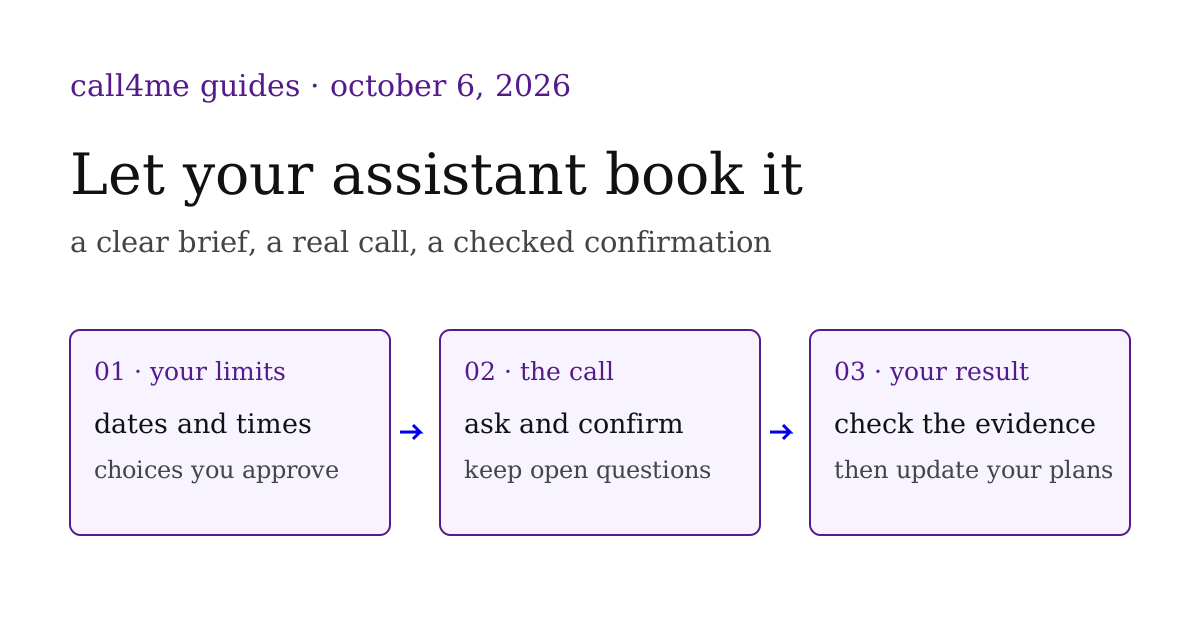
AI appointment booking starts with a clear decision: which time can your assistant accept on your behalf? Give it the business, complete dates, acceptable alternatives and any cost limits. After the call, ask for the business's explicit confirmation and the questions still open.
If you already use Claude Code, Codex or Muse to organize your week, call4me adds the phone conversation to that workflow. The Claude Code guide, Codex guide and Muse connection guide explain each connection and its tested limits. This guide is for someone asking their own assistant to call a business about their plans.
Download the appointment call brief and confirmation checklist. They are reusable templates. The recordings below are real customer calls published with permission; the customers' assistant clients are unknown. They do not establish a newly tested Claude Code, Codex or Muse booking flow, a calendar update or attendance at the appointment.
Decide whether to book, replace or notify #
A scheduling request can require different actions. Make yours explicit before the assistant calls.
| Your situation | What to ask the assistant to do | What counts as the result |
|---|---|---|
| You need a new appointment | Book one time within your stated limits | Staff explicitly confirms the booking details |
| You want to move an existing visit | Check its current status, then request the authorized change | The new slot and the old slot's status are both clear |
| You are running late | Give your expected arrival and ask for instructions | The desk's actual response, including any conditions |
An available time is an option. A confirmed booking is a commitment from the business. A message delivered to the desk is an update. Keeping those outcomes separate makes the assistant's report useful when you plan what happens next.
Give your assistant the choices you would make #
Use complete dates and the business's local timezone. Say whether the same provider or location is required. If several times work, specify how to choose: earliest calendar date, earliest time that day, or closest to your original visit.
For an existing appointment, provide its date, time and reference privately. Have the assistant check whether it is still active before changing it. If you want the original slot preserved until a replacement is available, put that instruction in the brief. The office may have its own process; an unresolved conflict should come back to you.
Also specify whether the caller can accept a deposit, cancellation fee, different provider or different location. Supply only the identity and contact details you authorize it to share. Check the saved caller profile as well as the prompt, since a profile can affect the caller's introduction.
Here is a suggested prompt to adapt:
Use call4me to call [business and verified phone number] about [appointment purpose]. My acceptable dates and local time windows are [full dates, times and timezone]. I prefer [selection rule], and [provider and location requirements] must stay the same. The current booking is [details, or no existing booking]. First check its status. You may book one appointment within these limits using [authorized name and callback details]. For an active booking, ask to preserve it until a replacement is confirmed. Ask about deposits, cancellation terms and arrival instructions before agreeing. My permission for charges is [specific limit or none]. If a required detail, alternative or charge falls outside these instructions, collect the options and ask me. Return what staff confirmed, the original booking's status, unanswered questions and the available transcript or recording. Ask separately before changing my calendar.
The downloadable brief gives each input its own field. Leave an unknown fact marked unknown instead of asking the assistant to guess. Check the current calling requirements before placing the call.
Hear what confirmed and incomplete outcomes sound like #
These three October 6, 2026 customer calls show why the wording of the result matters. Each player uses the existing complete reviewed recording with private identifiers muted. The linked original article contains its full transcript and context.
A replacement appointment after the old slot was canceled #
In this doctor appointment call, the office first confirmed that Thursday, October 8 at 10 AM was already canceled. Scheduling then offered Thursday at 1:30 PM or Friday at 11:30 AM. The assistant chose Thursday at 1:30 PM within the customer's available hours, and staff confirmed it.
The complete recording lasts 8 minutes 6 seconds. Read the full transcript.
This supports a confirmed replacement booking. The call did not cancel the old slot; it was already canceled. Staff said details would arrive through the patient portal and a text message, but the recording does not prove receipt. The office's preparation instructions applied to that customer's visit.
A dinner reservation with an unanswered policy question #
In this restaurant reservation call, staff confirmed a table for four on Thursday, October 8 at 7:30 PM after collecting the reservation name and callback number.
The complete recording lasts 1 minute 26 seconds. Read the full transcript.
The table was booked. Cancellation terms were not confirmed, and no confirmation number was provided. A useful report can say both things: the reservation is confirmed, and the cancellation policy is unknown. The absence of a card request during the conversation does not establish free cancellation or rule out later charges.
An arrival update with a conditional answer #
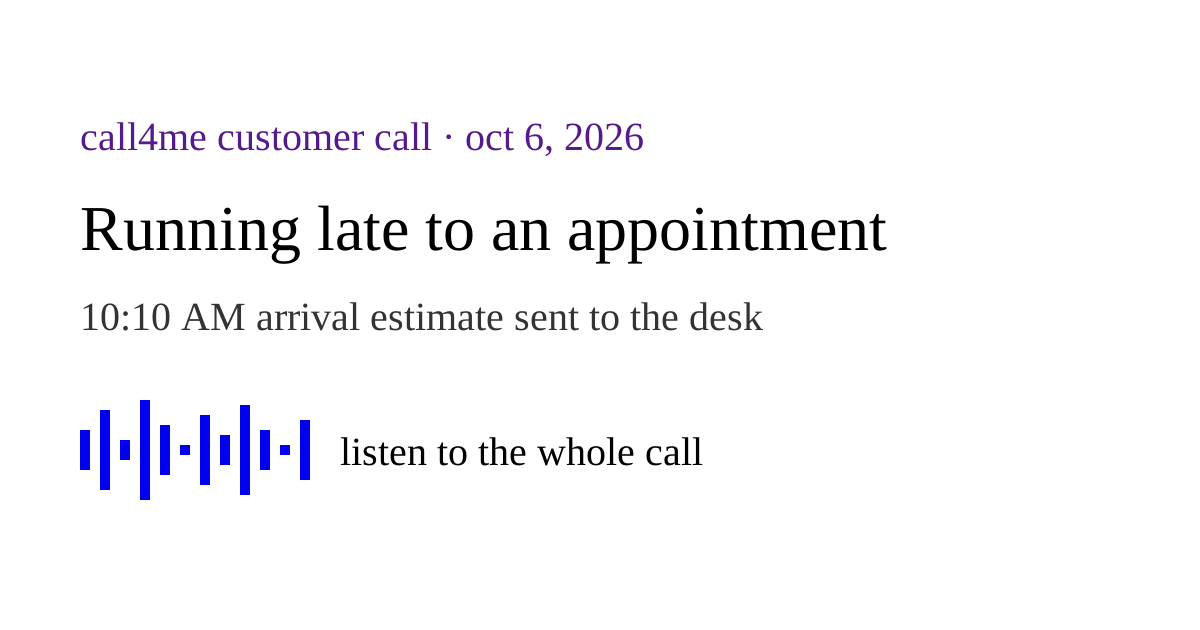
In this appointment arrival update, the assistant told the desk that the customer expected to arrive at 10:10 AM for a 10 AM appointment. Staff said it should be okay and that they would notify the provider.
The complete recording lasts 48 seconds. Read the full transcript.
That answer is an acknowledgment with a condition. It does not establish a newly booked time, a guaranteed visit or the customer's actual arrival. Preserve “should be okay” in the report instead of turning it into “confirmed for 10:10.”
Check the result before changing your plans #
The call ending successfully tells you that the conversation ended. Use the confirmation checklist to inspect the actual scheduling outcome:
- Did the assistant reach the intended business, location and scheduling desk?
- Did staff explicitly confirm a booking, offer an option, acknowledge a message or request a callback?
- Are the complete date, local time, timezone, provider or party size and location clear?
- If there was an existing booking, is its final status known?
- Which deposit, cancellation and arrival questions were answered, and which remain open?
- What exact words or transcript passage support the result?
- Is anything still waiting on written confirmation, your decision or another call?
Have your assistant put those answers back into the conversation where you planned the task. A concise result might contain: status, confirmed details, evidence, unresolved questions, next decision. This is a suggested reporting format, not a claim that these customer calls wrote to a planning app.
If you also want a calendar event, treat that as a separate action using the confirmed details and your permission. The phone recording establishes what the business said. It does not establish a calendar write, receipt of a text or attendance at the visit.
Start with your client's calling connection guide, or choose Codex or Muse. Then reuse the brief for one appointment and compare the returned result with the checklist. For work that starts with finding suitable businesses, see the web research and phone calls guide.